POC thresholds can be set according to what works best for your site, and can be set independently of the mainline. For example, values can be set above the mainline break threshold to appropriately monitor for the actual flow you are seeing on the site. To customize the POC, No Flow Leak, and Catastrophic leak thresholds, use the drop-down tabs in the Alarm Threshold section as pictured below.
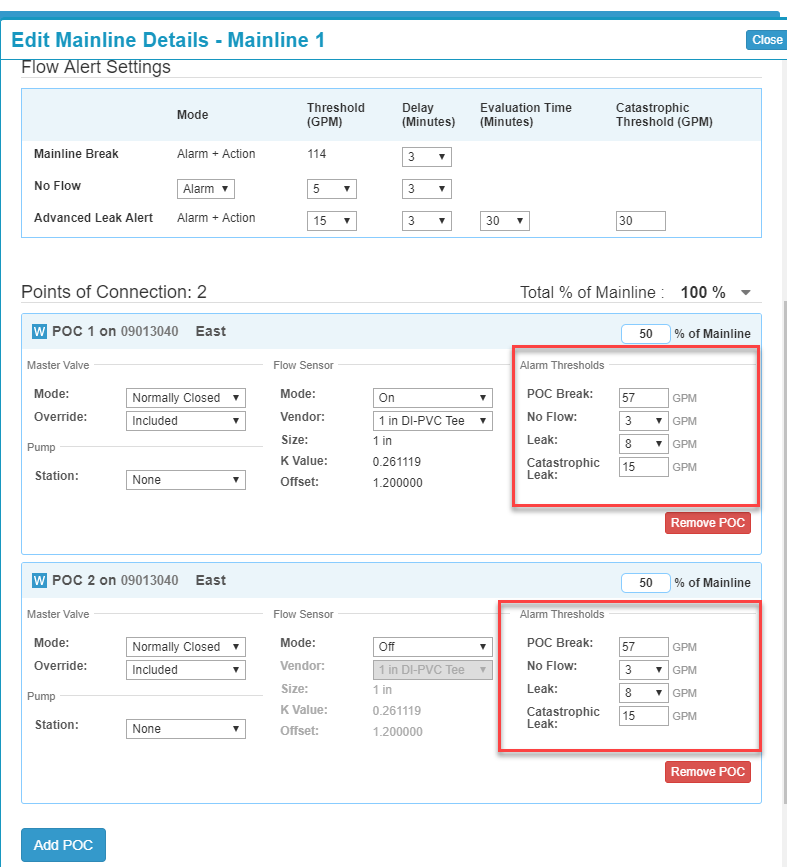
1. Set the thresholds according to the desired GPM, then click Save.
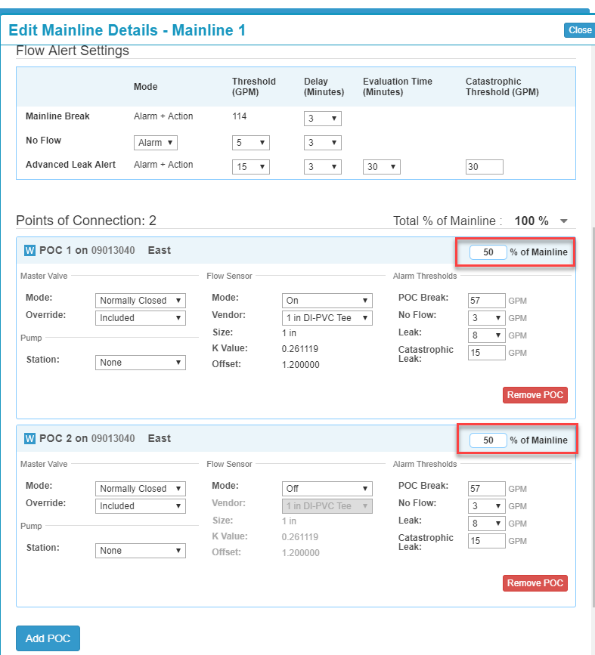
2. Set the percentage for each POC in the field as indicated below.
Note
When a POC is added, the values are distributed evenly among each POC. This value can be above 100% if necessary and changed to the desired percent to match flow.