Update
Table of Contents
From the ControllerFrom WeatherTRAK Central
From the Controller
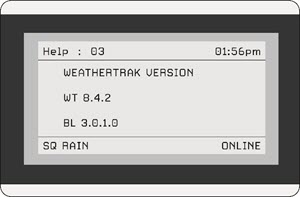
Firmware versions can be found in the HELP menu.
1. Press HELP
2. Press > until "Help : 03" page displays
The firmware version will be listed as WT --.--.--, on the second row, underneath WEATHERTRAK VERSION, as shown below.
From WeatherTRAK Central
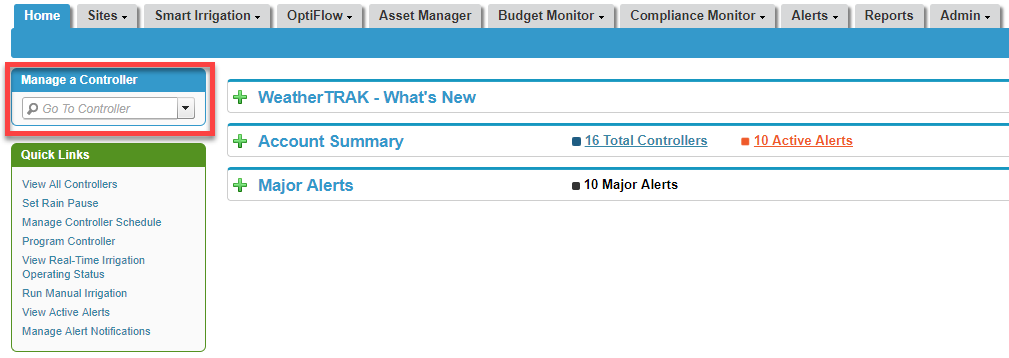
1. Log in to WeatherTRAK.net
2. From the Home tab, use the drop-down list in the Manage a Controller box to select the desired controller.
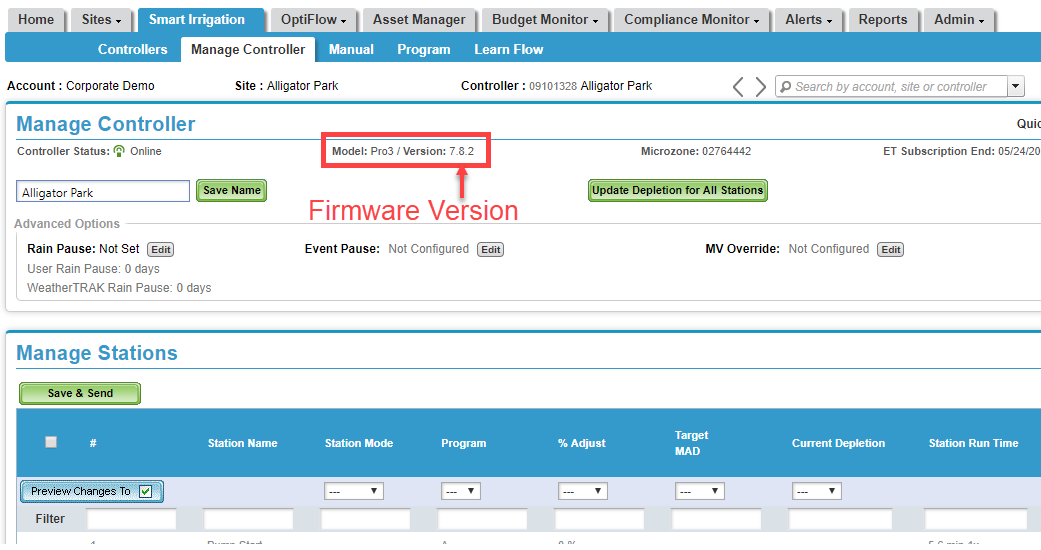
3. The Manage Controller page displays. Firmware versions are listed in the Manage Controller section as shown below.
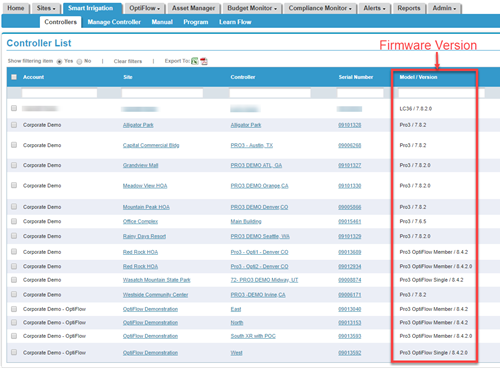
You can also view firmware versions for several controllers at once on the Controller List page.
1. From the Smart Irrigation tab, click Controllers. The Controller List page displays.
2. A list of all controllers displays. The firmware version for each controller is listed under Model/Version as shown below.