Quick Start
Note: Must be connected to the UltraSonix flow monitor via Bluetooth.
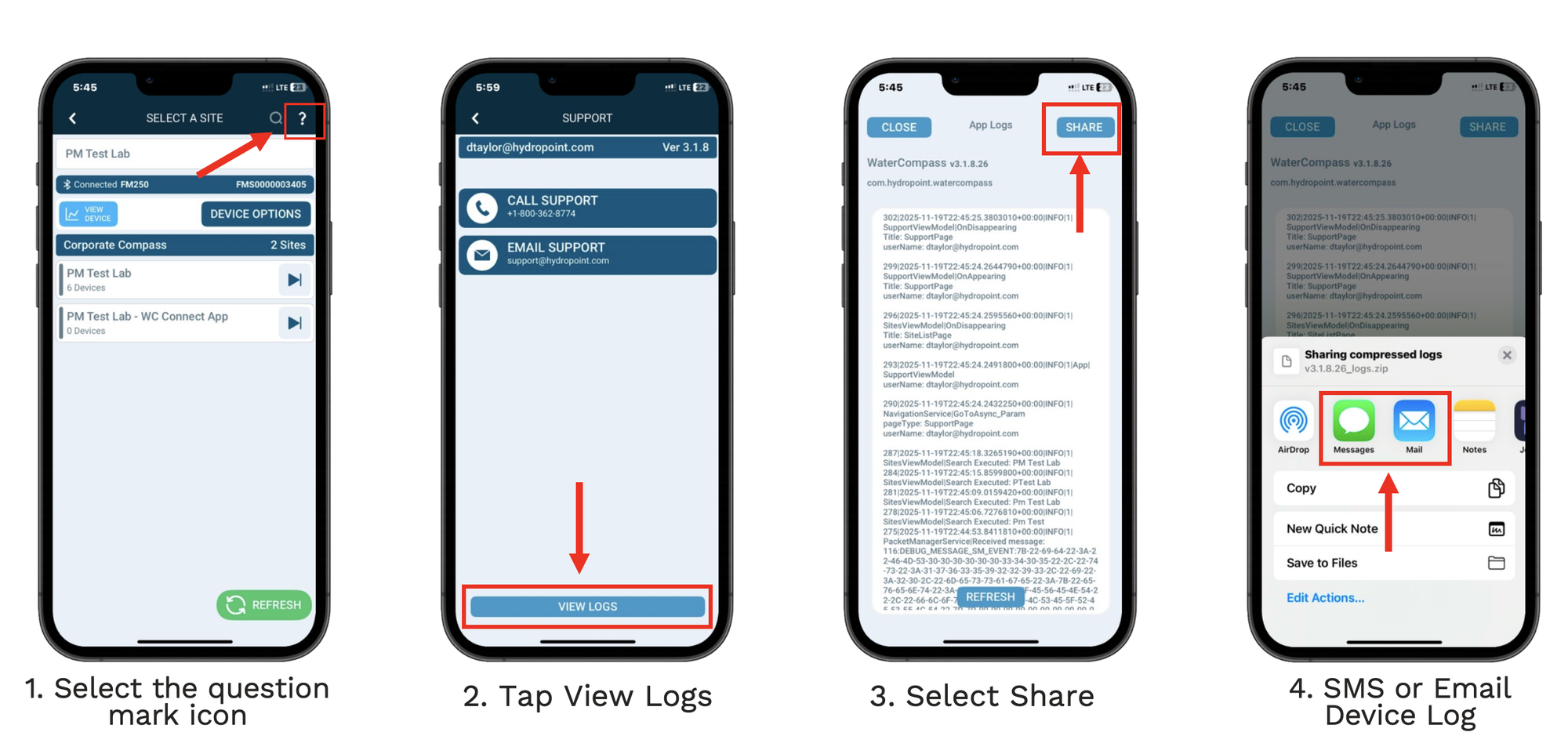
- Select the question mark icon in the top right corner.
- Tap View Logs at the bottom of the page.
- Select Share from the top right corner.
- Share the log via SMS text message or Email.
- Send logs to the support specialist you are working with.
Process Overview