
Using the percent adjust feature is a great way to adjust the amount of water being applied to your landscape on a station-by-station basis.
If a station is receiving too much water, try changing the % Adjust to -10%. Continue to decrease over time until watering amounts are as expected.
If a station is receiving too little water, try changing the % Adjust to 10%. Continue to increase over time until watering amounts are as expected.
Change a Station's % Adjust Setting
1. From the Sites List page, use the select button to choose a Site.
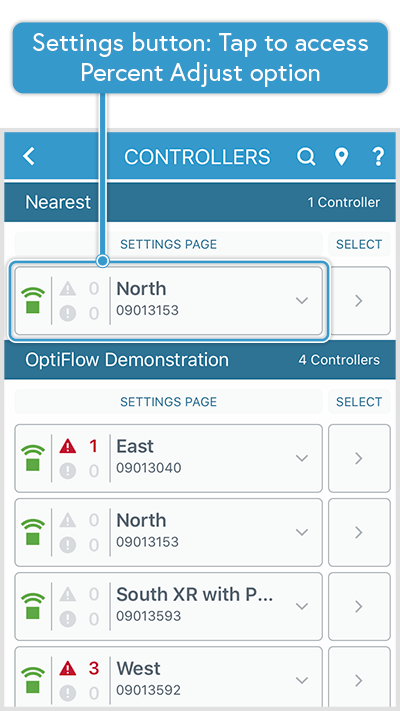
2. The Controller List page is presented, select the Settings page button associated with the controller you want to make % Adjustments to.
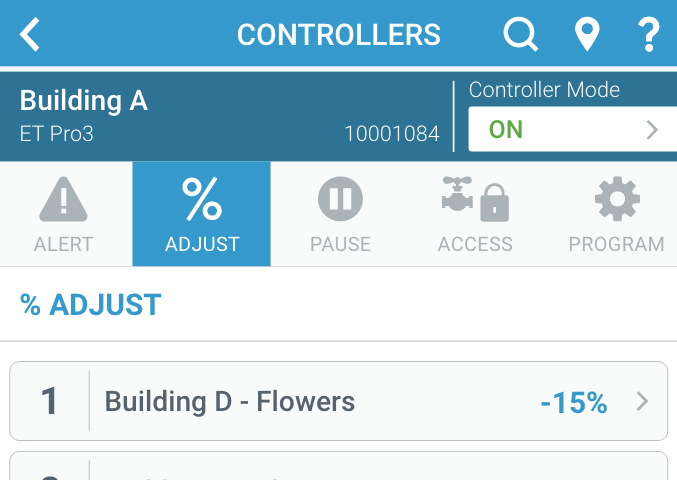
3. Select the % Adjust tab. The Percent Adjust page will display a list of Station buttons and current % Adjust values for each
4. Select the Station button for the station you want to adjust the percentage for. A page displays value options for percent increase or decrease - starting at 0%.
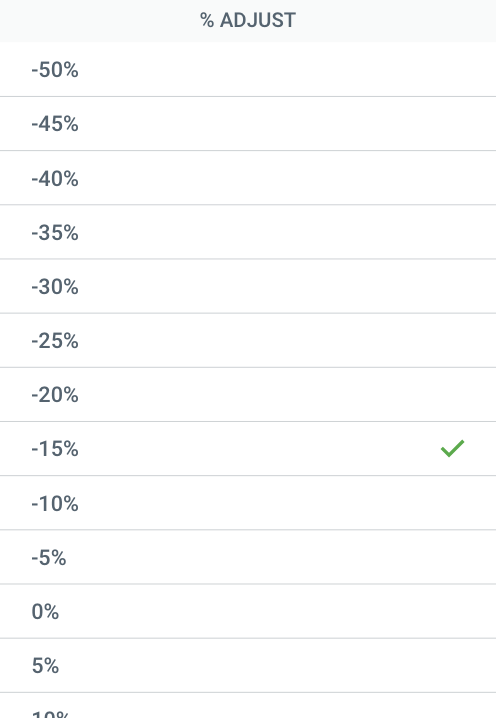
5. Select the desired % value. The selected amount will be applied and the adjustment will be reflected, beginning at the next scheduled watering.