
1. Click the "Menu" icon

in the upper-left corner of the BaseManager page, and then click "Sites and Controllers". Continue drilling down until you can select the controller that the zone is associated with.
2. Click the "Maps" tab, and then click "Current Controller".
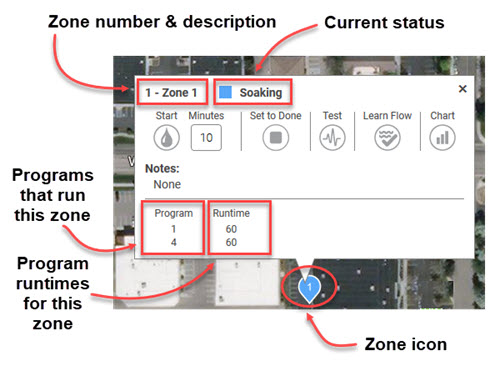
3. On the map, click on the marker for the zone that you want to display. The zone pop-up box displays.
4. Review the information as shown in the illustration below.
5. Close the pop-up box by clicking the "X" in the upper-right corner.