
Goal: Have a New WT or BL User Onboarding automated email journey that includes:
- First 30 days – frequently sent emails – include lots of how-to content & training (two content versions 1) “contractor” = LMC 2) “customer” = everyone else
- 12 months of once a month emails – this will start AFTER the first 30 day content
- Quarterly User Newsletters – all new users will also review the quarterly user newsletters
Important Note
This process applies to both WeatherTrak and Baseline new user accounts. For Baseline user accounts, just replace instances of WeatherTrak with Baseline centric choices.
We may need to use "in first year onboarding" instead of "in first 30 days"
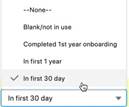
NEW CUSTOM FIELDS TO BE created on Contact Record in Salesforce – that we will then map to Pardot
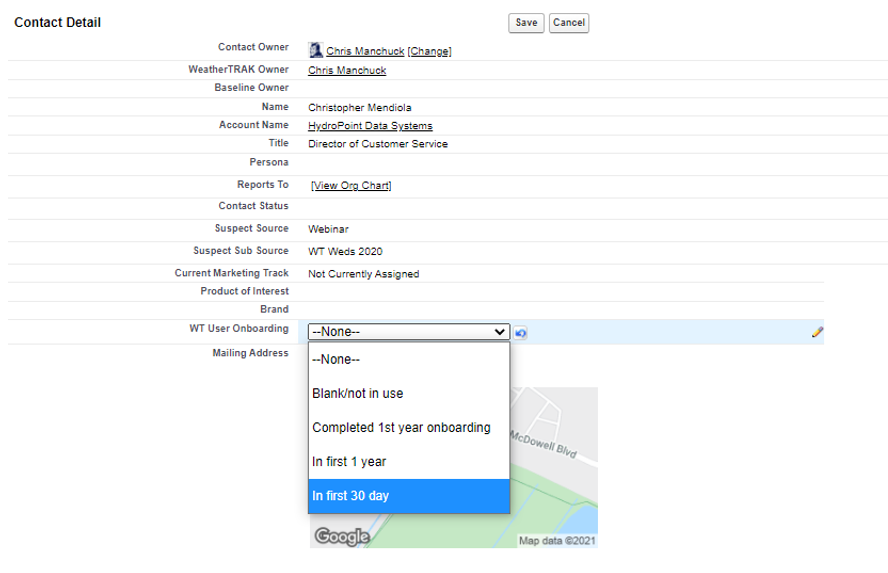
On a contact record – in the Special Communications Section, please have a NEW field created with the following:
Field Name: WT User Onboarding
Field Type: Drop Down
Drop Down options:
- blank/not in use
- In first 30 day
- In first 1 year
- Completed 1st year onboarding
Field Name: WT User Type
Field Type: Drop Down
Drop Down options:
Blank/not in useCustomerContractor
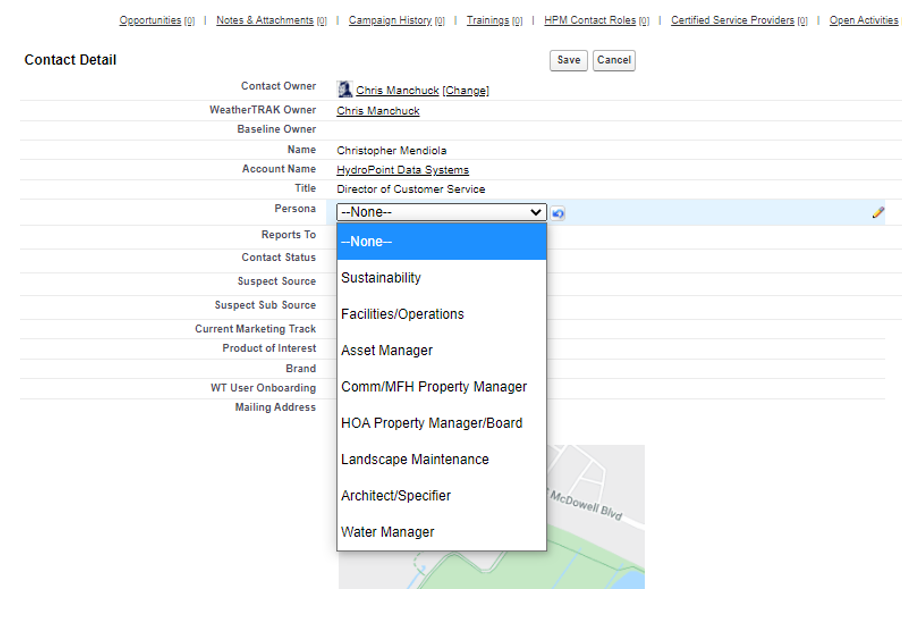
Using Persona Field instead and matching the persona field to WT User Type
Field Name: Persona
Field Type: Drop Down
Drop Down options:
- Blank
- Sustainability
- Facilities/Operations
- Asset Manager
- Comm/MFH Property Manager
- HOA Property Manager/Board
- Landscape Maintenance
- Architect/Specifier
- Water Manager
When WT user type is Contractor, that means the persona field = Landscape Maintenance
When WT user type is Customer – this means every remaining persona
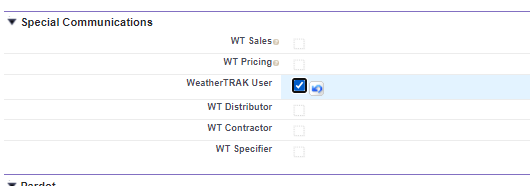
ALSO: have the Support team manually check the WT User checkbox when setting up these new WT users in Salesforce.
SAVE updates to the contact record when finished
Pardot Automation:
Create 2 separate engagement studios: 1 for first 30 days, one for the year after the first 30 days.
Create 3 separate dynamic pardot lists:
- WT Onboarding – in first 30 days [where field: WT User Onboarding = In first 30 days]
- WT Onboarding – in first 1 year [where field: WT User Onboarding = In first 1 year]
- WT Onboarding – completed 1st year [where field: WT User Onboarding = completed 1st year onboarding]
- New WT user Onboarding – first 30 days Engagement Studio
- Send to dynamic list: WT Onboarding – in first 30 days
- Have emails start immediately – or within 1 hr
- The two “personas” for the content in this campaign will be based on their WT User Type: Contractor = the LMC, and will be the super technical person that is programming the controller, etc. or the Customer = everyone else
- Ideally have some of the emails include custom content based on their user type – for example – the Customer type might be more interested in reporting or site manager, where the contractor might be more interested in setting up event pauses, or digging into auto vs user- et.
- Once this 30 day email drip ends – have the final step in the engagement studio be to change the field WT User Onboarding field TO: In first 1 year
- New WT User Onboarding – first 1 year Engagement Studio
- Send to dynamic list – WT Onboarding – in first year
- This one will be tricky – because the content in this email sequence will be based on the current month they start. We will have 12 months worth of content – one per month Jan àDec and will need to build this engagement studio correctly so the user receives the next month in line based on date.
- Content in this email sequence will be slightly different based on the WT User type.
- Once this 12 month email drip ends – have the final step in the engagement studio be to change the field WT User Onboarding to: Completed 1st year onboarding
- Quarterly WT User Newsletters
- Let’s keep the workflow of these the same – these go out to anyone with the WT User checkbox selected. We can talk about if we want to SUPPRESS any of the people in the first year onboarding from these user newsletters.
Content Topics for first 30 days:
- Email #1 – Day 0 – Summary of all resources: Training, Knowledgebase, Mobile App & Support
- Email #2 – Day 3-5 – On Demand Beginning Training course + Account Management (add users, passwords, permission levels, contact info)
- Email #3 – day 7-9 – Programming Best Practices + adjusting irrigation schedules (rain pause, storms, etc)
- Email #4 – day 15-20 – Alerts, Reports, Support + Mobile App reminder
- Email #5 – day 25-30 - Youtube Channel, Weekly Webinars, Trouble Shooting tips