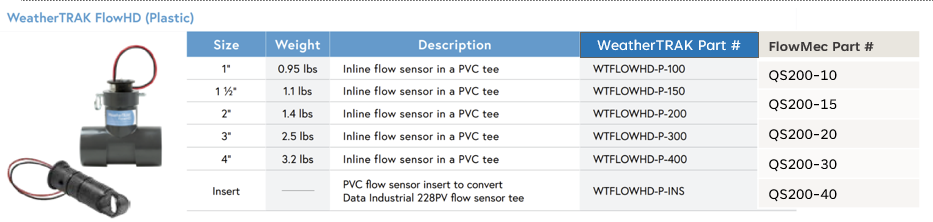
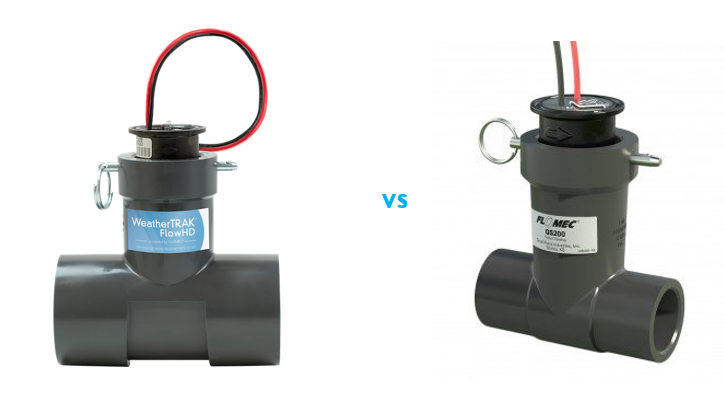
We contract and relabel FlowMec's ultrasonic flow sensors (QS200) as WeatherTRAK FlowHD Plastic Sensors (WTFLOWHD-P). Customers may either purchase these flow sensors/ replacement components with us or FlowMec.
How to Determine When an Insert Needs to be Replaced:
- Ensure that the FlowHD has been installed properly
- If the device has been installed properly, perform a tap test at the controller.
- If the tap test at the controller passes, perform a tap test in the field.
- instructions for performing tap tests at the controller and in the field can be found in the “Checking Flow Hardware” section of this article.
- If both the tap test at the controller and in the field pass, and all splices are good, proceed with an RMA for the FlowHD insert.
Steps to Approve RMA: Check if Customer Purchased Directly through us
1. HPDS label: If sensor has Flowmec label, we are not responsible for the unit's warranty. Unfortunately, not all Flowmecs we sell have our label.
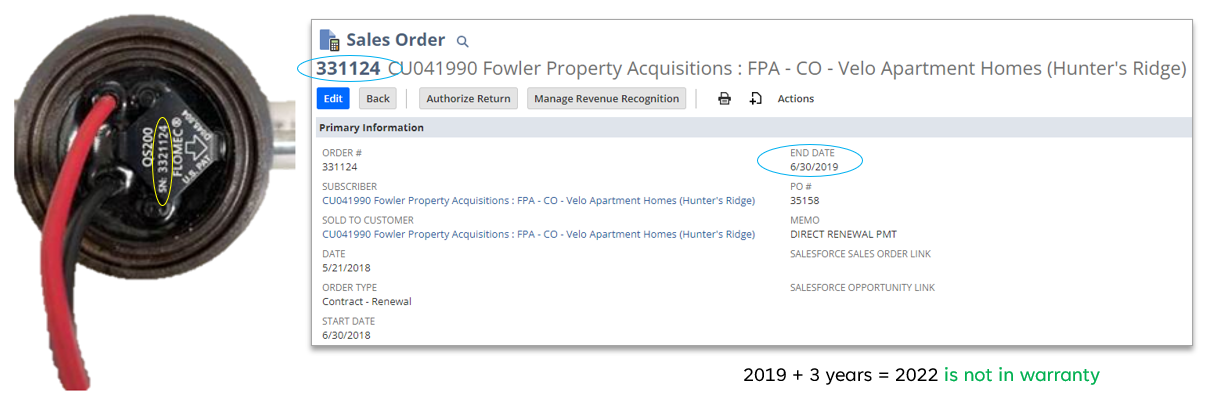
2. Make sure to write the original serial number in the RMA ticket. This will help determine the age of the flow sensor.
2.a Then in Netsuite or Salesforce, search for the device using the serial number located on the top of the sensor. A Sales Order (SO) will be generated if the device was sold through HPDS. Click SO to view purchase date. Is the purchase date within 3 year warranty period? If yes approve RMA.
Does this meet criteria to issue RMA?
- Do not issue RMA
- if there is no HydroPoint label
- if the serial # is not found in NetSuite.
- If you cannot find it and the customer is adamant it was purchased through a distributor within 3 years approve for warranty.
- if it was purchased more than 3 years ago (FlowHD-P warranty length)
- The customer needs to go back to where they originally purchased this sensor for a replacement
- To Issue RMA:
- The Customer does not have to replace the entire unit (tee adapter); they can purchase just the Insert which will update the sensor. Flowmec Insert # WTFLOWHD-P-INS.
- If you do find serial # make sure to note the fail rate of this device to QA in note when sending RMA to orders team.
- HydroPoint will only sell an Insert if a customer is going to retrofit a site with an existing Data industrial 228PV series (you can read more about this here qs200-owners-manual.pdf)
How do I know what K/offset to use if a customer only purchased an insert? K factor and offset values based on the Tee adapter size that will be tied to the mainline.
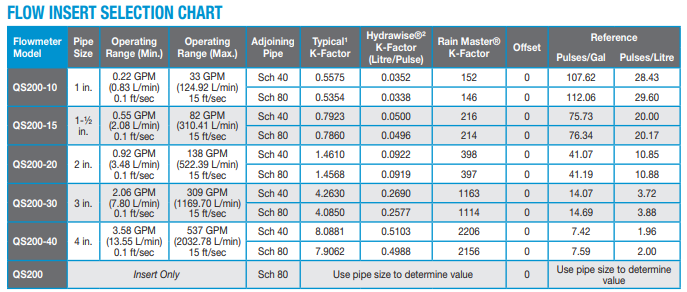
How can I check the size of the Tee fitting?
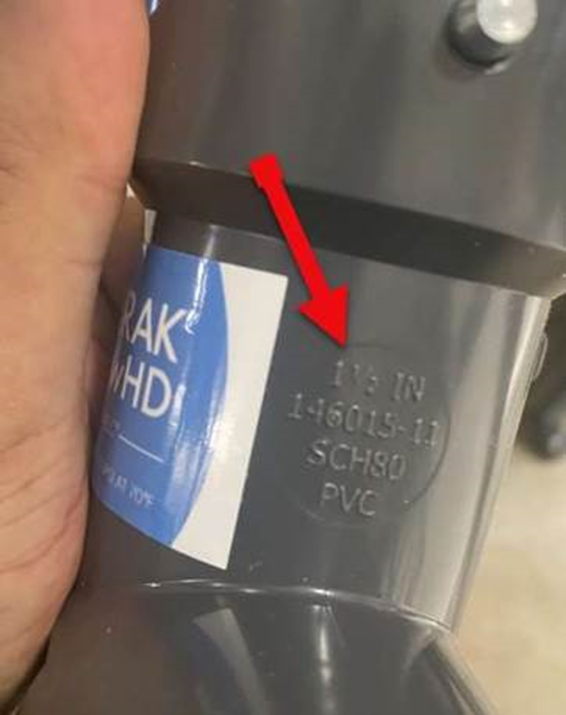
If this sensor was sold as a complete unit (flow sensor insert and Tee adapter) you can validate the Tee adapter size by finding the number casted on the side of the neck of the Tee adapter. This is true for all sizes available mention in the table above.