
Setup WaterCompass Control Point
Step 1: Login to WeatherTRAK.net Admin
- WeatherTRAK.net
- Username: WCMS
- Password: Savewaternow
Step 2: Navigate to the Admin tab and select “Admin Tool

Step 3: Setup "Users"

Step 4: Add or Edit a User

Step 5: Select Access & Permissions
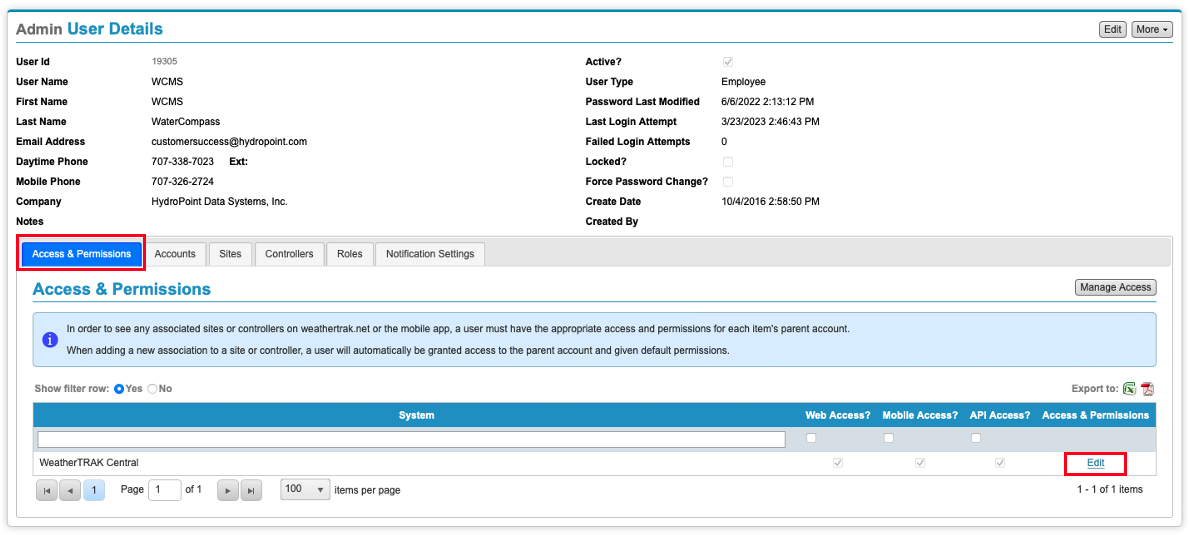
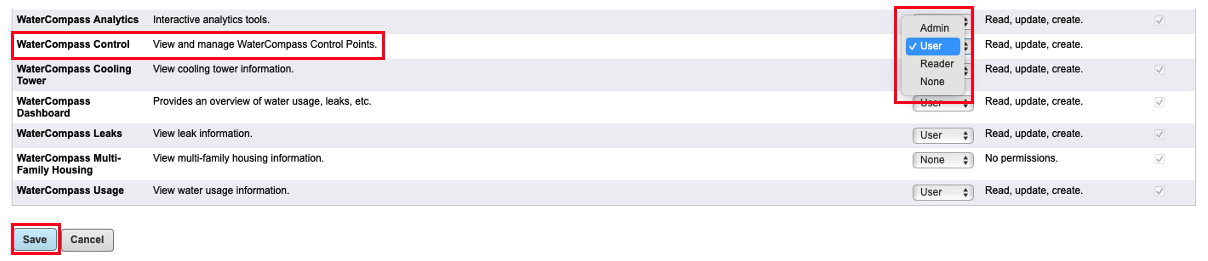
Step 5: Update User Permissions for WC Control
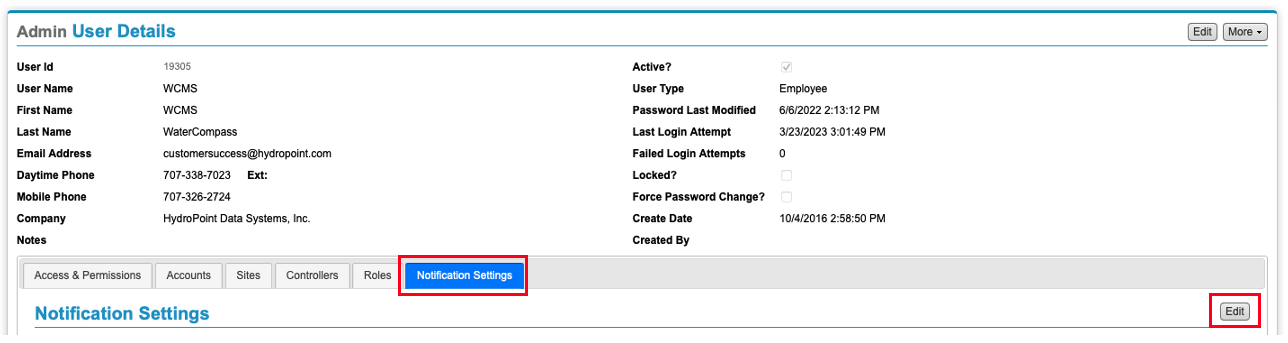
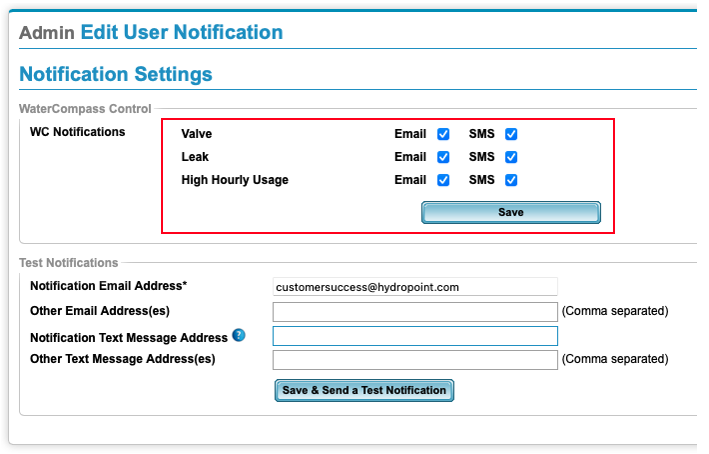
Step 6: Update Notification Settings
Step 7: Navigate to "Control Point" on Admin Home
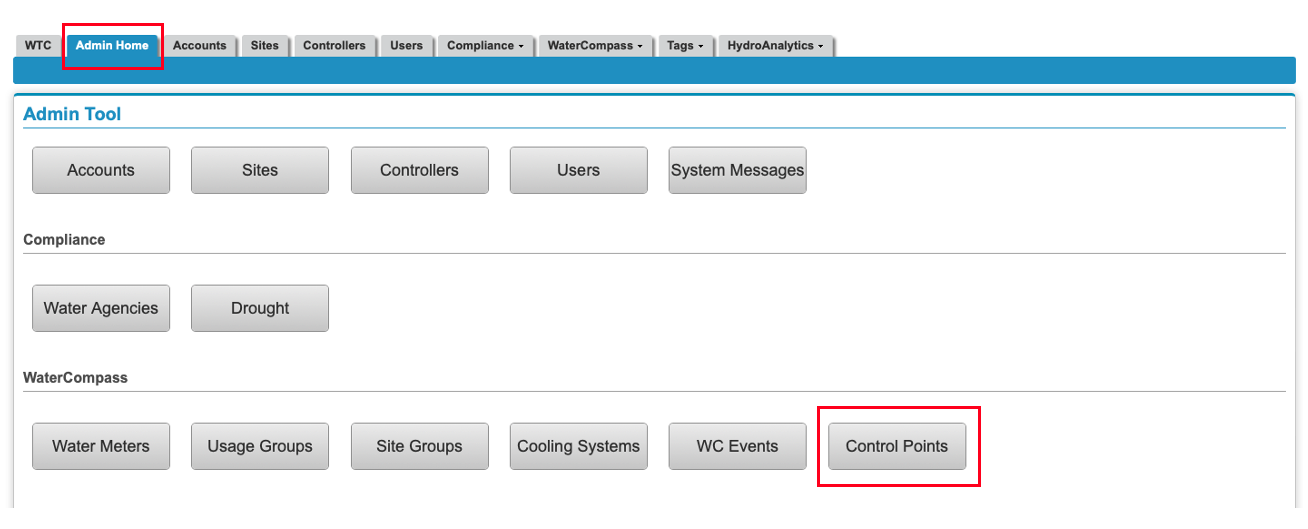
Step 8: Add or Edit Control Point

Step 9: Enter or Edit Control Point Information
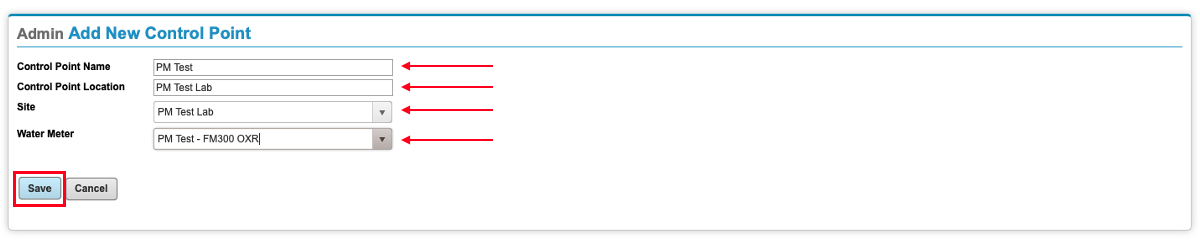
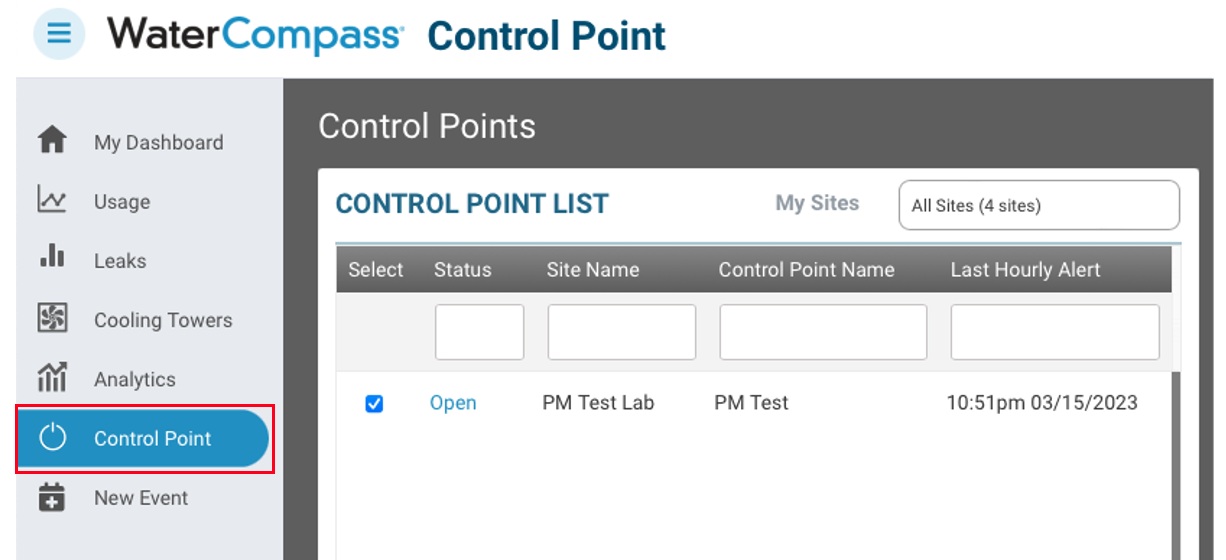
Step 10: Verify Control Point Setup

Step 11: Verify the data is appearing in the WaterCompass Dashboard

© Copyright 2025 HydroPoint Data Systems, Inc. All rights reserved. HydroPoint, the HydroPoint logo, and WaterCompass are either registered trademarks or trademarks of HydroPoint, Inc. Other trademarks may be held by their respective owners.