
The Issue After installing the new Nano or Micro 4g LTE modems, the controller may not connect to BaseManager (stuck on attempting to connect), and the controller is unable to detect the device. (Modem should have all green lights.)
Reason Once the controller boots up, the controllers immediately tries to connect to BaseManager before the modem is able to communicate with the modem data to the controller.
Result The modem is unable to connect to BaseManager, and the controller is unable to detect the modem; therefore, the controller cannot connect to BaseManager.
Resolution The attempt to connect to BaseManager must be stopped so that the controller can detect the modem first. Remember to also confirm that devices are at the required FW version level.
Troubleshoot Procedure:
- At the controller, go to BaseManagerServer Setup menu
- Disconnect Basemanager.
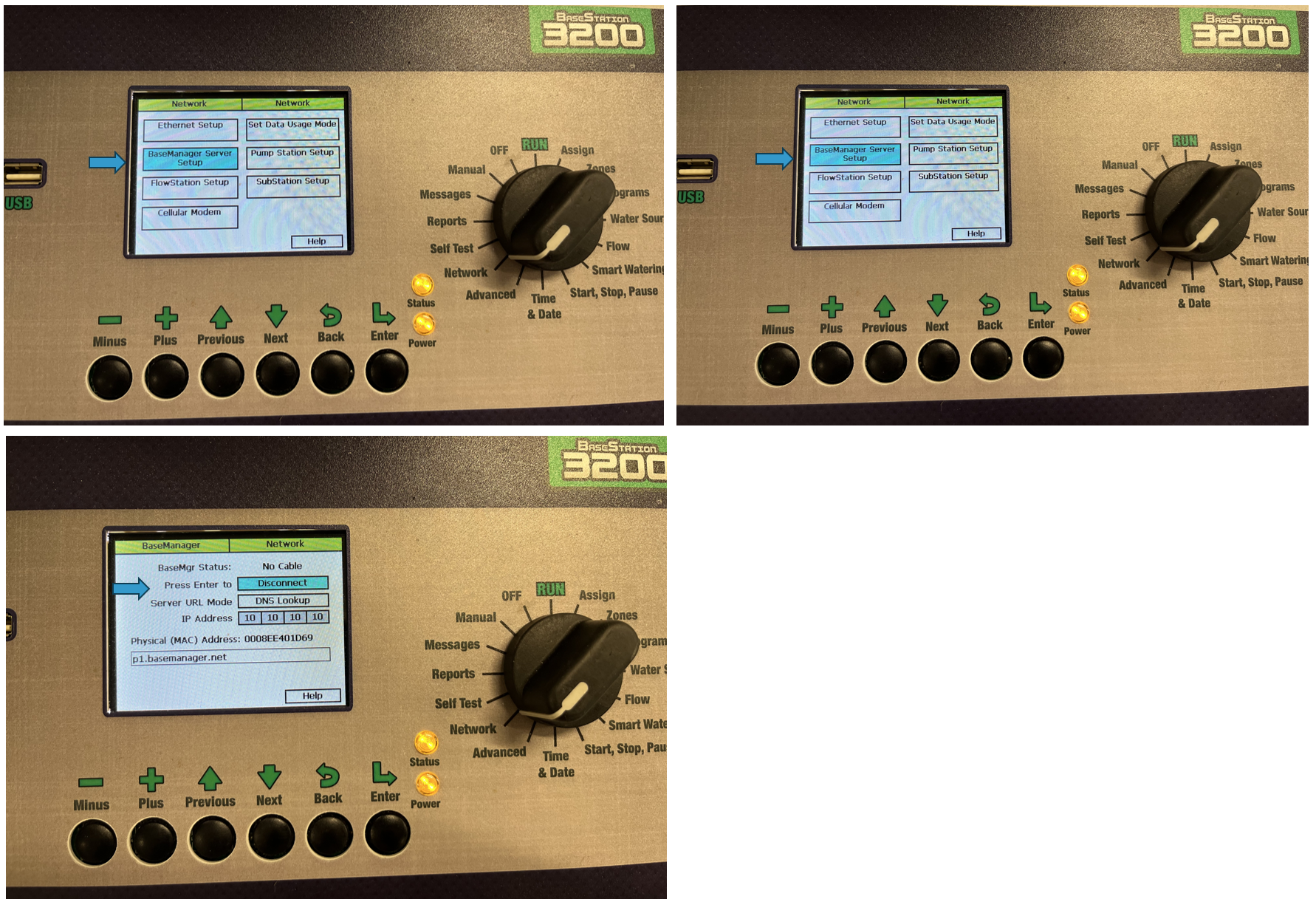
- Power down the controller (unplugging power will work.)
- Remove the ethernet cord from the back of the display (so that it does not try to connect to the modem).
- Power on the controller and wait until the modem has all 3 LED lights back to green.
- If we don't get the 3 green LED - follow the cell modem troubleshooting article
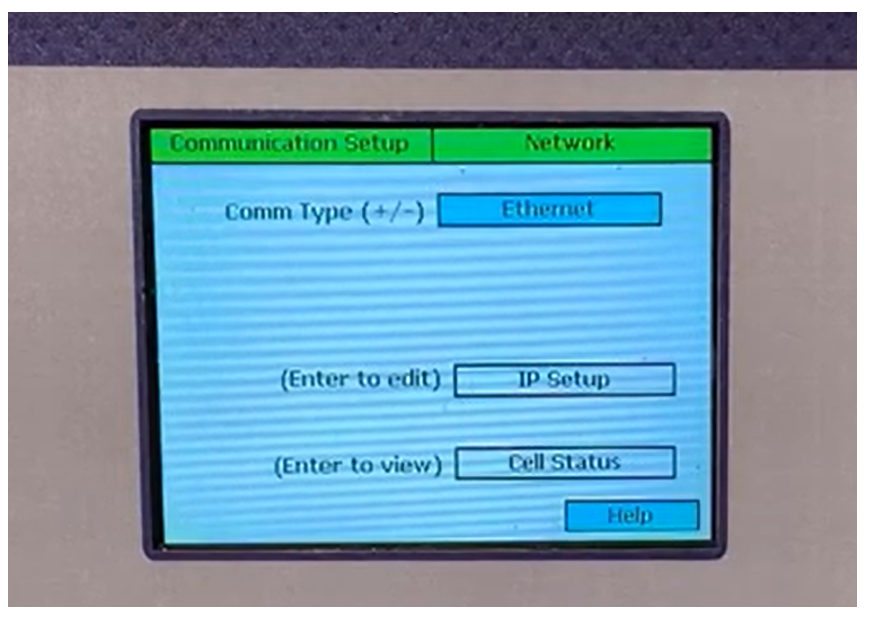
- Next, plug in the ethernet cord and confirm the "cell status" menu to confirm the controller detects the modem.
- Check Cell Status
- (3200) in FW 17.0+ Network > Communication Setup > Cell Status
- (1000) System Setup > Network Setup > Communication Setup > Cell modem info
- (Substation) Setup > Network > Communication Setup > Cell Status
- (FlowStation) System Setup > Network > Communication Setup > Cell status
- Check Cell Status
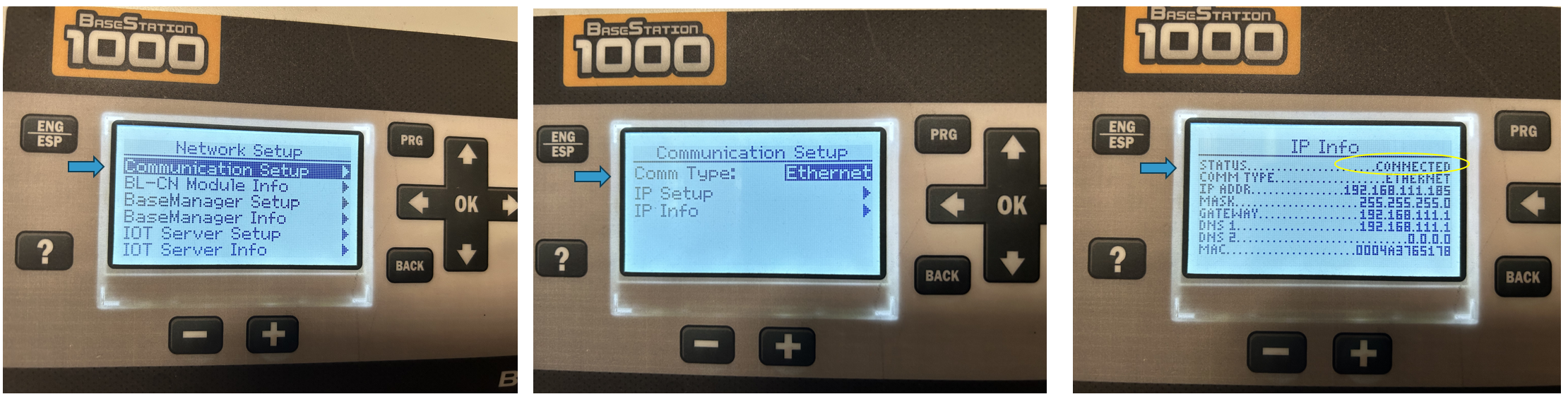
- Go back to Basemanager Server Setup and Connect.
Modem Installation & Setup Articles
3200 Modem Installation
Cell Modem Module Installation and Setup (BaseStation 3200)
Learn how to install and configure the BL-Cloud cell modem module on the Basestat...
[insert-question 954900]
1000 Modem Install Setup
Cell Modem Module Installation and Setup (BaseStation 1000)
Learn how to install and configure the BL-Cloud cell modem module in the BaseStat...
[insert-question 949422]
Click to view the Cloud Network Module Installation and Configuration Guide: