
Overview:
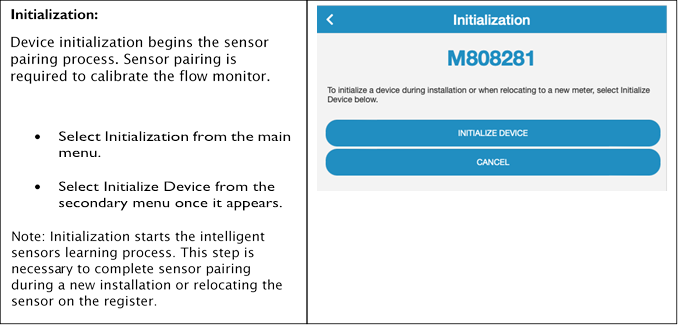
The FM200 Activator is a web-based application designed to interact with the FM200 flow monitor during the installation, calibration and troubleshooting processes.
· No downloads are required to work with the Activator.
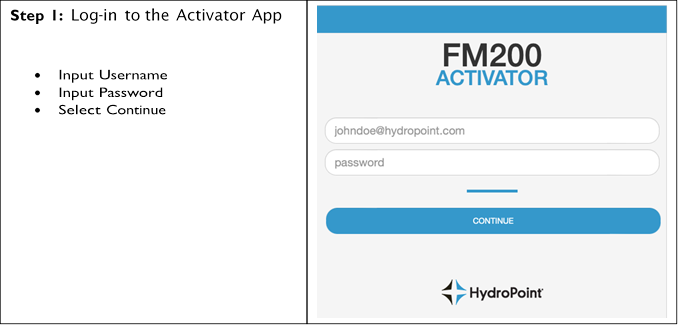
· A WeatherTRAK username & password is required to log-in to the Activator.
· FM200 Activator is accessible here: https://activate.watercompass.net/%23!/Login
· Bookmark the FM200 activator link in your favorite browser for quick access in the field.
FM200 Activator Guide:
Troubleshooting Best Practices:
Utilize the FM200 Activator to troubleshoot basic flow monitor issues in the field.
No Communication:
The Activator will provide devicecommunication information. The following areas of the Activator will assist youtroubleshooting communication issues in the field.
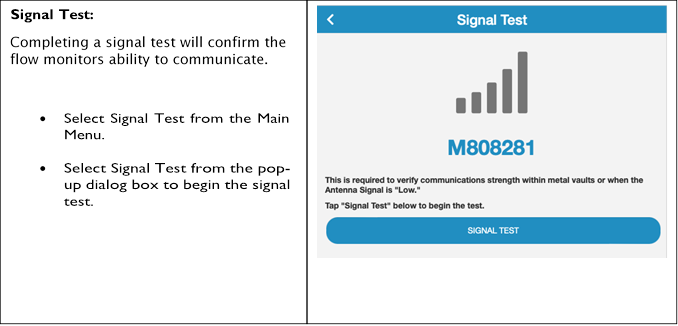
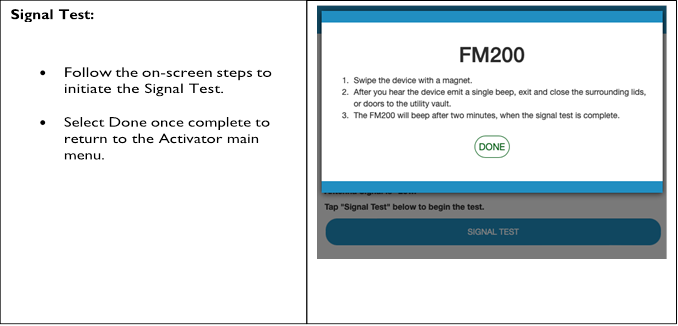
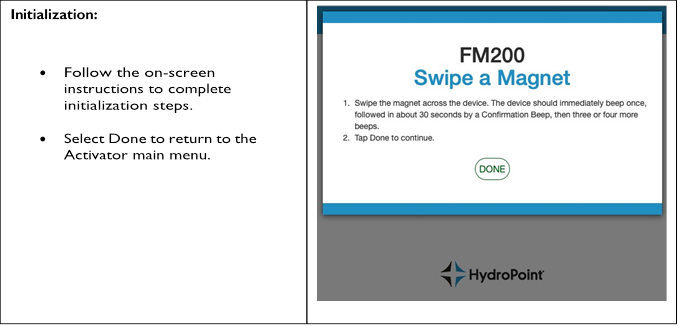
· Signal Test – use the Signal Test optionto test and confirm the device is communicating when relocating orreplacing the antenna.
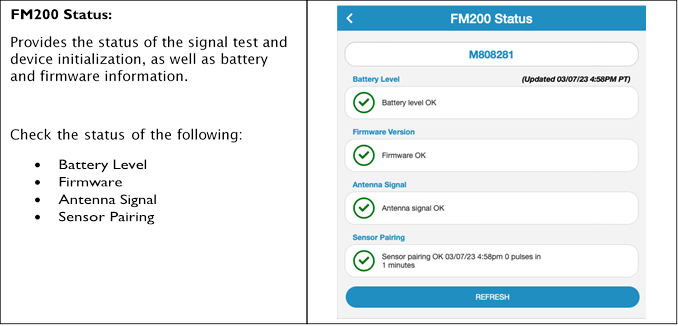
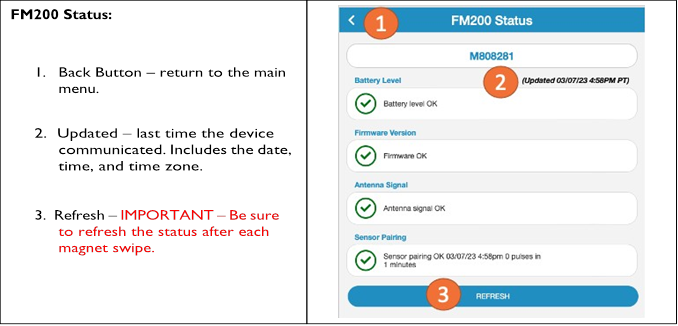
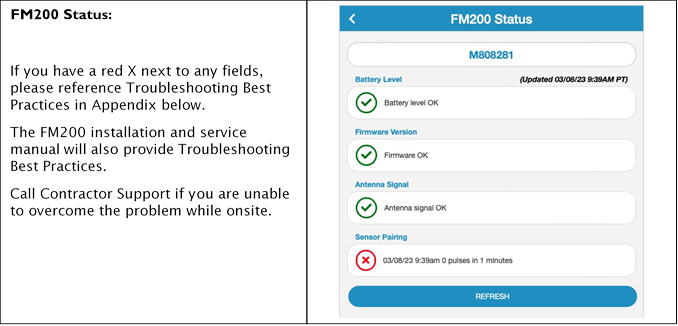
· FM200 Status – check the FM200 Status page to verifythe last time the device communicated. Refreshthe page in between each magnet swipe to receivethe most up to date communication information.
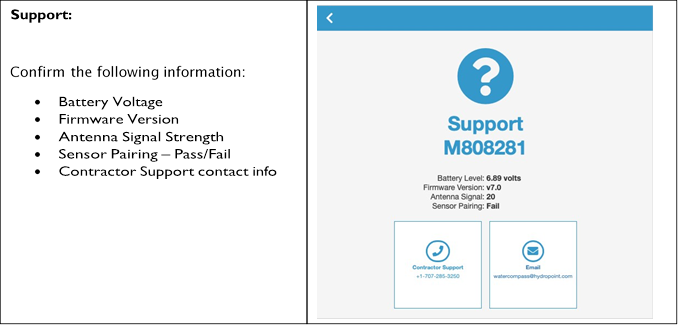
· Support – check the ‘AntennaSignal’ field under support. The Signal strength should be >10.If the antenna signal is <5, relocatethe antenna to increase signal strength
Low/Dead Battery:
Troubleshooting the batteriesduring the installation or battery replacement process, the Activator willprovide guidance on the battery status.
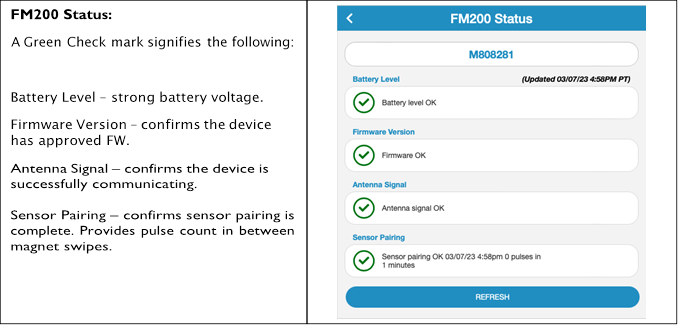
· FM200 Status –check the FM200 status page to verify the battery has a green check mark.
· FM200 Status– verify the flow monitoris communicating. Verifythe date and timestamp matches the last time you swiped the magnet.
· FM200 Status– verify the flow monitoris collecting pulses.Check the sensor pairing field to confirm the numberof pulses registered since the last time you swiped the magnet.If the sensor has not registered pulses,verify the water meteris pushing water, swipe the magnet again, and refresh the Status page.
No Pulses:
There are several reasons the sensos may not collect pulses.
· Water Meter – verifywater pushing water.
· Water Meter – verifythe water meter register is advancing w/ flow.
©Copyright 2023 HydroPoint Data Systems, Inc. All rights reserved. HydroPoint,the HydroPoint logo, and WaterCompass are eitherregistered trademarks or trademarks of HydroPoint, Inc. Other trademarks may be held bytheir respective owners.