
Overview
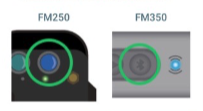
WaterCompass Installer App is a mobile application designed for installers to seamlessly connect and interact with HydroPoint UltraSonix devices (FM250 and FM350) on-site. Utilizing Bluetooth technology, this app enables end users to interface directly with the devices, providing real-time verification of water flow while on location. This streamlined access enhances installation efficiency and facilitates immediate troubleshooting, ensuring optimal device performance before departing the site.
Installer App Access
The WaterCompass Installer application is available by invitation only. To request access for an installer, please reach out to services@hydropoint.com, providing your name, email address, and device operating system (iOS or Android).
Once the invitation is received, please refer to the following page for detailed instructions on gaining access to the mobile app.
| Test Flight Application Download |
Establish a Bluetooth Connection
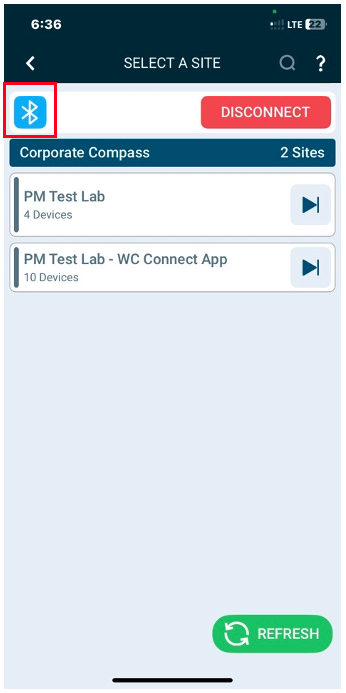
Follow these steps to connect to the UltraSonix device using the Installer App.
Instruction |
Video |
|
Video: Click the video for a brief tutorial. Step-by-Step Instructions: See below. |
|
View Real-Time Flow
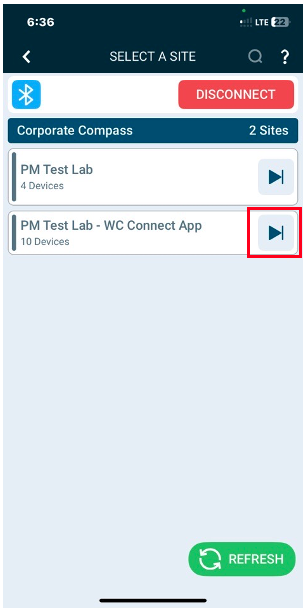
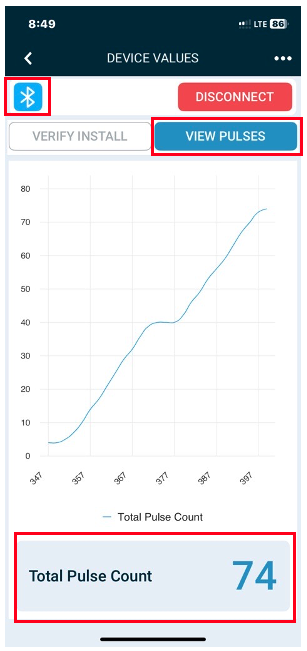
Follow these steps to view real-time flow data captured by the Ultrasonix flow monitor.
Instruction |
Video |
|
Video: Click the video for a brief tutorial. Step-by-Step Instructions: See below. |
Add a New Device
Follow these steps to add a new device to the installer's virtual warehouse site, including creating a new monitoring point.
Instruction |
Video |
|
Video: Click the video for a brief tutorial. Step-by-Step Instructions: See below. |
|
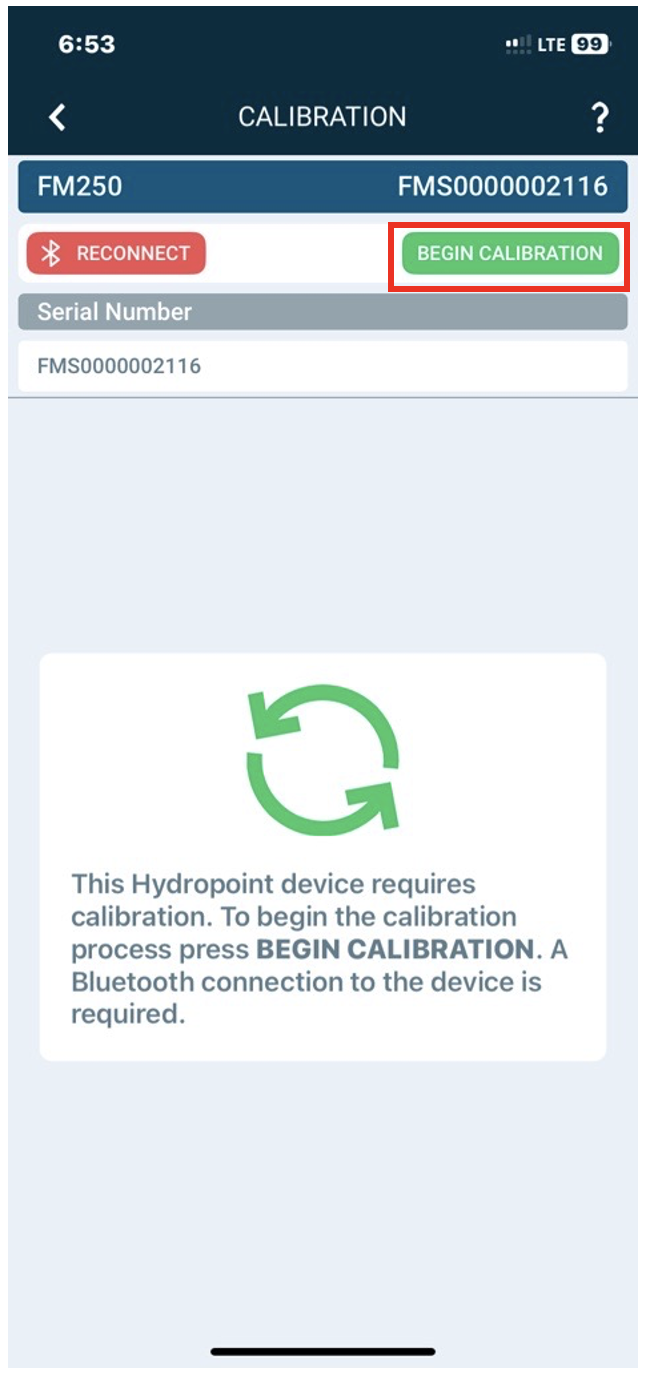
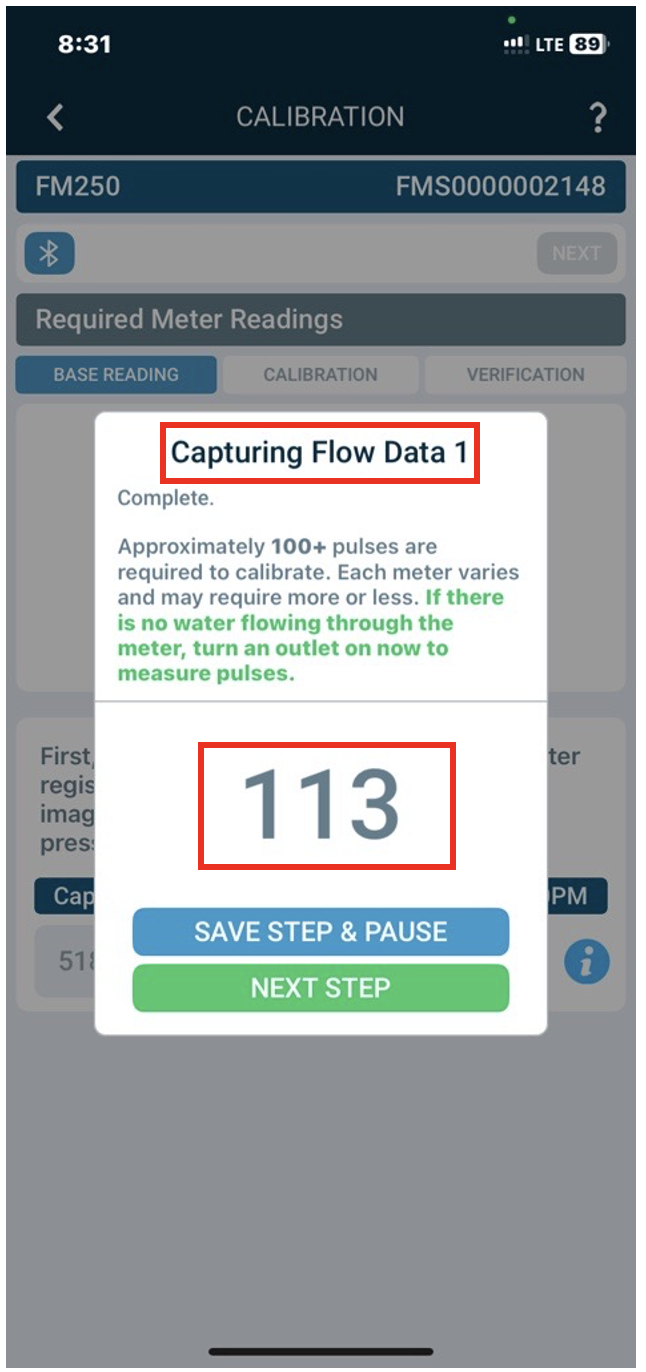
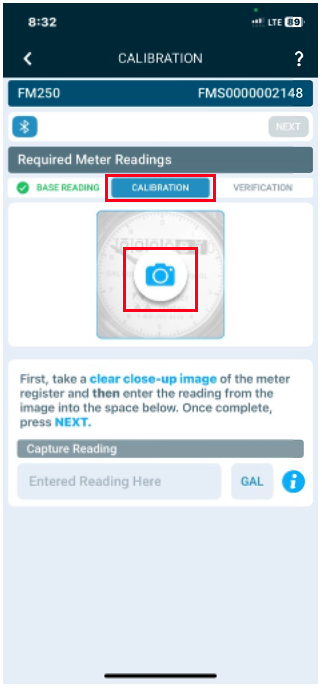
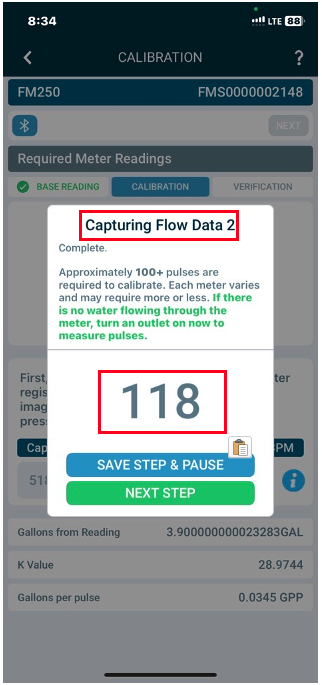
FM250 Calibration
Follow these steps to calibrate the FM250 device, ensuring accurate flow measurements.
Instructions |
Video |
|
Video: Click the video for a brief tutorial. Step-by-Step Instructions: See below. |
|
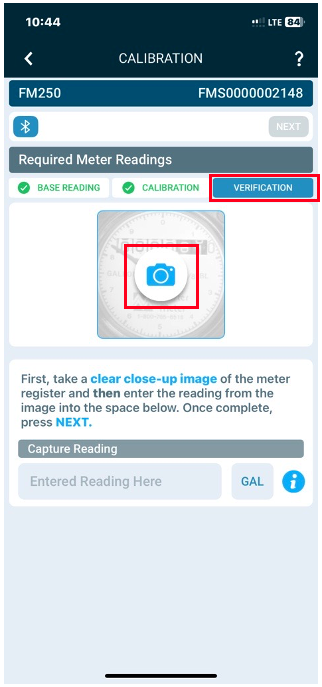
FM350 Configuration
Follow these steps to configure the FM350 device, ensuring proper setup and accurate flow measurement.
Instruction |
Video |
|
Video: Click the video for a brief tutorial. Step-by-Step Instructions: See below. |
|
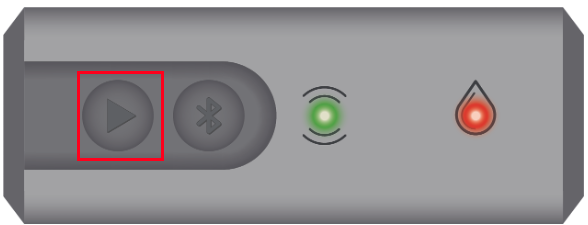
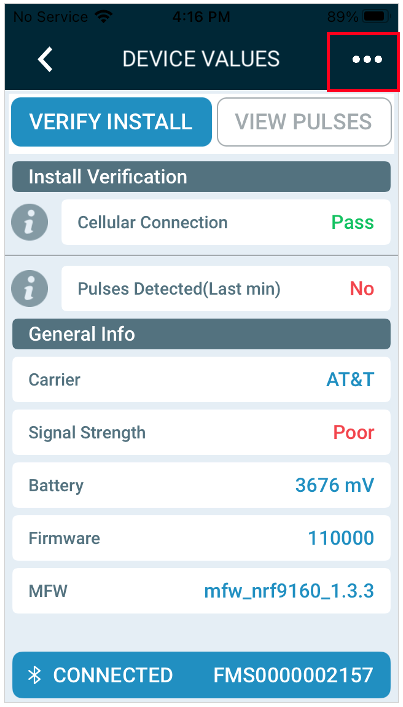
Verify the UltraSonix Installation
Follow these steps to verify the Ultrasonix installation, ensuring proper setup and functionality.
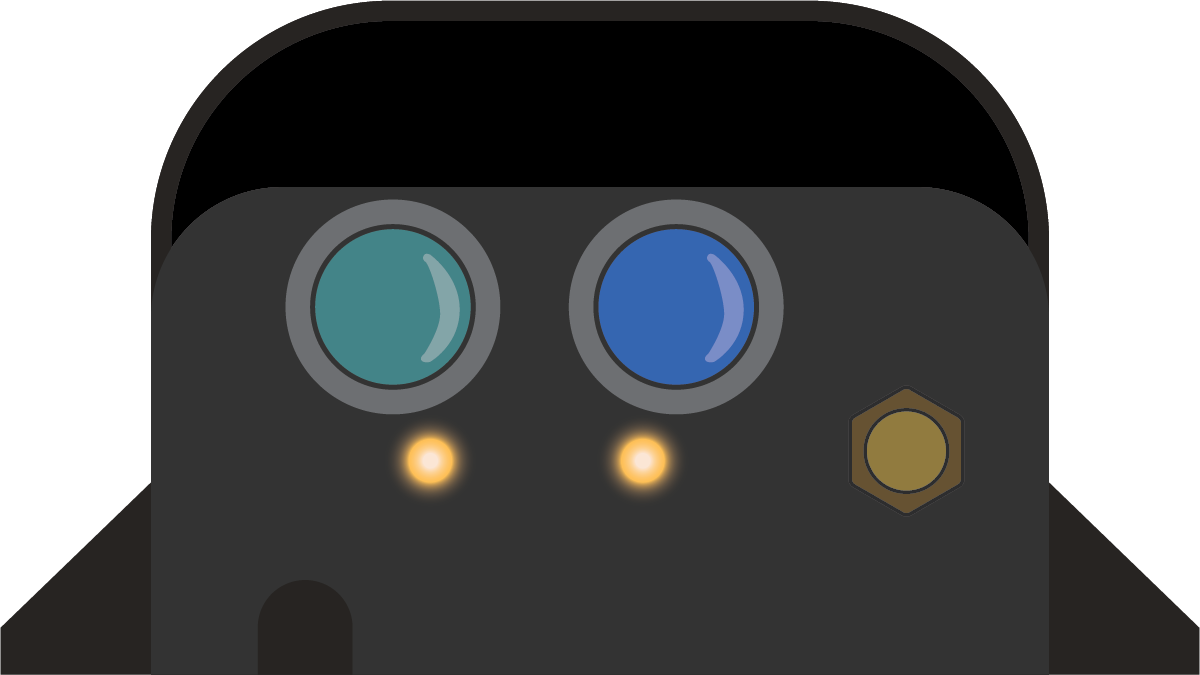
Appendix:
Device Legend
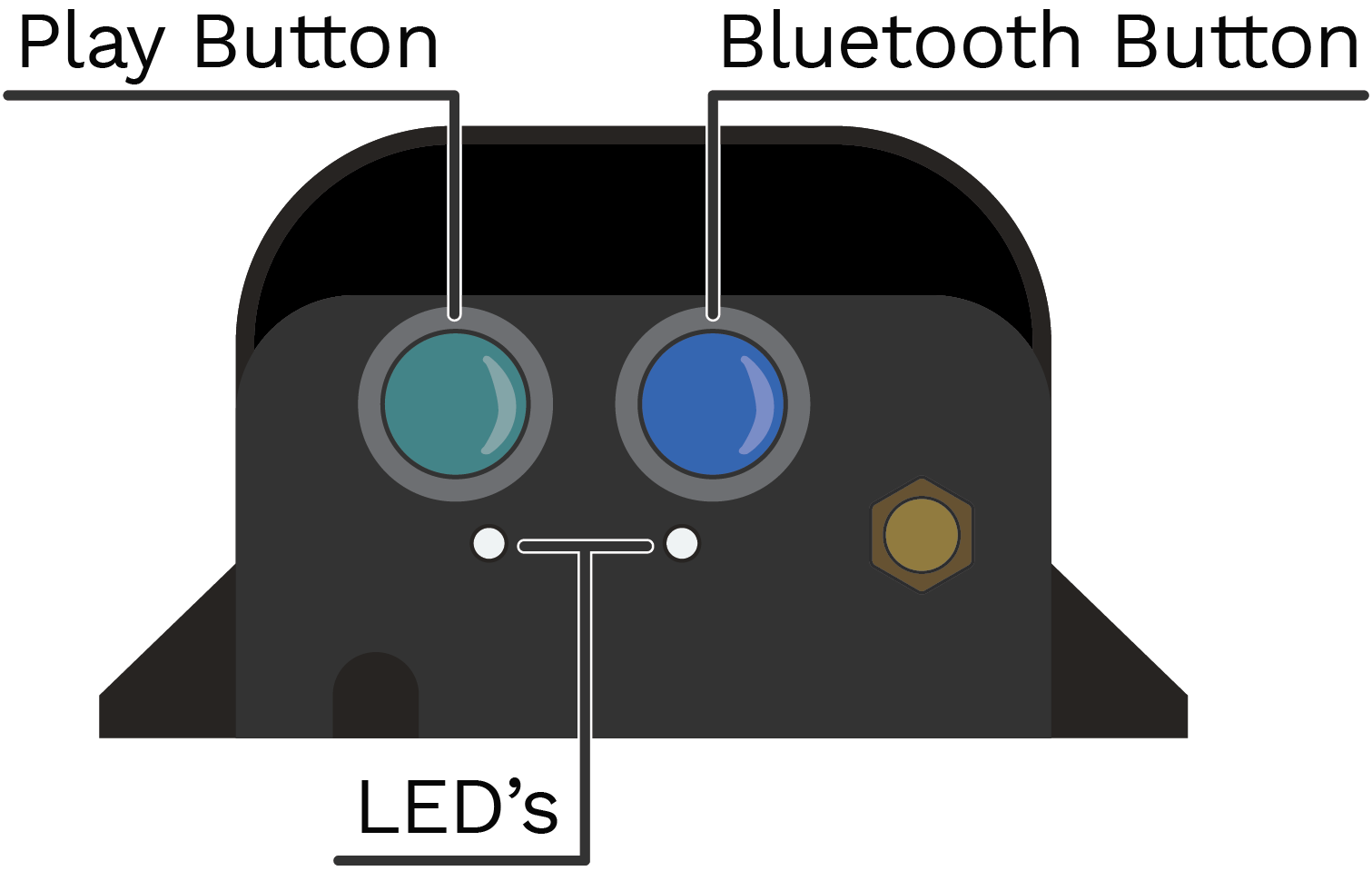
Reset to Shipping Mode
Follow these steps to reset the UltraSonix device to shipping mode.
Instruction |
Video |
|
Video: Click the video for a brief tutorial. Step-by-Step Instructions: See below. |
|

© Copyright 2026 HydroPoint Data Systems, Inc. All rights reserved. HydroPoint, the HydroPoint logo, and WaterCompass are either registered trademarks or trademarks of HydroPoint, Inc. Other trademarks may be held by their respective owners.