
Context
Every Account in WeatherTRAK has a storage amount allocated to it. The storage is connected to the Document Manager which users might or might not have access to. This is managed in the Access & Permissions for the user within the Admin Tool. If the user has permissions, they will see the Documents area at the bottom of many of the pages throughout WeatherTRAK Central.
The Storage area can be found on the Edit Account page. The default storage amount is 25 MB per controller.
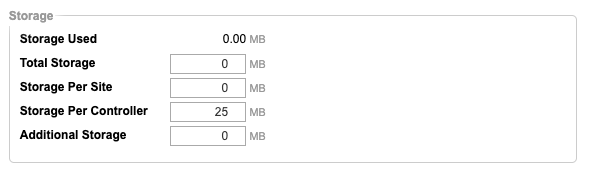
Site Map on WeatherTRAK Mobile enables users to attach photos to the various assets they place on the map. These images are stored in a folder on WeatherTRAK Central (within the Document Manager) for any Asset that has images.
Issue
Customers that use Site Map and start adding photos to their assets can quickly run out of storage space. An image can be an average of 2+ MB each. Since each controller only has 25 MB, this will only accommodate between 10 and 12 photos. We will need to provide additional storage space for the account.
Solution
1. Go to the Admin Tool in WeatherTRAK Central
2. Locate the Account that requires more storage space
3. Go to the Edit Account page
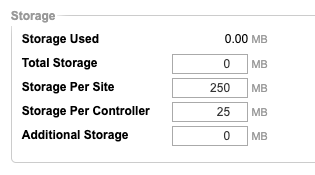
4. In the Storage area, enter 250 into the Storage Per Site field
5. Click Save
This will provide space for around 100 images.
Note
If the Site is large, containing many controllers, and you get the impression that the customer will exceed the 250 MB storage amount, allocate 500 MB instead - but do so sparingly.