The technical support team may receive renewal requests from customer contacts or come across controllers that have been deactivated due to non-renewal and are currently offline.
WeatherTRAK Subscription Renewal
1. Check the Controllers Activation & Subscription Status
The best way to confirm a controller’s status is by reviewing the Install Base Record in NetSuite. There, you can find details such as the Activation Status, Subscription End Date (EOS), Deactivation Date, and the Reason for Deactivation.
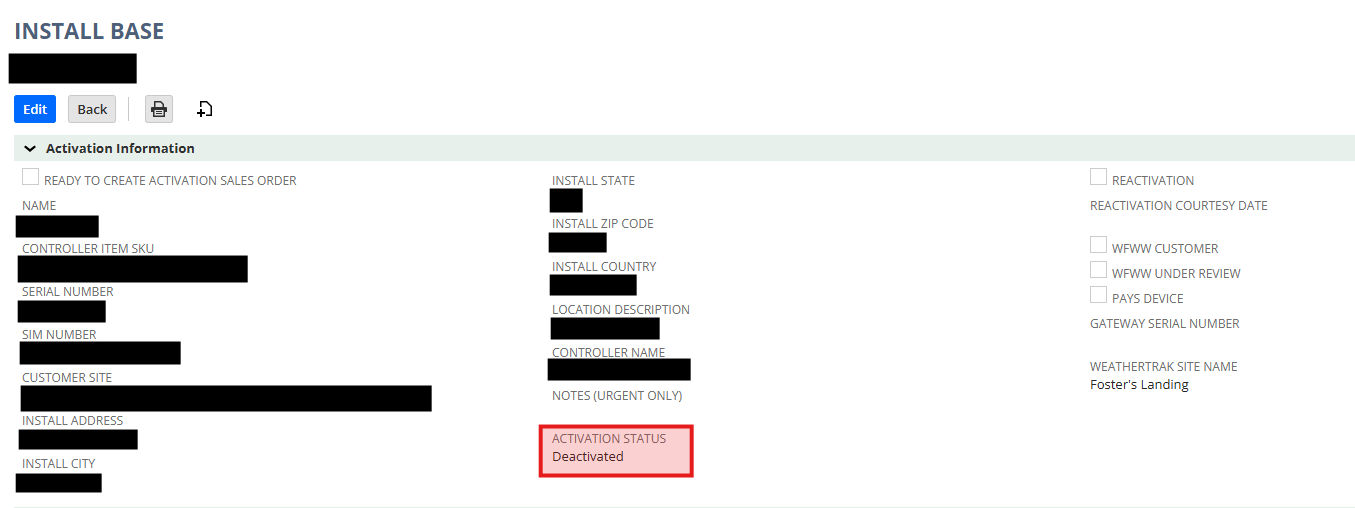
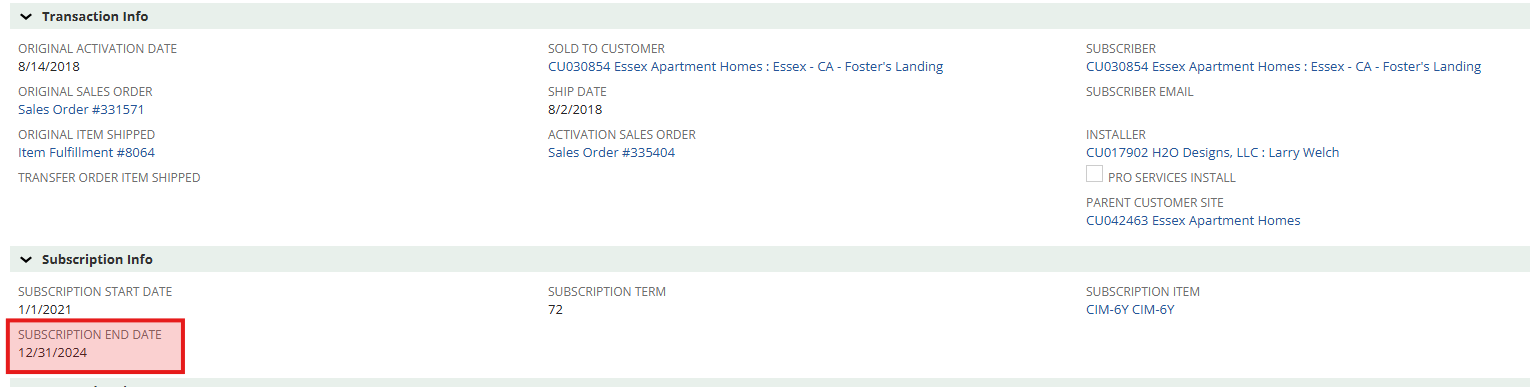
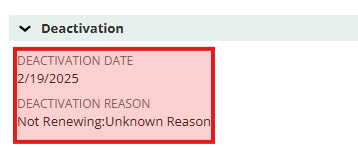
We should confirm that subscription billing correspondences are going to the correct 'subscriber email' that is in the serial number's install base record in Netsuite. If this is not correct or no one is listed, they may not be notified when the time comes for renewal. See image below.

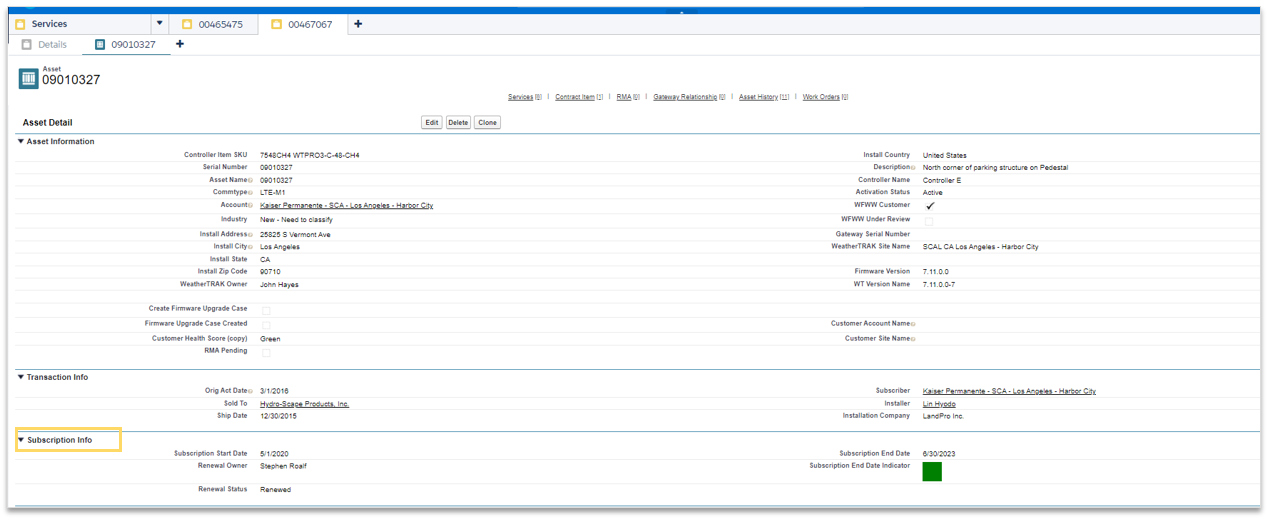
In Salesforce, it can be found in the Asset Subscription info field.
2. Assisting with the Renewal Process
What information does Renewals need?
Be sure to gather the following before handing the case off:
- The Salesforce Case number
- The controller serial number(s)
- The company/account/site
- The contact's name, email, and phone number.
Any additional info that will help the renewals team understand and help them renew. Ex: There is change of management - Who managed prior and who manages now
Encourage the customer to contact the WT Renewals team directly at Renewal@hydropoint.com for any future renewal requests or call Renewals at 1-800-362-8774 opt. 3
If the customer is expressing urgent concern, we can send those details to the Renewal Team and let them decide if a 10 day courtesy reactivation for those controllers is appropriate.
Once you’ve collected all the necessary information, let the customer know their case is being handed over to the renewals team. They’ll follow up to make any necessary updates and move the renewal forward. Do not give a specific time frame INTERNAL ONLY: renewal cases are done in a 1-3 business days timeframe.
Internal Handoff
Use the “Support Renewal Requests Group” chat in Teams to share the listed gathered information from above and request help getting the renewal taken care of. If needed, look up the Renewal Owner on the company account via Salesforce and tag them in the chat to speed things up.
Current WeatherTRAK renewal contacts: Sandi Scalmanini
Don't Forget!
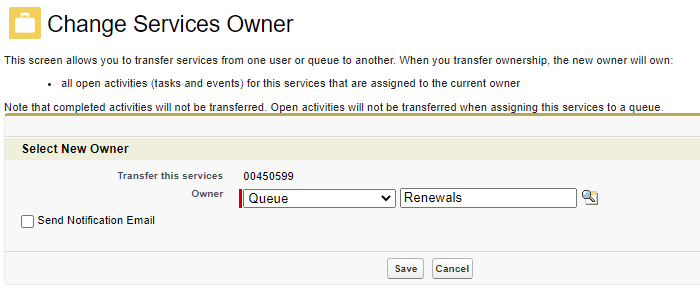
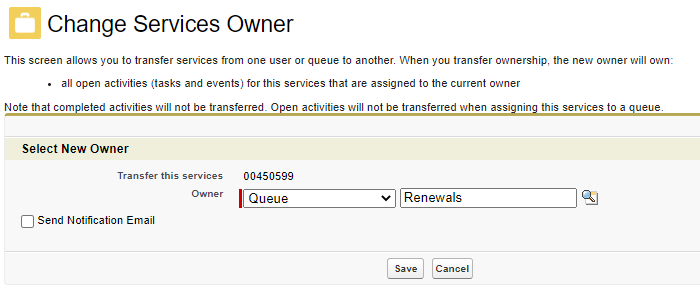
Once they renewals team is aware of the request, add the gathered information into your notes in salesforce and make sure your case is reassigned to the Renewals queue so they can take action.
Baseline Subscription Renewal
The technical support team may receive renewal requests from customer contacts only have Live View available.
For more information on Live View see This Article.
1. Check the Controllers Subscription Status
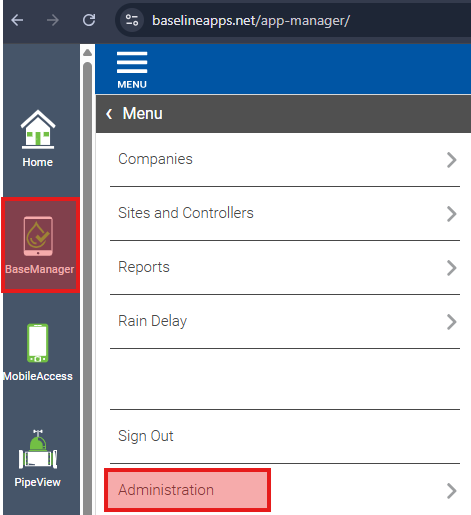
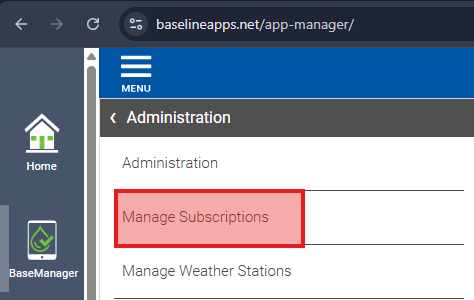
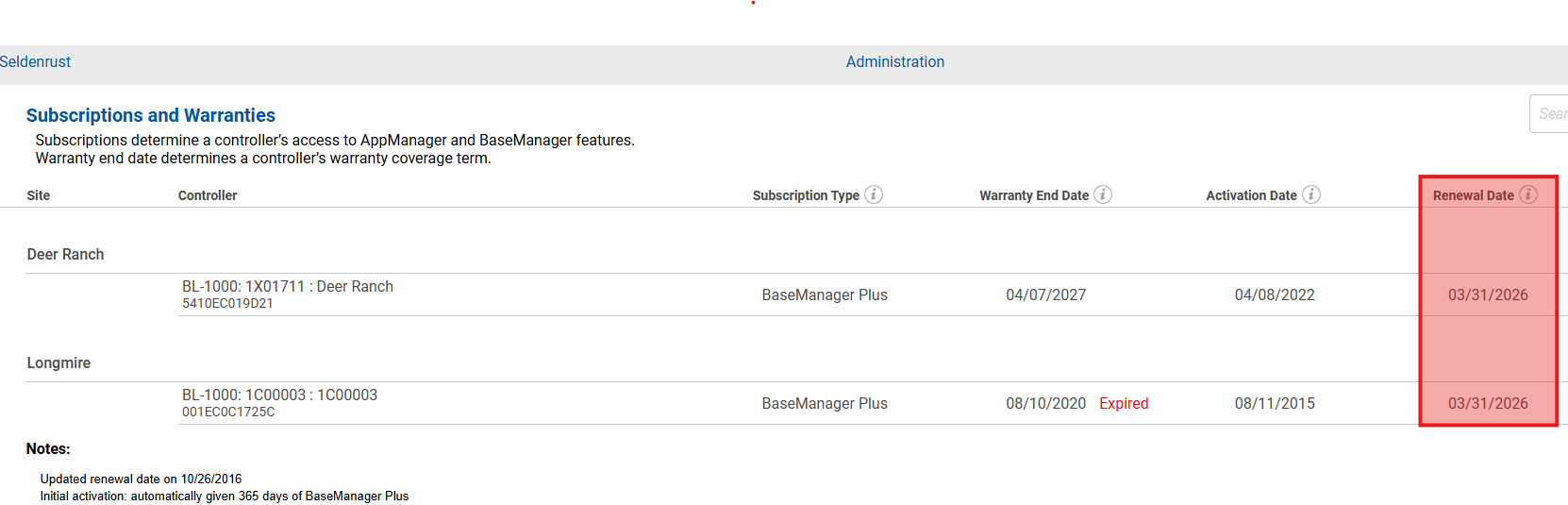
The current subscription info for controllers can be found in the BaseManager administration menu. See images below.
2. Assisting with the Renewal Process
What information does renewals need?
Be sure to gather the following before handing the case off:
- The Salesforce Case number
- The controller(s) MAC Address
- The company/account/site
- The contact's name, email, and phone number.
Any additional info that will help the renewals team understand and help them renew. Ex: There is change of management - Who managed prior and who manages now
Encourage the customer to contact the BL Renewals team directly at Renewals@baselinesystems.com for any future renewal requests or call Renewals at 1-800-362-8774 opt. 3
Once you’ve collected all the necessary information, let the customer know their case is being handed over to the renewals team. They’ll follow up to make any necessary updates and move the renewal forward. Do not give a specific time frame INTERNAL ONLY: renewal cases are done in a 1-3 business days timeframe.
Internal Handoff
Use the “Support Renewal Requests Group” chat in Teams to share the listed gathered information from above and request help getting the renewal taken care of. If needed, look up the Renewal Owner on the company account via Salesforce and tag them in the chat to speed things up.
Current Baseline renewal contacts: Angel Cruz & Jill Mortensen
Don't Forget!
Once they renewals team is aware of the request, add the gathered information into your notes in salesforce and make sure your case is reassigned to the Renewals queue so they can take action.