
Diagnostic Steps
Alerts: Two-Wire Overcurrent, Device No Response, Internal Error, No Comm
IMPORTANT: Put Salesforce Call-In and RMA Reason as 'Lightning/ Surge Damage'
Isolation Process:
- Disconnect the two-wire path
- reboot the controller
- If blank display or no power → transformer could be damaged
- Transformer Damaged? Transformers are robust, therefore less likely to be damaged and act as a filter for incoming surge from AC line input. Surge may continue through the transformer to damage the control board
- To check, verify power to the transformer input/output (expect 120V→ 24–30V AC). if Voltage from the transformer to the control board is 0V, then the transformer has been damaged.
- Other signs of damage: the transformer is humming, the copper wire under the protective paper tape appears discolored (yellowish) meaning it's been “cooked”, or transformer is showing as an open circuit.
- To check, verify power to the transformer input/output (expect 120V→ 24–30V AC). if Voltage from the transformer to the control board is 0V, then the transformer has been damaged.
- Transformer Damaged? Transformers are robust, therefore less likely to be damaged and act as a filter for incoming surge from AC line input. Surge may continue through the transformer to damage the control board
- If alerts persist → likely controller board(s) damage
- Background: Surge can come from anywhere (AC line input, ethernet connection, antenna, field wires, etc.). Incoming surge typically only affects the one board; surge must be extreme to propagate further.
- Typical Surge paths are:
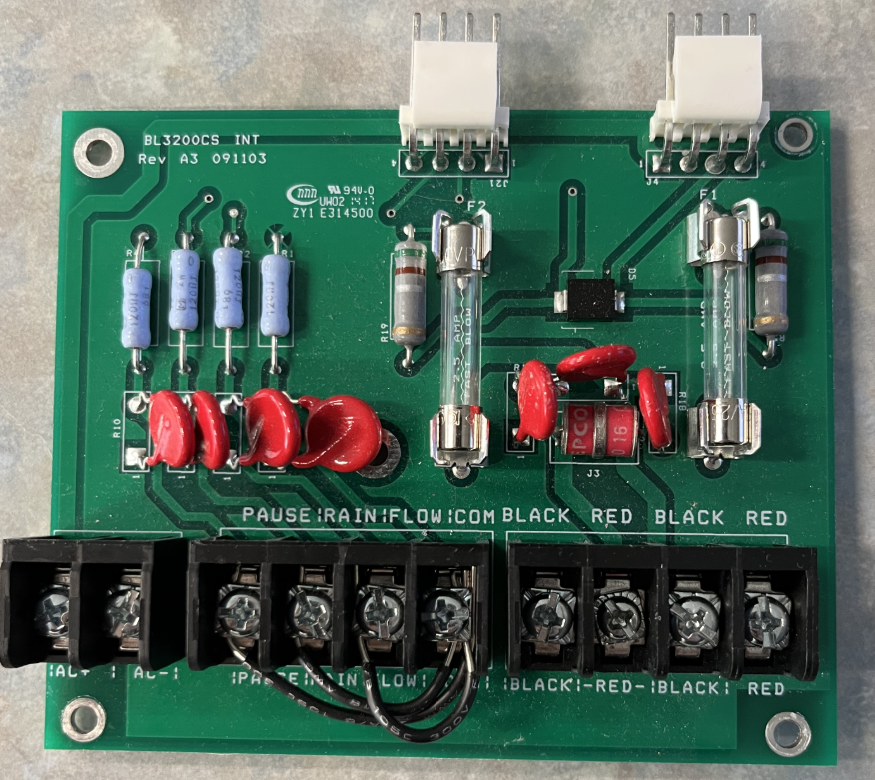
- Field Wires → INT-board (for 2W) or R-board (for conventional) → Stop (rarely continue to control board-RB).
- AC line input → transformer (filters it) → Control Board → Stop (rarely continue to R-board, INT, Display)
- Antenna → Comms module
5. If alerts resolve after reboot → likely field device damage.
Dozens of no replies across unrelated areas is probably not lightning. No replies/no connect alerts in a cluster is likely lightning damage. You can tell if the system has been grounded according to spec if damage is limited to ~5-10 decoders, because a lightning arrestor is recommended every 500ft (5 decoders). If a storm hit multiple sections, alerts would still appear in clusters - even if disjointed along the irrigation system. if there is significant damage, tell the customer “the system does not appear to be grounded correctly. we have noted this in our Salesforce case. We will RMA to this year's claim cap, but we expect you to buy and install lightning arrestors every 500 ft; 300ft if you're in a high-lightning area to 1) reduce the required replacements next time and 2) ensure we don't void your warranty because the system is installed out of spec. Please refer to our grounding spec.” provide link.
| Field Device | Signs of Damage (after two-wire has been reconnected) |
|---|---|
| decoders/ biCoders |
Alert: ‘No Connect’, ‘Overcurrent’/ short, random no responses on specific zones
|
| lightning/ surge arrestor (BL-LA01) |
Alerts: 2W Overcurrent (OC)
|
| Flow Sensor / FlowLink / Pump Bicoder |
Alerts: “POC offline” / “Pump not turning on”, No flow detected even when valve open
|
| Valve Solenoids / Field Wiring (Not internal part) |
Alert: OC/short moves with field wire, High current > 60 mA
|
| Soil Moisture Sensors & Flow Decoders | No sensor response after lightning event. Test at controller; 0 mA → dead sensor |
RMA Process
- check controller/device is covered under lightning warranty.
- to check if the device belongs to a controller under lightning warranty, pull the BL event log file.
- check remaining $2K claims cap.
- go into salesforce and see if this controller has had a prior lightning/ surge event this year. list all the previous parts that have been RMA'd
- [insert link for claims cap calculator]
- If under warranty
- and RMA(s) below $2K claims cap, RMA the damaged board, decoder, etc. The Failure Analysis (FA) team can identify if the terminal board or the adapter board has tiny pinholes or craters in the center of the plastic casing caused when the silicon substrate inside vaporized from excess surge.
- if you are replacing 3-5+ decoders, make sure to include a BL-LA01 on the order and count it towards the claims cap
- and RMA(s) would go beyond $2K claims cap, direct them to a HPDS RSM. Email RSM remaining “claims cap” tell them this is minimum discount. Put in Salesforce case this year's claim cap has been used with replacement of _[part]_, with discount of at least _$[claims remainder]_.
- and RMA(s) below $2K claims cap, RMA the damaged board, decoder, etc. The Failure Analysis (FA) team can identify if the terminal board or the adapter board has tiny pinholes or craters in the center of the plastic casing caused when the silicon substrate inside vaporized from excess surge.
- If not under warranty,
- and controller has remaining standard or extended warranty, recommend they buy lightning warranty for the remainder of their warranty to save $ in future. direct them to HPDS RSM
- and customer is OOW but controller is ≤8 years of age. recommend they buy ext and lightning warranty. direct them to HPDS RSM
- and customer is OOW but controller is 9+ years of age. direct them to their local distributor to replace part(s).