
When to Transfer Controllers or Sites in BaseManager Admin
In order to transfer a controller or a site from one company to another we need to confirm a few bits of information first.
- Who is the request coming from
- The Company Admin of the current Company in possession of the controller/site must give Verbal or preferably Written permission to transfer the controller to the new account
- Where is the controller/site going to
- The Company that it is transferring to must already exist for us to transfer if it is not existing currently please forward the AppManager Jot Form https://www.jotform.com/81774215979976
If both Parties agree to the transfer, then we can move the controller/ from one company to the new one
**There are request from Accounting that say to transfer as well so those are automatically approved to transfer**
How to Transfer a Site
- You would go to the Administration Page
- Go to the Company in that the Site is being transferred from
- Once there you Click the EDIT button in BLUE
Go the sites
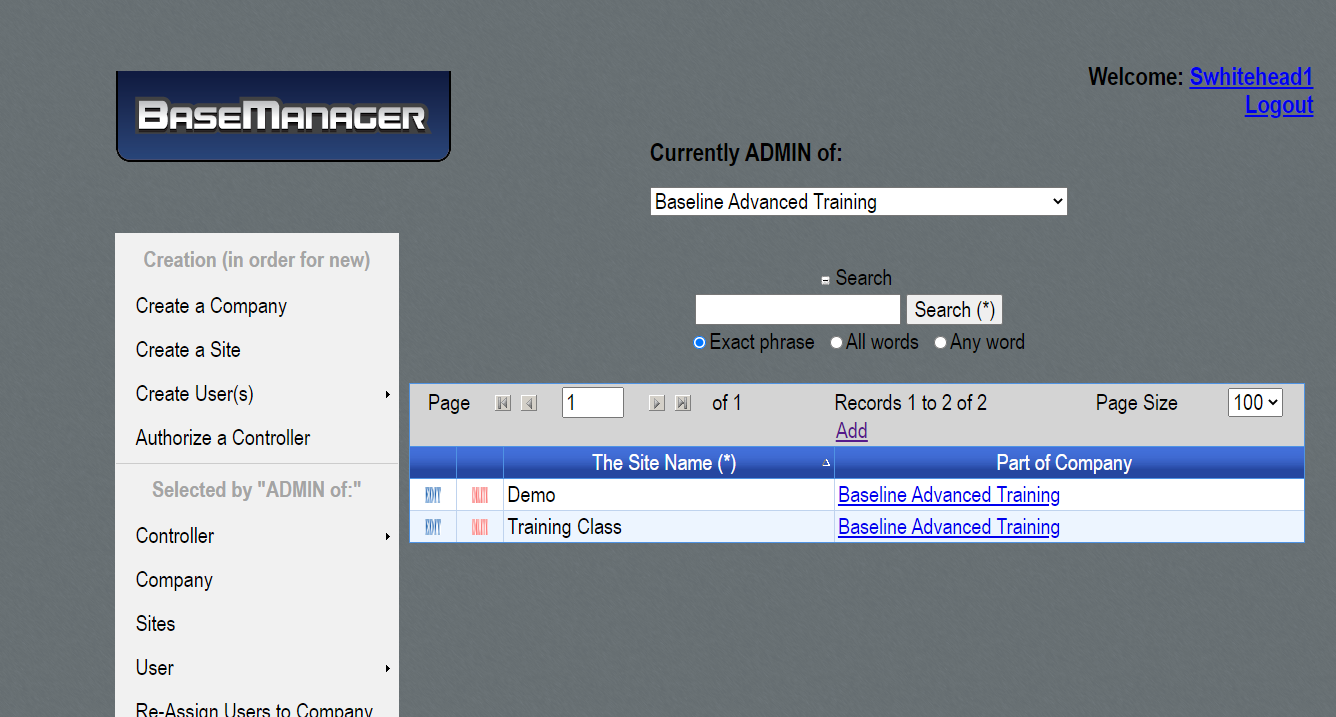
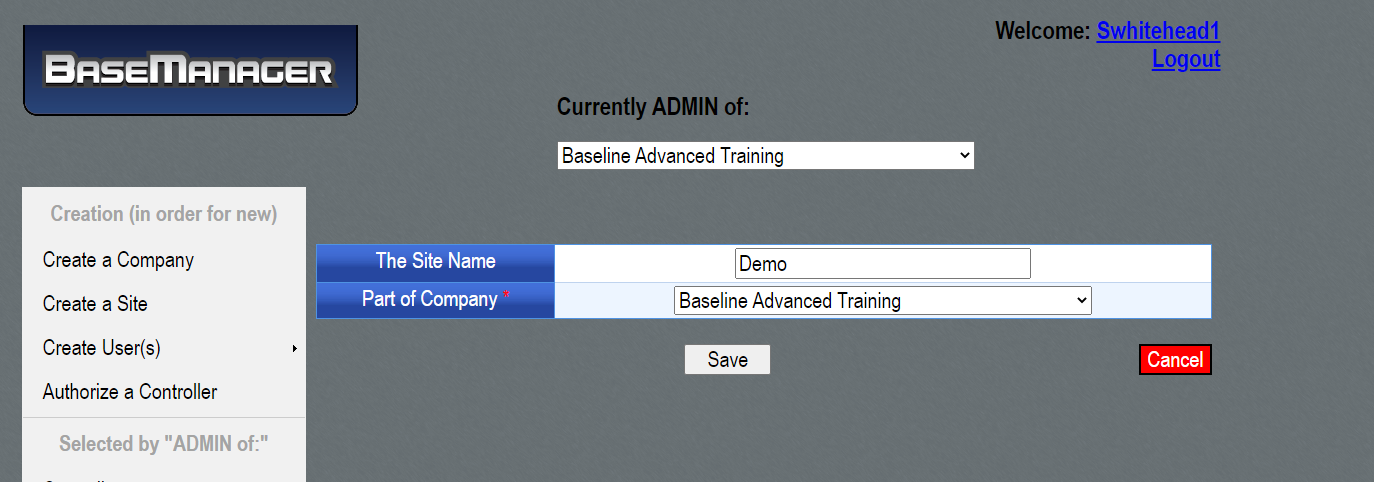
- You then change the Company name to the New Company that the site would be going to
- Click save
- Go to the New Company to verify that the Site was transferred
- Added in the Company Admin for the New Company access to the Controller(s) on that site
How to Transfer a Controller
- Go to the Administration Page
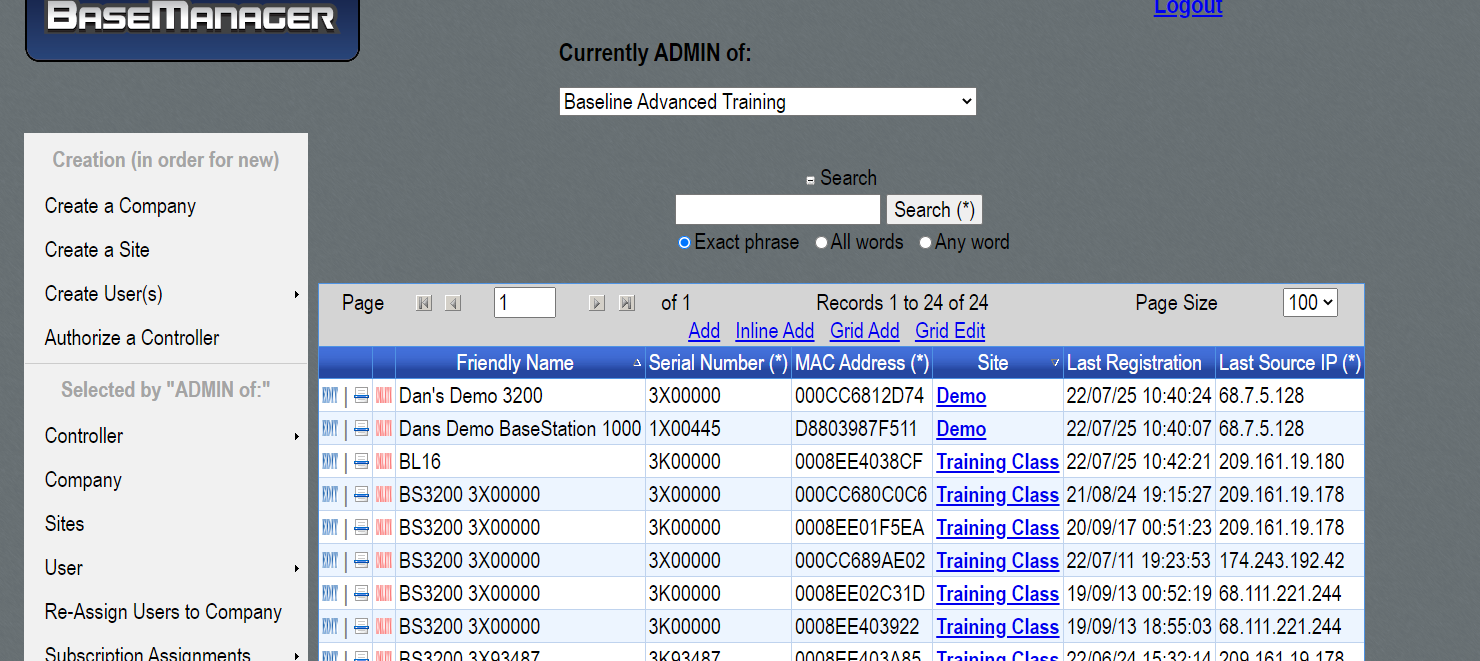
- Go to the Company that the Controller is being transferred from
- Find the Controller that needs to be transferred
- Make sure you confirmed the MAC of the controller with the Current Company Admin to make sure you are transferring the correct controller
- Click EDIT in BLUE
- Scroll to the Center where you will see this screen:
Go to Controllers in DB
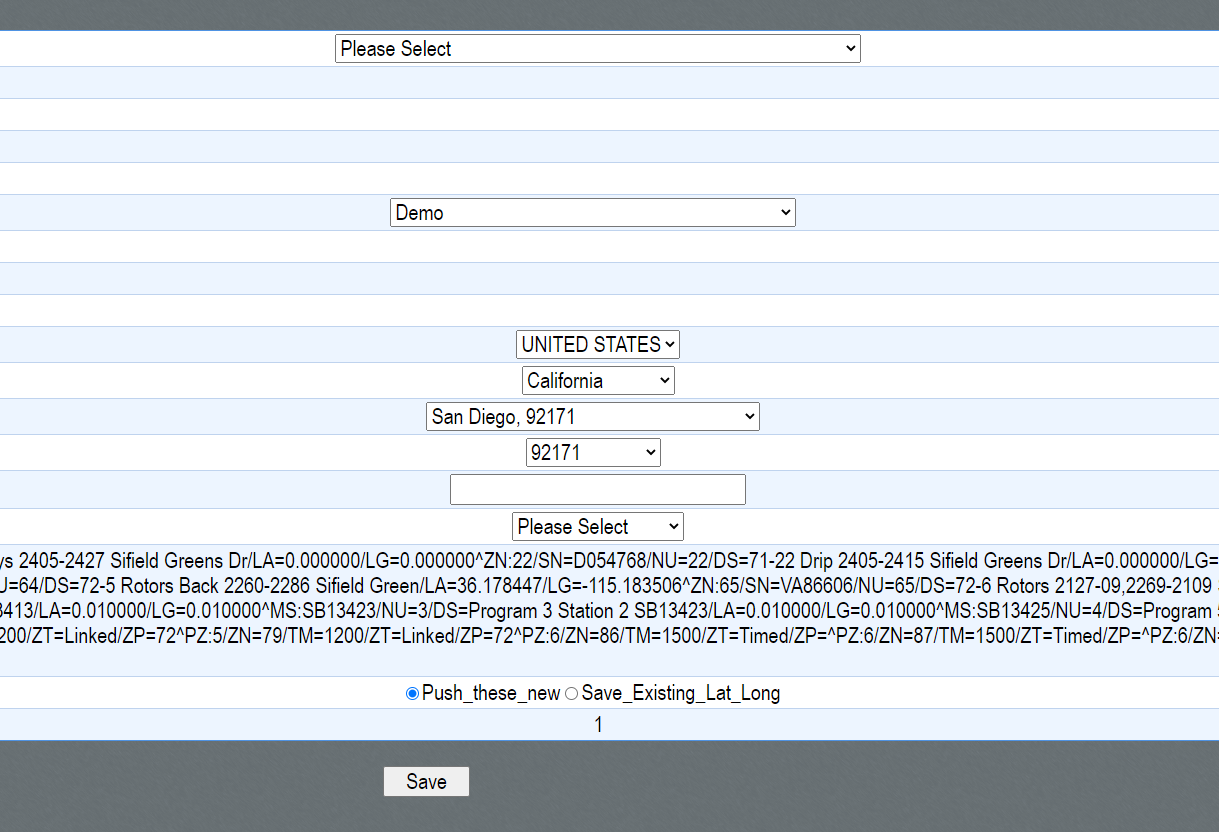
- In the SITE tab we would transfer to the requested SITE
- In this example it would be where it says DEMO for reference
- Save
- Go to the new Company
- Confirm the controller was moved to the new site
- Grant access accordingly
Confirmation Email to All Parties
Once the Transfer has been completed there needs to be a written confirmation to both parties as well.
**This email should be going to ALL the Parties involved, so both Company Admins from BOTH Company's should be in this email**
EMAIL TEMPLATE:
Good Afternoon,
The request to move (Controller/Site name) from (Old Company Name) to (New Company Name) has been completed.
If you check your Basemanager you should see the new updated status.
If anything looks incorrect please respond to the email with your concerns so we can correct it immediately.
For questions involving Subscriptions or billing please contact renewals@baselinesystems.com for the most accurate information.
Please let us know if you need any more assistance.
Thank You,