LED Chassis Troubleshooting Guides
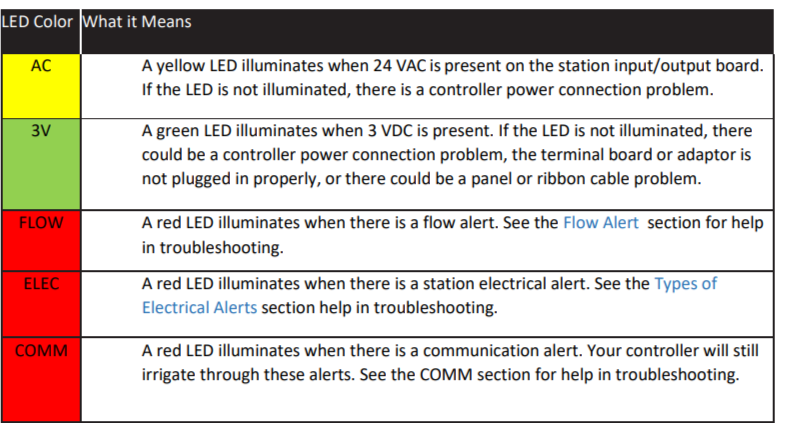
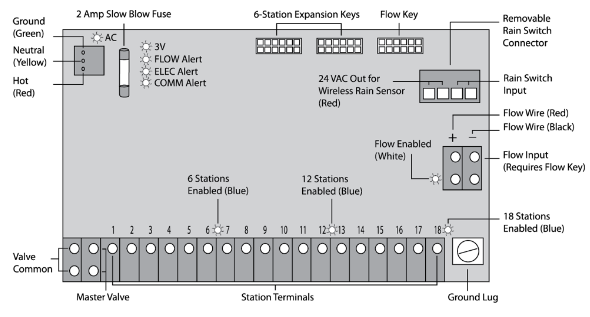
WeatherTRAK terminal boards have several LEDs with patterns indicating specific problems for customer diagnosis/ troubleshooting.
Pro3 and Opti Flow XR Conventional and 2-wire (mini chassis)
TO- DO
- * Missing remote extension guide/picture
- *Missing 1st and 2nd Flow Key LED info.
- *Add accordions for each model
Models: WeatherTRAK ET Pro 3 and Pro-3 2-wire. OptioFlow XR and OptiFlow XR 2- Wire
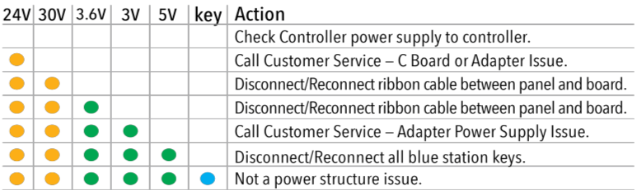
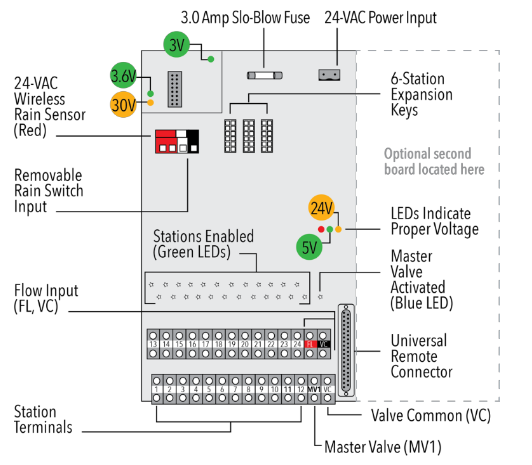
Pro 3 and Opti Flow/H20 2-wire (mini chassis)
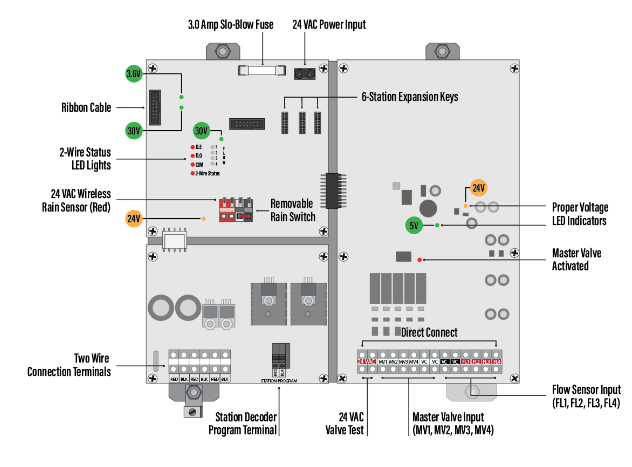
*On H20 and Tucor mini chassis, the 30v is a green light, not orange.Delete
Important!
Note regarding station key and isolating issues to being with a Chassis or station key: It is possible that a station key may still work despite the light not lighting up. The adverse is also can be true.
To help determine if the chassis is faulty - pull a hardware report to see if the station key count = -1. If it does, offer an RMA if in warranty and flag that RMA with the failure analysis team for special investigation.
LC+*LC 36 includes more station LED indicators
Replacement Part Number Guidance
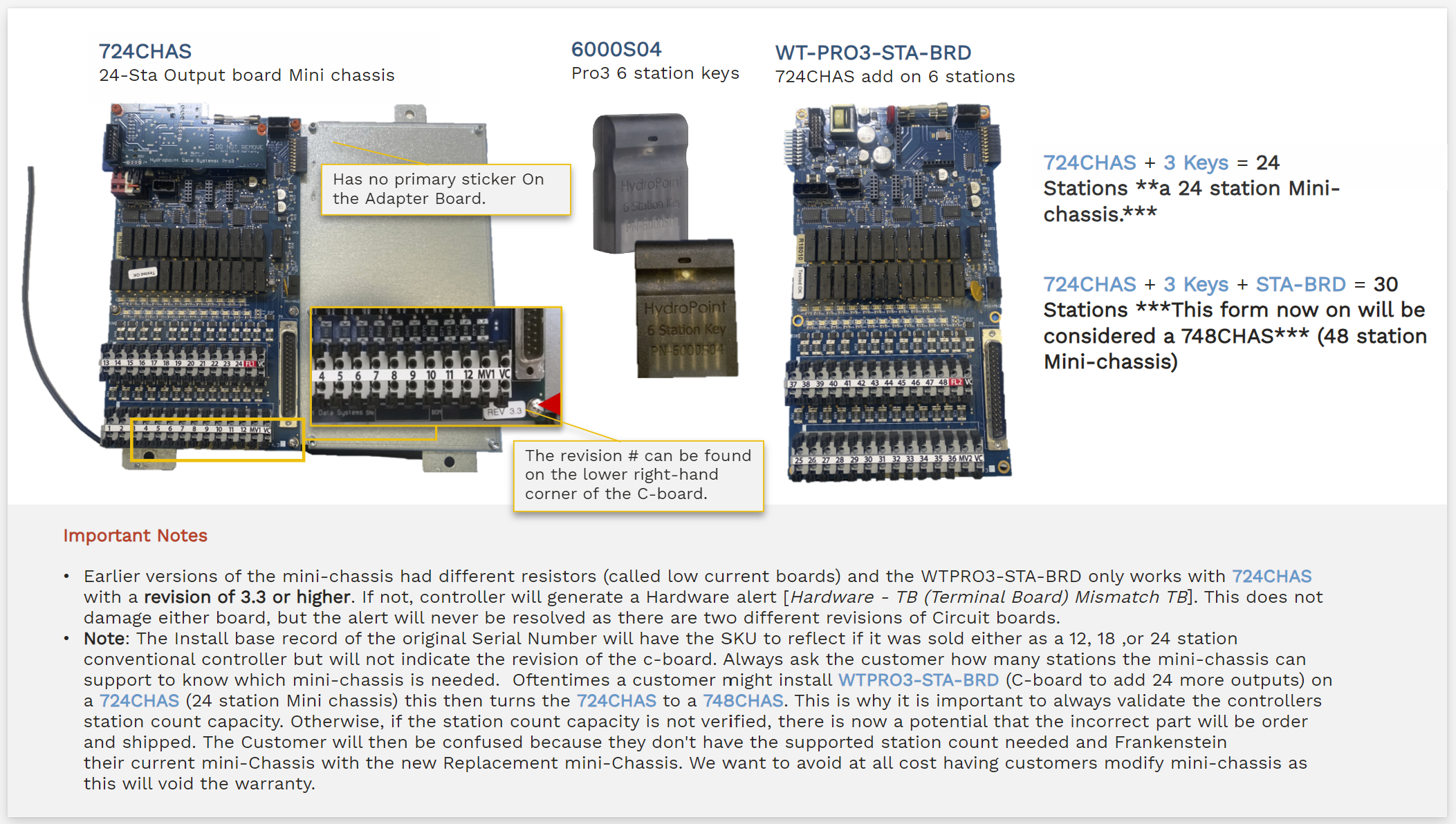
724CHAS/748CHAS
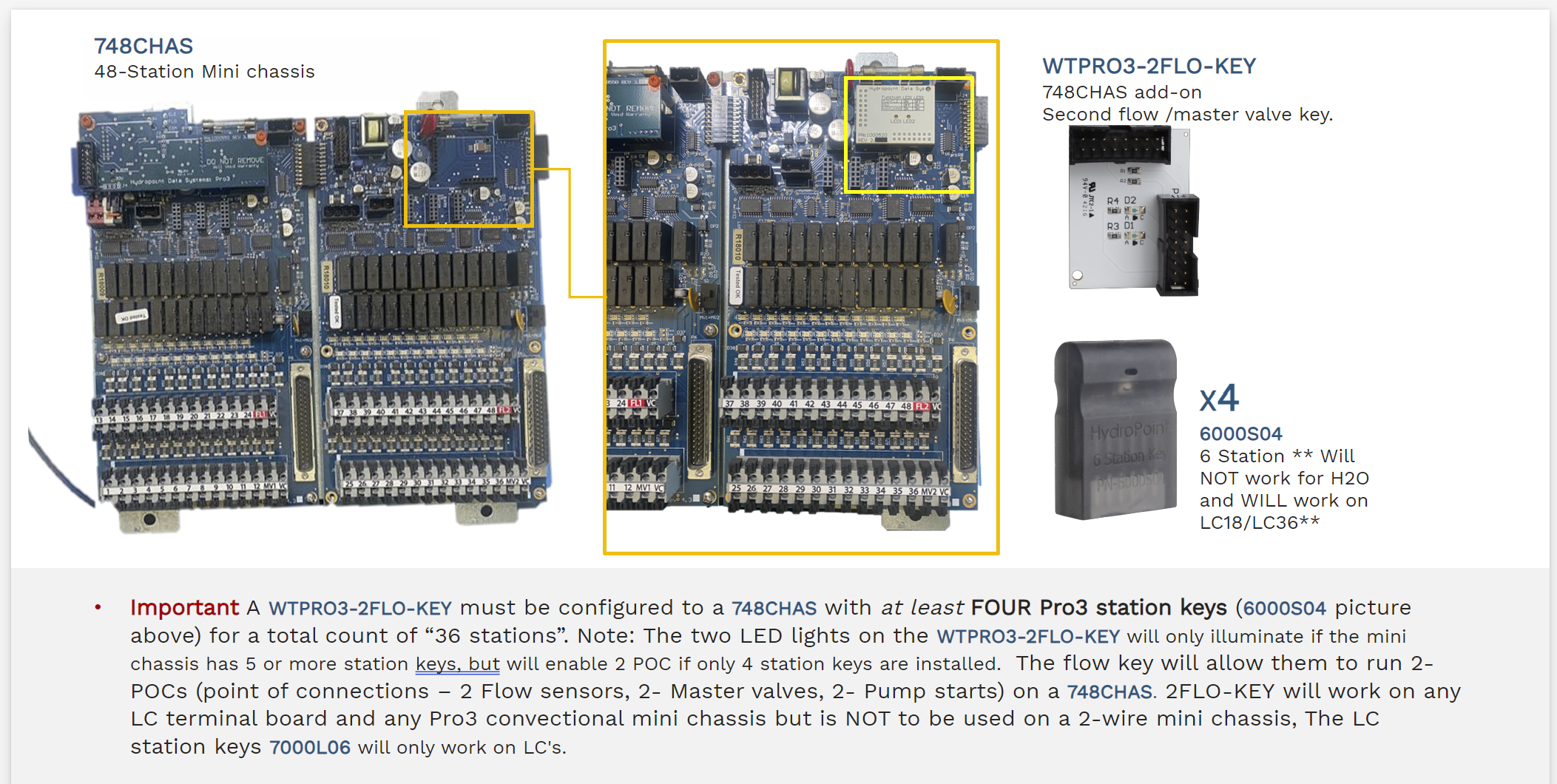
CHASERR/CHASERL
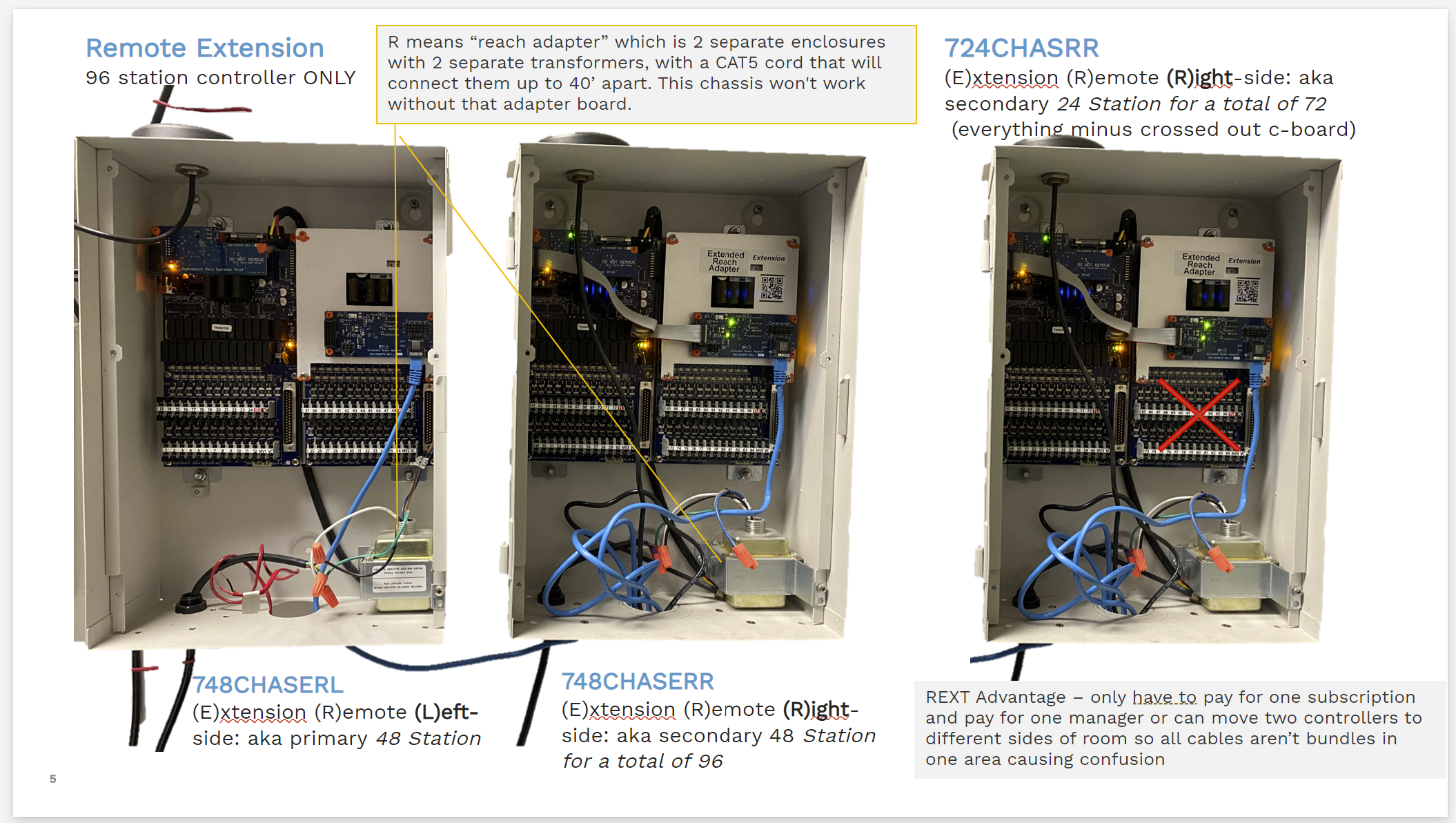
- 724CHASRR = 24 station Extended Remote Right hand side (secondary remote expansion for 72 stations)
- 748CHASERL = 48 Station chassis Extended Remote Left hand side (primary)
- 748CHASERR = 48 station Extended Remote Right hand side (secondary remote expansion for 96 stations)
- consists of two mini chassis and a 40 ft connector cable
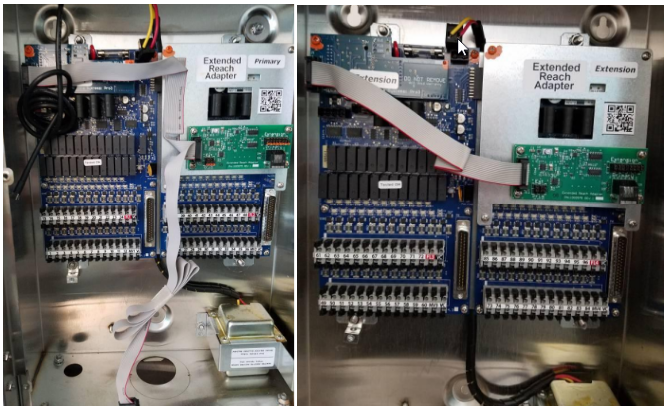
CHASE/CHASP
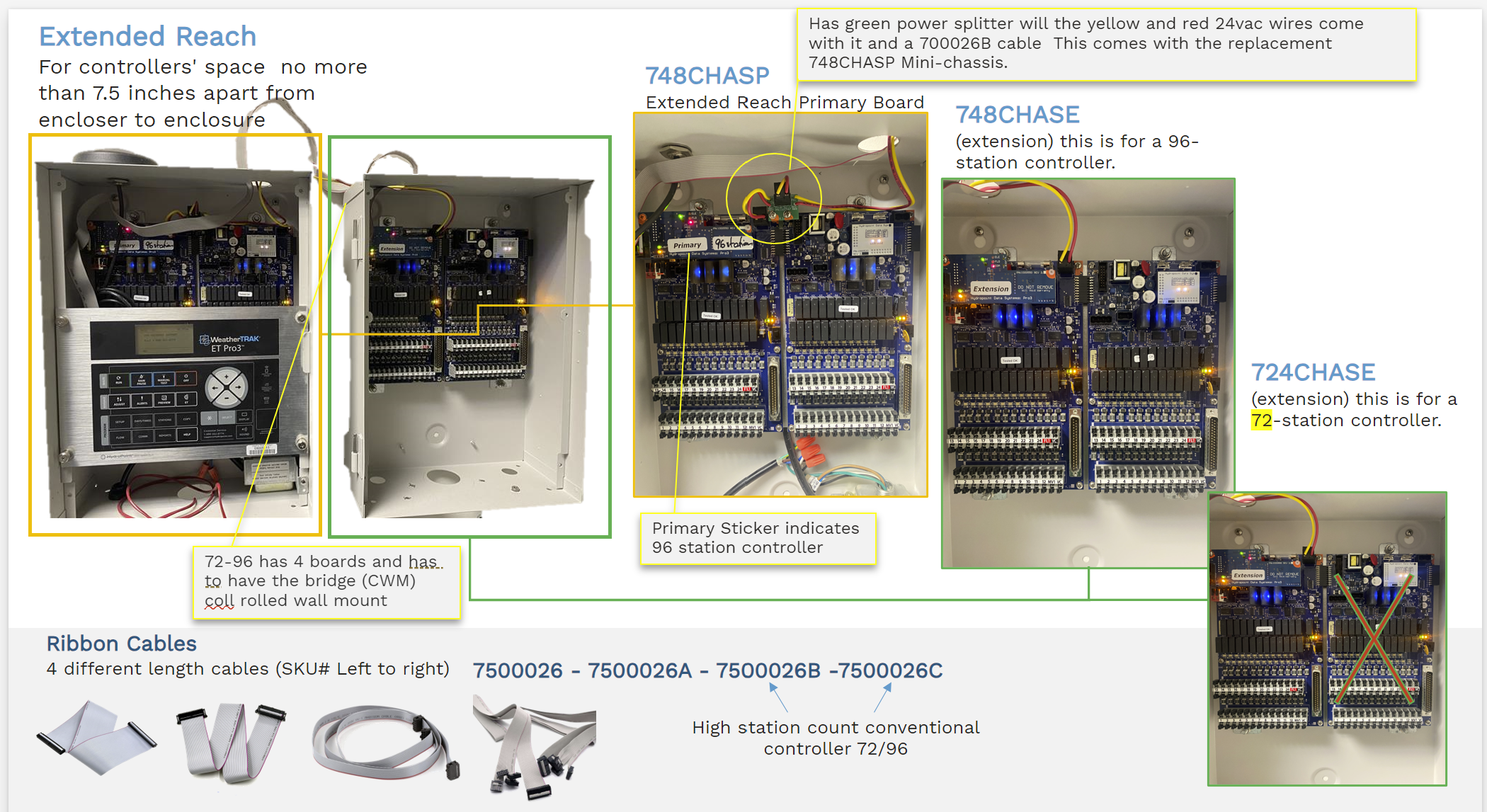
- 748CHASP = Primary chassis with second flow key for 72 or 96 station controller.
- 724CHASE= Extension for 72 station controller.
- 748CHASE= Extension with second flow key for 96 station controller.
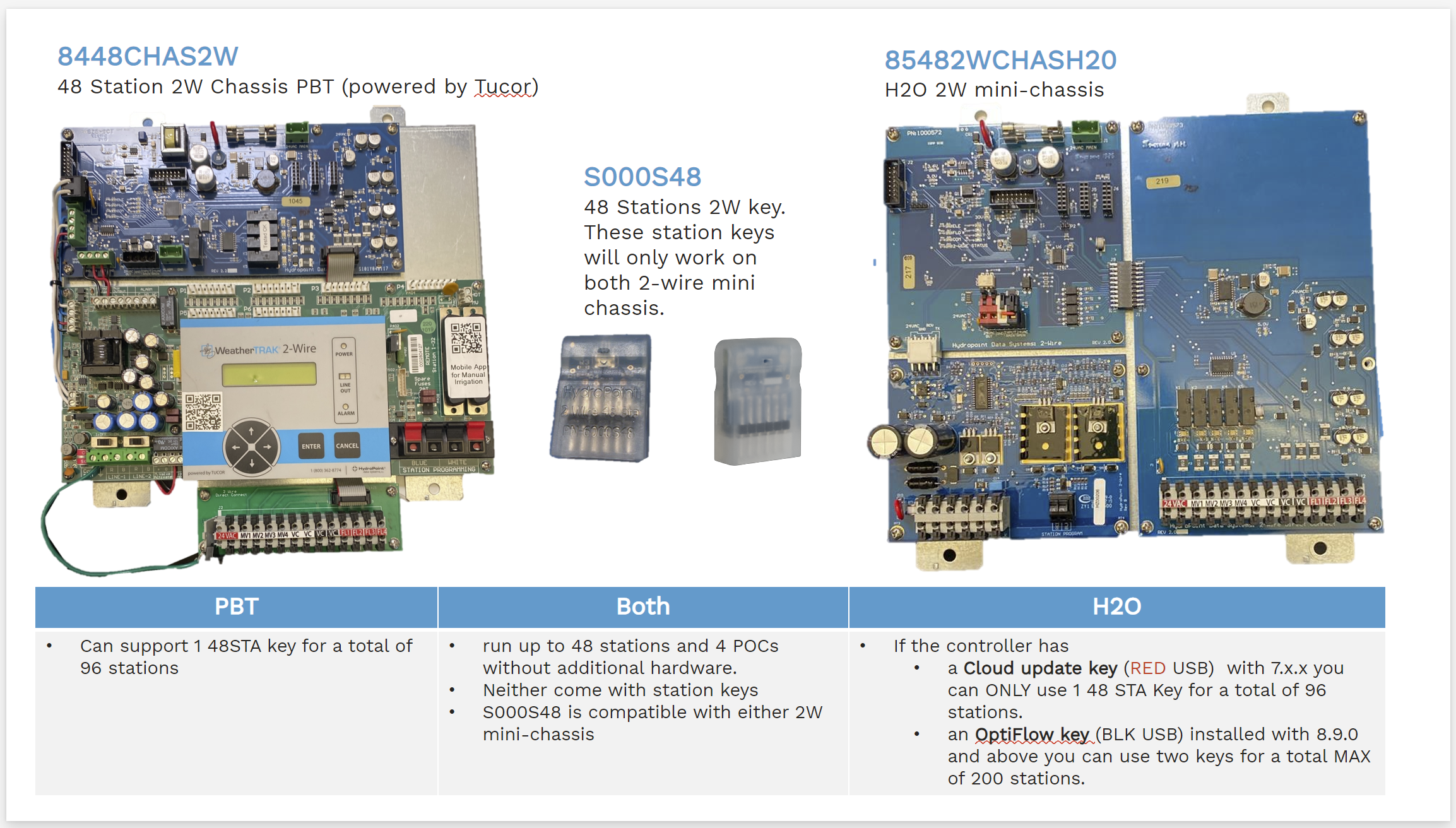
8448CHAS2W