
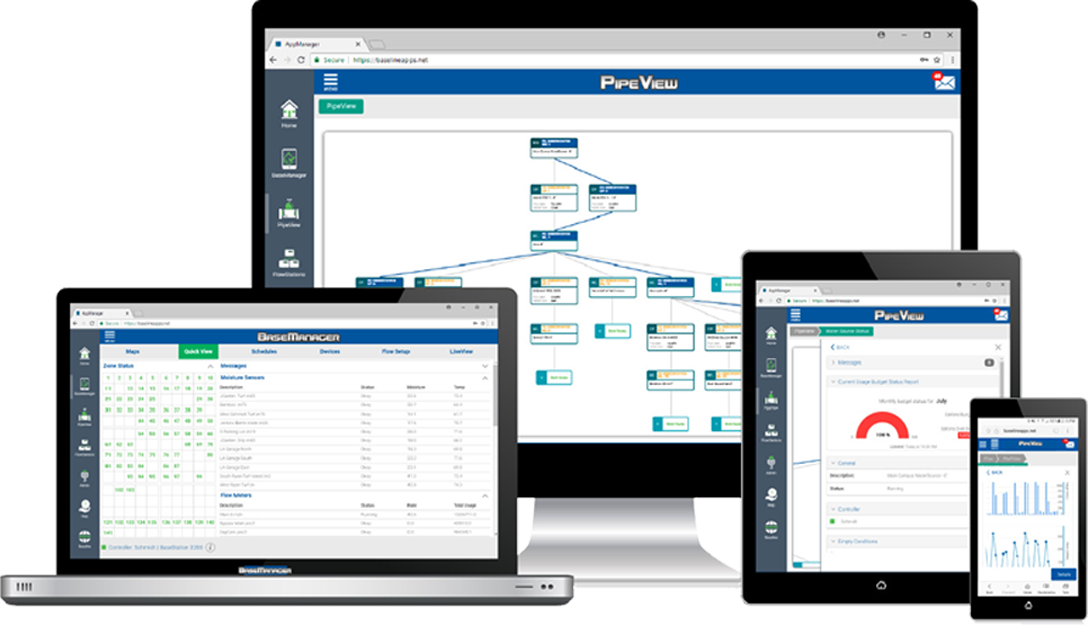
BaseManager Help
Getting Started
Getting Started
How Do I Activate My Account?
Signing Into AppManager and Launching the BaseManager App
Understanding Data Hierarchy
Understanding User Access Levels
Maps
How Do I View the Maps?
How Do I Navigate to a Map Level?
How Do I Save a Map View?
How Do I View Controller and Device Status?
How Do I Display Program Settings for a Zone?
How Do I Display a Chart for a Device?
How Do I Display the Zone Runtimes Report?
How Do I Display the Custom Marker Content?
How Do I Setup the Maps?
How Do I Save a Map View?
How Do I Add Markers?
How Do I Add a Custom Marker?
How Do I Delete a Custom Marker?
How Do I Update a Custom Marker?
How Do I Request an Overlay Image?
How Do I Operate a Controller from the Map?
How Do I Manually Run a Zone from the Map?
Setting a Zone to "Set to Done" from the Map
How Do I Test a Device from the Map?
Setup & Operation
Overview of Setting Up and Operating Your Controller
How Do I Setup My Controller?
Assigning Zones
Updating Zone Details
Assigning Master Valves
Updating Master Valve Details
Assigning Pumps (BaseStation 3200)
Updating Pump Details
Assigning Flow Meters
Updating Flow Meter Details
Assigning Moisture Sensors
Updating Moisture Sensor Details
Assigning Pressure Sensors (BaseStation 3200)
Updating Pressure Sensor Details
Assigning Event Switches
Updating Event Switch Details
Assigning Temperature Sensors
Updating Temperature Sensor Details
Assigning a Weather Station to an Irrigation Controller
Setting Up Flow Management & Monitoring
Setting Up a Water Source (BaseStation 1000)
Setting Up a Water Source (BaseStation 3200)
Setting Up a Mainline (BaseStation 3200)
Setting Up a Control Point (BaseStation 3200)
Assigning Zones to Mainlines (BaseStation 3200)
Setting Up Advanced Flow Variance (BaseStation 3200)
Setting Up Mainline and Zone Delays (BaseStation 3200)
Setting Up a Water Source Empty Condition (BaseStation 3200)
Working with Programs & Schedules
Adding a BaseStation 1000 Program
Adding a BaseStation 3200 Program
Changing a Program
Deleting a Program
Working with Start, Stop, Pause Conditions in a Program
Viewing Program Details
Working with Weather-Based Watering
Introduction to Baseline's Weather-Based Watering
Overview of Setting Up Weather-Based Watering
Finding a Weather Station in Your Area
Connecting a Weather Station to BaseManager
Verifying Communication with a Weather Station
Assigning a Weather Station to an Irrigation Controller
Reassigning a Controller to a Different Weather Station
Deleting a Weather Station from BaseManager
Downloading a List of Connected Weather Stations
Viewing Weather Station Information in Quick View
Displaying Weather Station Information from the Map
Configuring a Program to Use Weather-based Watering (BaseStation 1000)
Enabling a Zone to Use Weather-based Watering (BaseStation 3200)
Conditions that Affect the Runtime for Weather-based Watering
Checking the Calculated ETo Amount
Operating Your Controller
Controller Operation Overview
Learning Flow for the Zones of a Program
Learning Flow for a Zone
Manually Starting or Stopping a Program
Manually Starting or Stopping a Zone
Setting or Canceling a Rain Delay
Testing a Device
Updating Controller Firmware from BaseManager
Using Quick View
Viewing Controller Settings
Viewing the Status Color Key
Using LiveView
Clearing a BaseStation 1000 Flow Fault in LiveView
Reports
Creating and Viewing Reports
Displaying a Report for a Device
Flow Meter Totals Report
Moisture Levels Report
Printing a Report
Temperature Levels Report
Water Usage Report
Zone Run Time Report
Zones Activity Report
Analytics
Baseline Analytics Overview
General Information and Summary
Messages
Real-Time Flow
Historical Rate and Usage
Real-Time Diagnostics
Historical Diagnostics
Admin
Account Administration Overview
Activating Your BaseManager Account
How Do I Login to the Administration Interface?
Understanding BaseManager Subscriptions
Videos
Selecting a Controller
Search and Assign Zones
Adding a New Program
Naming Programs
Program Priorities
Performing Manual Operations
Messages and Alerts
Configuring Alerts
BaseManager Maps
GeoLocate Devices with MobileAccess
Add Custom Markers to BaseManager Maps
Add Zone Markers to BaseManager Maps
Adjusting BaseManager Map Views
PipeView Help
Getting Started
Introducing PipeView
Understanding the Hydraulic System Components
Signing In to and Out of AppManager
Using PipeView
Status, Graphs, & Reports
Overview of Status, Graphs, & Reports
Viewing Details
Viewing Graphs & Reports
Viewing Messages
Viewing Status
Viewing Water Flow
Hydraulic Settings
Working with Hydraulic Settings
Water Source Settings
Working with Water Source Settings
Updating a Water Source Description
Enabling/Disabling a Water Source
Setting the Monthly Water Budget
Setting Up Empty Conditions
Setting the Priority for a Water Source
Control Point Settings
Working with Control Point Settings
Updating a Control Point Description
Setting Up a Control Point Group
Enabling/Disabling a Control Point
Setting Limits for a Control Point
Setting the Target Flow for a Control Point
Updating Details for Control Point Devices
Mainline Settings
Working with Mainline Settings
Updating a Mainline Description
Enabling/Disabling a Mainline
Setting Up Advanced Flow Variance for a Mainline
Setting Up Mainline Delay
Setting a Design Flow for a Mainline
Setting Up Flow Stabilization for a Mainline
Setting Up Flow Variance for a Mainline
Setting the Mainline to be Managed by Flow
Zone Settings
Working with Zone Settings
Updating a Zone Description
Enabling/Disabling a Zone
Setting the Design Flow for a Zone
FlowStation App Help
Getting Started
Getting Started
Understanding Shared Flow Design and Operation
Understanding the Hydraulic System Components
Activating Your AppManager Account
Signing Into AppManager and Launching the FlowStation App
Adding a FlowStation Marker to the BaseManager Map
Viewing FlowStation Information
Settings
Working with FlowStation Settings
Updating the FlowStation Description
Working with Water Source Settings
Updating a Water Source Description
Enabling/Disabling a Water Source
Setting the Monthly Water Budget
Setting Up Empty Conditions
Setting the Priority for a Water Source
Working with Control Point Settings
Updating a Control Point Description
Setting Up a Control Point Group
Enabling/Disabling a Control Point
Setting Limits for a Control Point
Setting the Target Flow for a Control Point
Updating Details for Control Point Devices
Working with Mainline Settings
Updating a Mainline Description
Enabling/Disabling a Mainline
Setting Up Advanced Flow Variance for a Mainline
Setting Up Mainline Delays
Setting a Design Flow for a Mainline
Setting Up Flow Stabilization for a Mainline
Setting Up Flow Variance for a Mainline
Setting the Mainline to be Managed by Flow
Hydraulic Layout
Overview of the Hydraulic Layout
Connecting a Control Point to a Mainline
Connecting a Mainline to a Control Point
Connecting a Mainline to a Mainline
Connecting a Water Source to a Control Point
Removing an Existing Connection from the Hydraulic Layout
Viewing the Hydraulic Layout in PipeView
AdminManager Help
Getting Started
Getting Started
Activating Your AppManager Account
Signing Into AppManager and Launching AdminManager
Manage
BaseStation 1000
BaseStation 1000 AdminManager Options
Adding a BaseStation 1000 Controller to AppManager
Viewing BaseStation 1000 Information
Updating the BaseStation 1000 Description
Assigning the BaseStation 1000 to a Different Site
Updating the BaseStation 1000 Firmware
Updating the Geographical Information for the BaseStation 1000
BaseStation 3200
BaseStation 3200 AdminManager Options
Adding a BaseStation 3200 Controller to AppManager
Viewing BaseStation 3200 Information
Updating the BaseStation 3200 Description
Assigning the BaseStation 3200 to a Different Site
Updating the BaseStation 3200 Firmware
Backing-Up Controller Programming
Restoring Controller Programming
Downloading Report Files
Transferring Programming Information to Replacement Faceplate
Updating the Geographical Information for the BaseStation 3200
FlowStation
FlowStation AdminManager Options
Adding a FlowStation to AppManager
Viewing FlowStation Information
Adding a BaseStation 3200 Controller to a FlowStation
Updating the FlowStation Description
Assigning the FlowStation to a Different Site
Updating the FlowStation Firmware
Backing-Up FlowStation Programming
Restoring FlowStation Programming
Downloading Report Files
Updating the Geographical Information for the FlowStation
SubStation
SubStation AdminManager Options
Adding a SubStation to AppManager
Viewing SubStation Information
Adding a BaseStation 3200 Controller to a SubStation
Updating the SubStation Description
Assigning the SubStation to a Different Site
Updating the SubStation Firmware
Backing-Up SubStation Programming
Restoring SubStation Programming
Downloading Report Files
Updating the Geographical Information for the SubStation
If you have questions, here are 3 ways to get answers:
1. Search within this Baseline knowledgebase
2. Visit the Baseline support page
3. Call 866-294-5847 or email support@baselinesystems.com, hours are from 6:00 am to 7:00 pm Eastern Time or 4:00 am to 5:00 pm Pacific Time.