To activate cell service for your Baseline controller you will need to fill out the New Cell Modem Activation form. When activating, be prepared to know the following information:
- Account name
- Billing address
- Authorized contact name
- Billing phone number
- Billing fax number
- Billing email
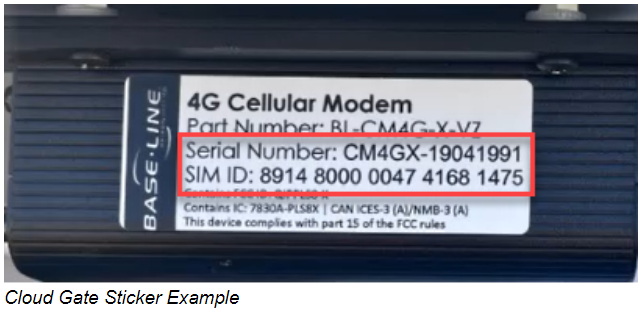
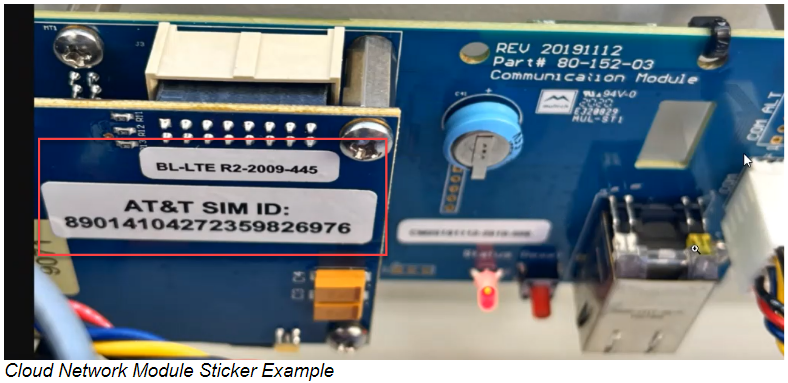
- Cell modem SIM number (printed on a sticker located on the modem - see below)
- Cell modem serial number (printed on a sticker located on the modem - see below)
- Controller name
- Controller site
After completing the online form and submitting it, please allow up to one business day for the activation to occur.
Reach out to support if you have any questions.
Monday – Friday, 7:00 AM – 5:00 PM Mountain Time
Phone: 208.323.1634
Toll-Free: 866.294.5847
Email Us: support@baselinesystems.com
For reference, here are some examples of where you will find the SIM and serial numbers on the modems: