
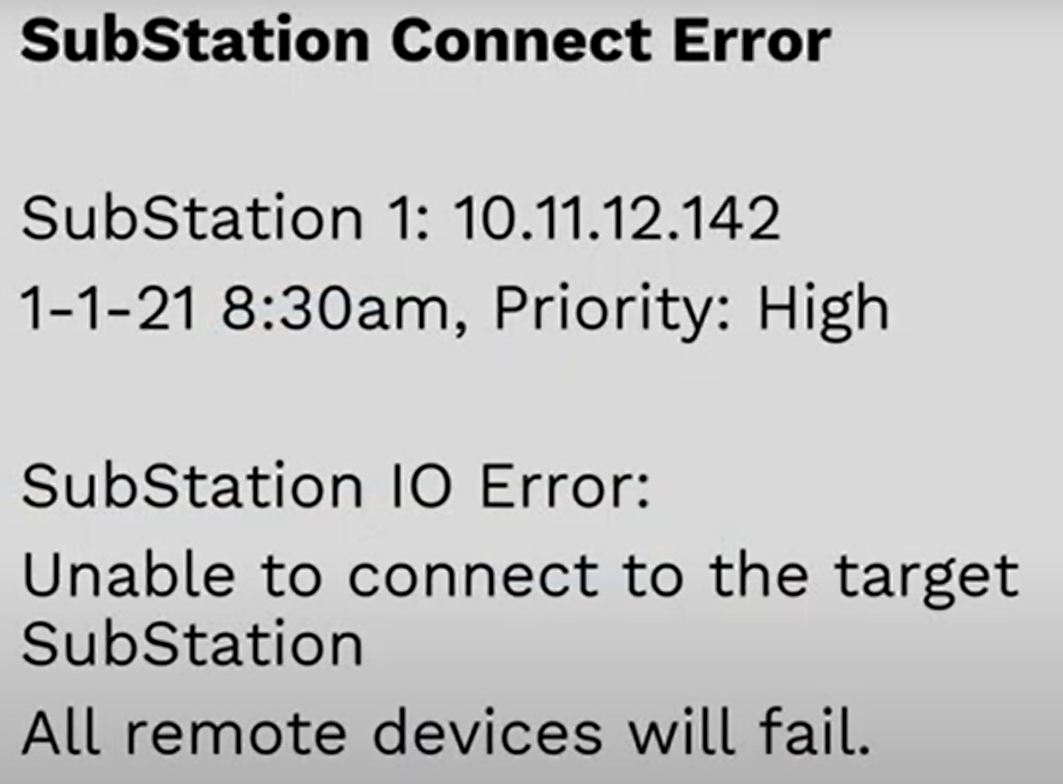
Info, impact, causes, and troubleshooting a "SubStation Connect Error" message.
Common Causes
- No power to the SubStation.
- A down local area network (LAN).
- Network changes.
- Offline Wi-Fi, cellular or radio module.
Substations are an extension of a BaseStation 3200 and must maintain communication with it via communication methods which include an LAN, ethernet radio, cloud Wi-Fi, or cloud cellular. If connection is lost the SubStation cannot receive information from the BaseStation 3200.
What happens now? From the alert message:
- SubStation doesn’t store programs locally, no zones a can run without a connection.
- IP address numbers: 10.11.12.142 tells us how it’s connected to the network.
Troubleshooting
- Restoring the power.
- Check if circuit breaker isn’t tripped.
- Try power cycling the SubStation or its communication module associated with it.
- If connected via LAN, contact the network administrator to restore the network connection.
Video originally published May 2021.
If you have questions, here are 3 ways to get answers:
1. Search within this HydroPoint knowledgebase
2. Visit the HydroPoint support page
3. Call 800-362-8774 or email support@hydropoint.com, hours are Mon-Fri 3:00 AM – 6:00 PM PT and Sat 9:00 AM – 2:00 PM PT.