
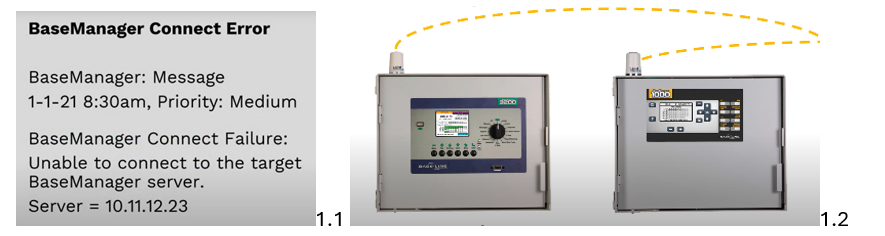
Info, impact, causes, and troubleshooting a BaseManager Connect Error message.
Common Causes
- Local area network (LAN) being down.
- Network has been changed.
- Communication module (Wi-Fi cell or radio) being offline.
- A BaseManager connection allows remote access to Baseline controllers, including external alerts and controller reports (see image 1.2).
- When error occurs, communication between the controller and BaseManager server has been lost.
What happens now?
- Since the controller can no longer communicate with BaseManager server, remote access is unavailable and external reports or alerts are not sent.
- However, the controller will continue to operate based on its stored program.
- IP adresss:10.11.12.23 which identifies how it’s connected to the network.
Troubleshooting
- Power cycling the controller or the associated communication module.
- Contact the network administrator to help restore your network connection.