
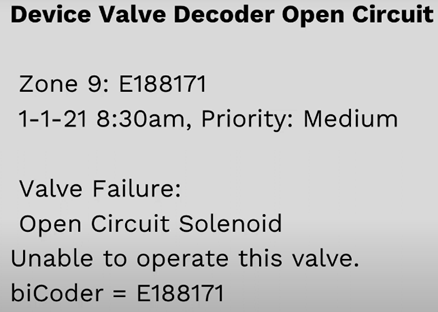
Info, impact, causes, and troubleshooting a "Device Valve Decoder Open Circuit" message.
Common Causes
- A failure solenoid or a bad splice of the solenoid.
- Broken wire or there.
- A solenoid attached to the biCoder.
What Happens Now?
- Open circuit on zone 9, which the zone cannot operate.
- Irrigation for zone 9 will not happen.
- The biCoder serial number: E188171.
- Before troubleshooting the message.
- This ONLY applies to the solenoid side of the biCoder, doesn’t apply to the 2-wire path
Troubleshooting
- Replace solenoid or DBR/Y-6 splices
- If broken zone wire.
- Use traditional wire repair tools to isolate the short.
- If you have un-used biCoder outputs that would normally go to a solenoid, unassign them
- Controller will check output of wires for biCoders.
- Conventional wire systems, will check the terminals of a powered biCoder
- Can't find a wire or solenoid?
- It will create and open circuit message.
- To avoid the messages, go to BaseManager → Device → Assign biCoders.
- This will help you unassign the unused serial numbers.
Video originally published November 2020.
Device Valve Decoder Open Circuit video:
If you have questions, here are 3 ways to get answers:
1. Search within this HydroPoint knowledgebase
2. Visit the HydroPoint support page
3. Call 800-362-8774 or email support@hydropoint.com, hours are Mon-Fri 3:00 AM – 6:00 PM PT and Sat 9:00 AM – 2:00 PM PT.