
Brandon from the Support Team joins up to discuss controller event files, how to find then and how to read the details they contain. Be sure to download the event file tutorial: www.hydropoint.com/baseline/
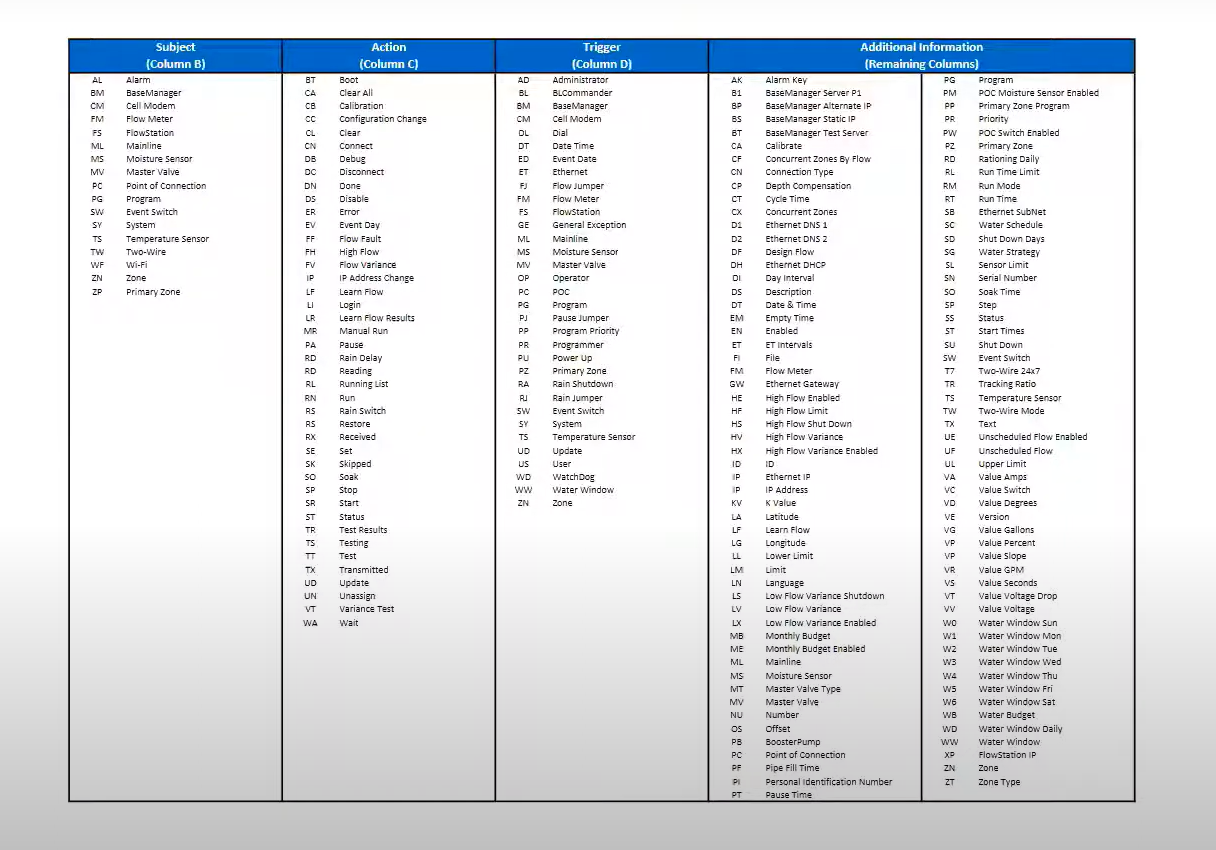
Scenario: Zones running managed by flow the controller matches active zones to the available design flow (ex. 100 GPM) without exceeding it for maximum efficiency.
Downloading the Event File
- AppManager → Admin → Manage BaseStation 3200s → select controller → Download Files (choose the file type) → Monthly Event file (it's only for the month) → Choose File (start of the month that’s been pull) → Download → Save File → open Event File.
- From the controller: advanced style position → Data Management → export (backups + event logs). Stored locally.
- Older firmware (v12) may not appear in Admin Manager, contact support for files or pull directly from the controller.
Event File
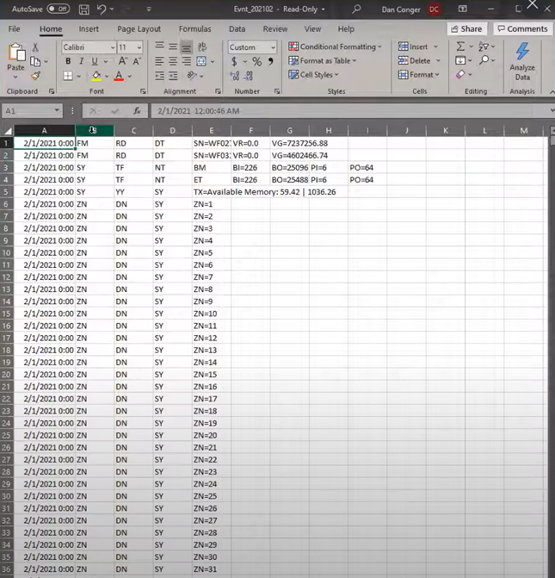
- Column A = day/time, B = sender, C = status, E = system (BaseManager).
- Event logs show zones “done” at midnight.
- CC = Configuration changes.
Program/Status Codes
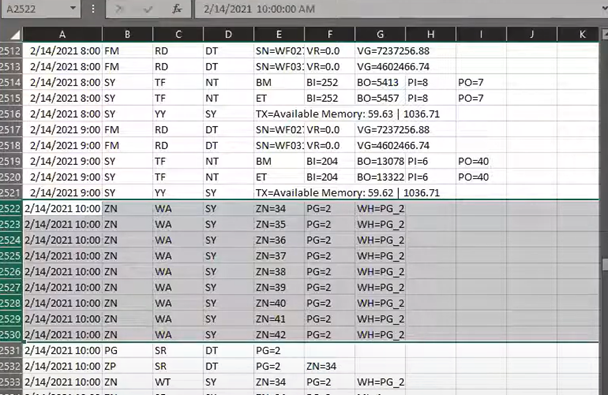
In column E, we can see the zones (ZN) in the program. Column F, shows the program number (PG=2) and column G (WH), indicates who initiated the operation, in this case, program 2.
Running Lists, Alarms, and Master Valve Logs
RL (Running List): Shows which zones were active at a given time. If a zone couldn’t run (ex. electrical issue), it won’t appear.
Alarms: Alarm files can be downloaded with a maximum of 90 days of history, depending on storage.
Master Valve (MV): Has a separate running list from zones.
Managed by Flow vs. Non-Managed
- Non-managed: programs run numerically from start to finish.
- Managed by flow: controller uses mainline design flow and concurrency to run zones as efficiently as possible, combining zone design flows to maximize irrigation. Zone stop times are logged.
Reports & Files
- Zone Activity Report (under Reports) shows, visually, which zones were running at a given time.
- Program Summary lists zones per program, run times, start times, moisture sensors, and all devices attached to the controller with current programming.