
Info, impact, causes, and troubleshooting a "FlowStation Connect Error" message.
Common Causes
- Loss of power to the FlowStation.
- Downed or reconfigured LAN.
- Communication module (Wi-Fi, cellular or radio) being offline.
What Happens Now?
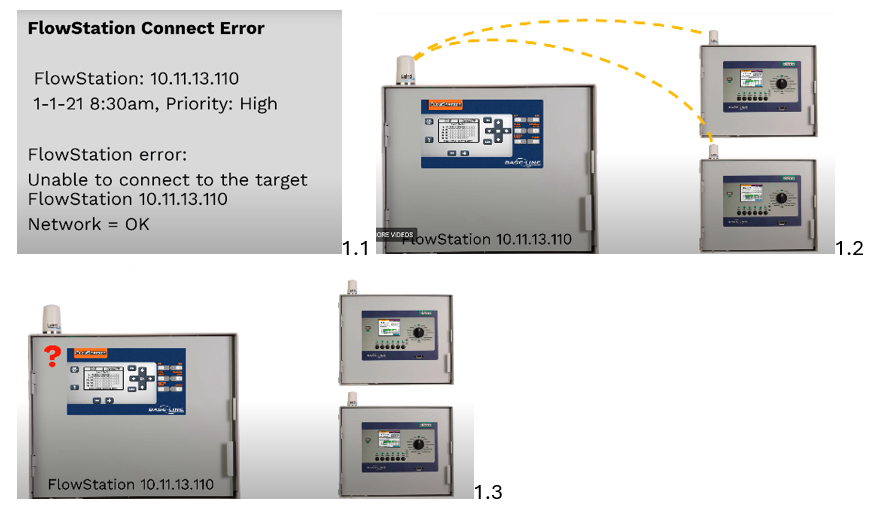
- FlowStations allow multiple BaseStaion 3200 controllers to share flow and water resources (see image 1.2).
- Ex: if communication from the FlowStation is lost, it can no longer receive flow information from the site (see image 1.3).
- When the FlowStation cannot communicate with the site controllers, flow and water resources can no longer be shared. This may result in flow conflicts on sites, triggering a high priority system message.
- IP address is 10.11.13.110, indicating how the FlowStation is connected to the network (image 1.1).
Troubleshooting
- Check the power, make sure it's on and the circuit breaker is not tripped.
- Power cycling the FlowStation or the connected communication module may also help restore connectivity.
- If network-related, you may need to contact your network administrator to re-establish the connection.