
Info, impact, causes, and troubleshooting a Water Source Budget Exceeded message.
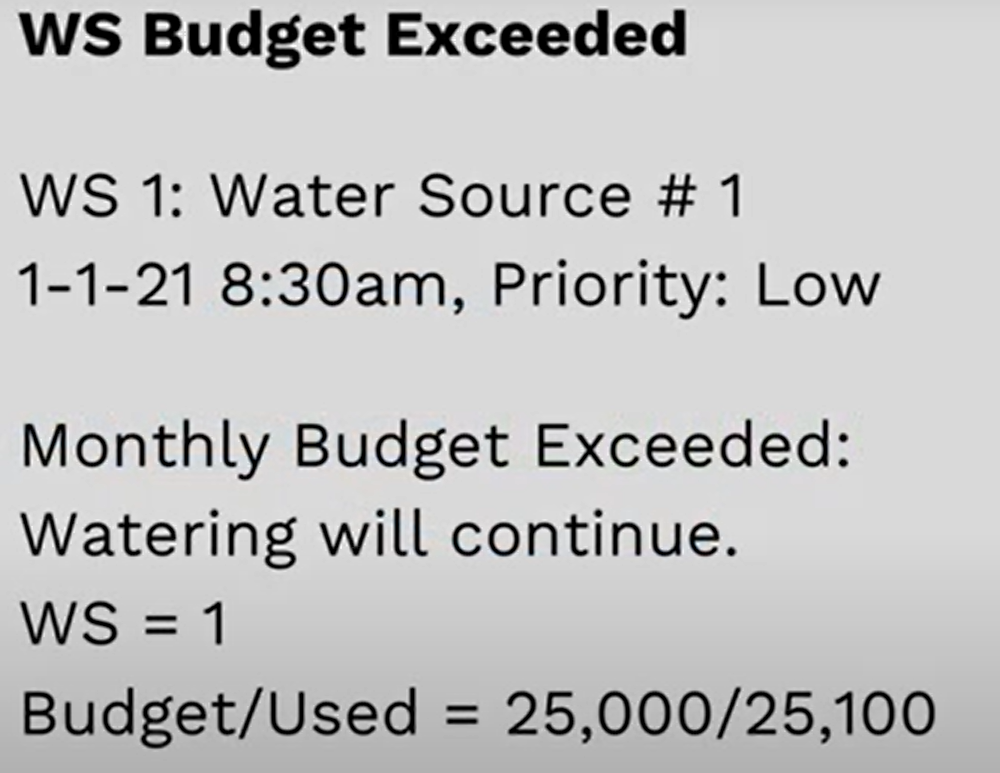
Common Causes
- Water budget being enabled for conservation purposes.
- Water budget enabled accidentally with any value greater than zero.
- Budget shutdown was not enabled, and the water budget was exceeded during the month.
What Happens Now? From alert message:
- Expected vs Actual: The controller expected 25,000 gallons in a month to run through Water Source 1 (WS 1) but only recorded 25,100 gallons.
- Shutdown wasn’t enabled resulting in an alert only.
- Ex: on a site with two water sources, only the mainlines and zones downstream of WS 1 are affected. WS 2 and its zones are not impacted.
- The budget was set to 25,000 gallons for the month, but the usage used 25,100 gallons in that same month.
Troubleshooting: Asking the question "Was the Budget Intended?”
- If you intend to set a measurable water budget stop.
- You can increase the water budget.
- You could disable the water budget altogether.
- It may be advised to enable a shutdown action to receive an alert as well as shutting down the over budget source.
- In BaseManager → Flow → Water Sources, to access these settings.
- Under Flow Management you can adjust the Monthly Budget or set to zero to skip this feature.
- If the Shutdown box is unchecked and the budget is exceeded the controller will only alert you.