
Learn how to diagnose and troubleshoot when a newly installed soil moisture sensor is not found on a conventional wire system.
At the Controller
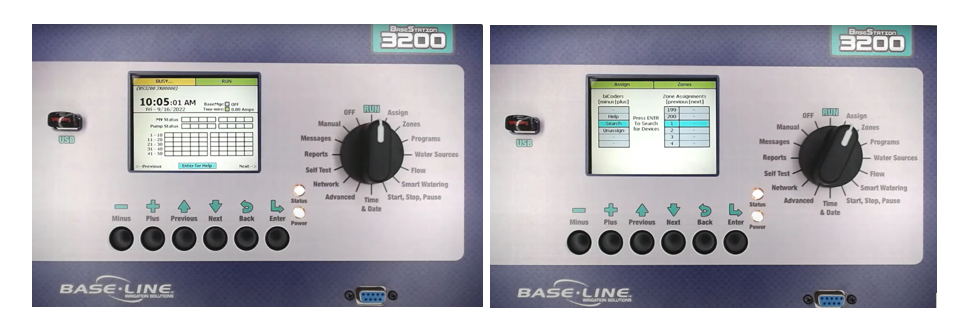
- Turn the dial to Assign.
- Open the device you want to assign (ex. Zones).
- Search should be highlighted → Enter.
- Once search completes, the left panel shows found serial numbers from wire path.
- Move the correct serial number to the right side to assign, Q245151 → Zone 1.
- If a serial number (Q245153) doesn’t appear, it may already be assigned.
Inside the Controller
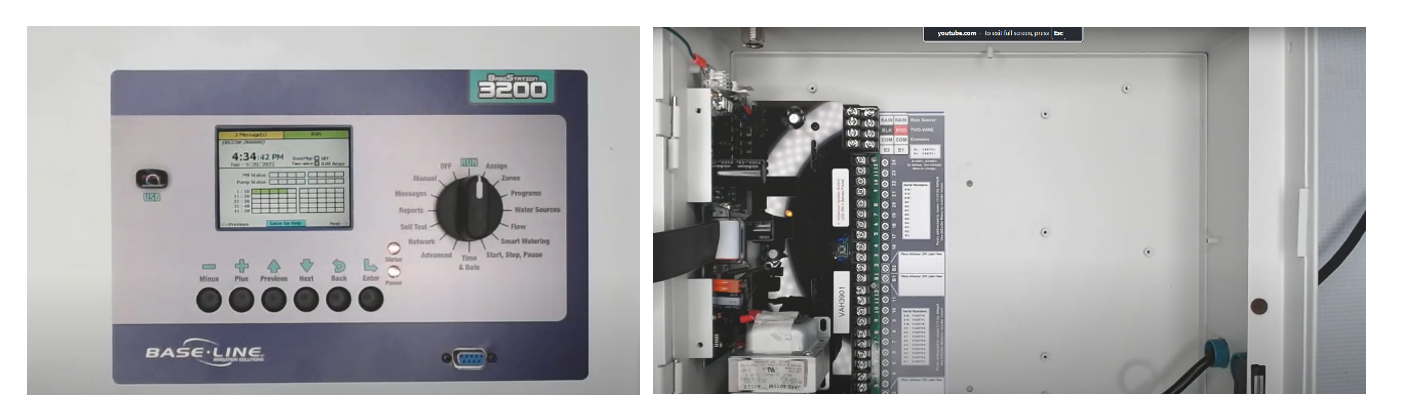
- Go to Moisture Sensors controller → highlight Search → press Enter.
- If the sensor isn’t found, open the controller.
- Baseline controllers use 2-wire technology with powered biCoders.
Check Sensor Terminals
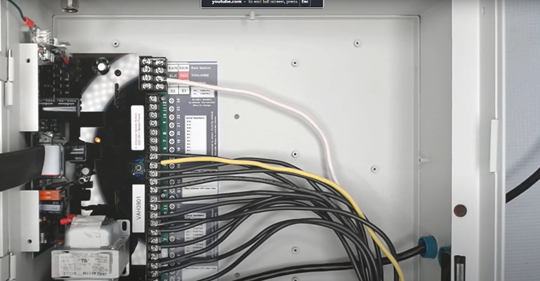
- Soil moisture sensors must be connected to terminals A1, A2, B1, or B2, only these are sensor-enabled.
- If need to move a zone, power down the controller (unplug controller, turning off circuit breaker off, or disconnect orange plug) and move the sensor wire to one of these terminals.
Identify Sensor Wiring
- If unsure which wire the sensor is connected, you may need to use a wire toner or refer to installation documents that are in the package or online.
Test Powered biCoder Board
- Re-run the search and assign process.
- If you haven't found the sensor yet:
- Power down the controller again.
- Disconnect the valve common and one of the sensor-enabled terminals (A1, A2, B1, B2).
- Connect a known good solenoid and run a Self Test.
- If it works, the biCoder board is functioning properly.
Field Inspection: Soil Moisture
- Inspect splices at the sensor location.
- Polarity matters:
- Black wire = zone common.
- Red wire = irrigation zone wire.
- If changes are made, re-run the search and assign.
- If the sensor is still not found, carefully dig it up.
Sensor Removal and Direct Test
- Do not cut the wire short, remove it all the way back to the original box to save entire wire length.
- Industry Standard:
- Splices should be in a pull box with 18" of slack.
- Bring the soil moisture sensor back to the controller, connect it to a sensor-enabled terminal and valve common.
- Power the controller back up and try assigning the sensor again.
- If controller can find the sensor, the issue is resolved!
Wire Troubleshooting
- Check splices, wire integrity, or damage.
- If still not detected, the sensor may be faulty.
- Contact Baseline Support to check warranty eligibility.