
Learn how to diagnose and troubleshoot a soil moisture sensor that reads the incorrect soil temperature or fails to read soil temperature.
At the Controller
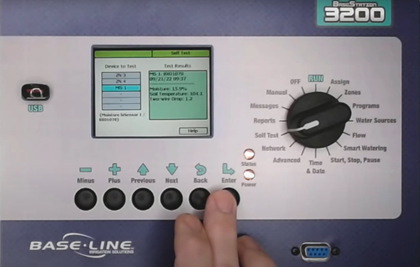
- On controller → Self Test → highlight Test Single Two Wire Device → press Enter to open.
- Scroll through the list to find the device you want to test.
- Select the device (ex. MS 1) and start the test.
- The controller will show moisture % and temperature readings.
- If data looks incorrect but the sensor is detected, continue troubleshooting.
Field Inspection
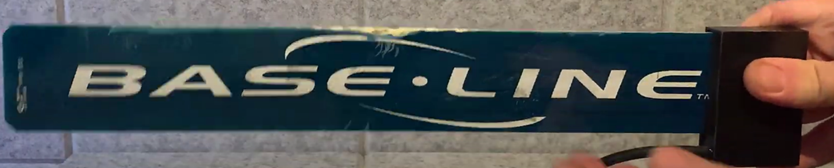
- Locate the soil moisture sensor in the field.
- Remove the sensor wire back to the original splice box to preserve wire length.
- Industry standards: splices should be in a pull box with at least 18” of slack.
- Inspect the sensor for damage (ex. damaged blades).
- Damage to the blade, may still read moisture temporarily. The temperature sensor is in the black biCoder section, so damage to the blade rarely impacts temperature.
Testing at Controller
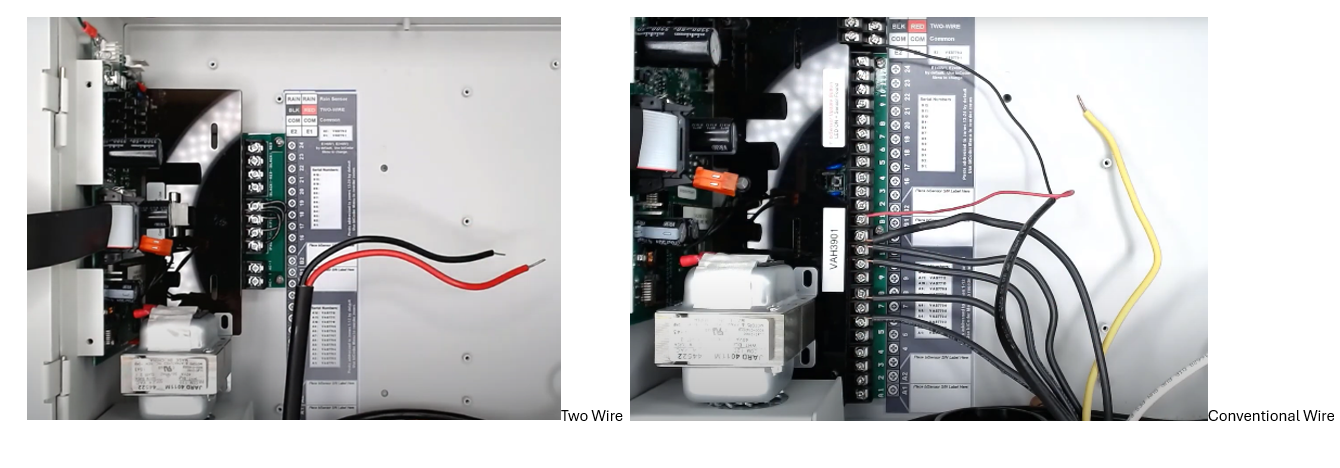
- Power down the controller (unplug, turn off circuit breaker, or disconnect orange plug).
- Disconnect the existing wire path from the terminals.
- Connect the soil moisture sensor directly to the red and black terminals, making it the only device connected.
- For conventional wiring, connect black wire to common, and red wire to one of the sensor-enabled terminals (A1, A2, B1, or B2).
Sensor Temperature Testing
- Changing the sensor temperature before testing, will vary depending on season:
- Cool sensor in ice bath for hot weather.
- Warm sensor indoors if cold.
- Allow 15 minutes for temperature to stabilize before testing again.
Rerun the Test
- Power the controller back on.
- Return to the Test Single Two Wire Device menu and rerun the test.
- If we found the right temperature or see a change, we've eliminated the device as the issue.
- Issue may due to installation, wiring, or splices.
Troubleshooting
- Confirm sensor installed at proper depth with soil contact on all sides.
- Review installation details.
- If installation isn't the issue, inspect wiring for splices, damage, or integrity issues.
- If controller cannot detect temperature or temperature changes, the sensor is likely faulty.
- Contact Baseline Support to verify warranty eligibility