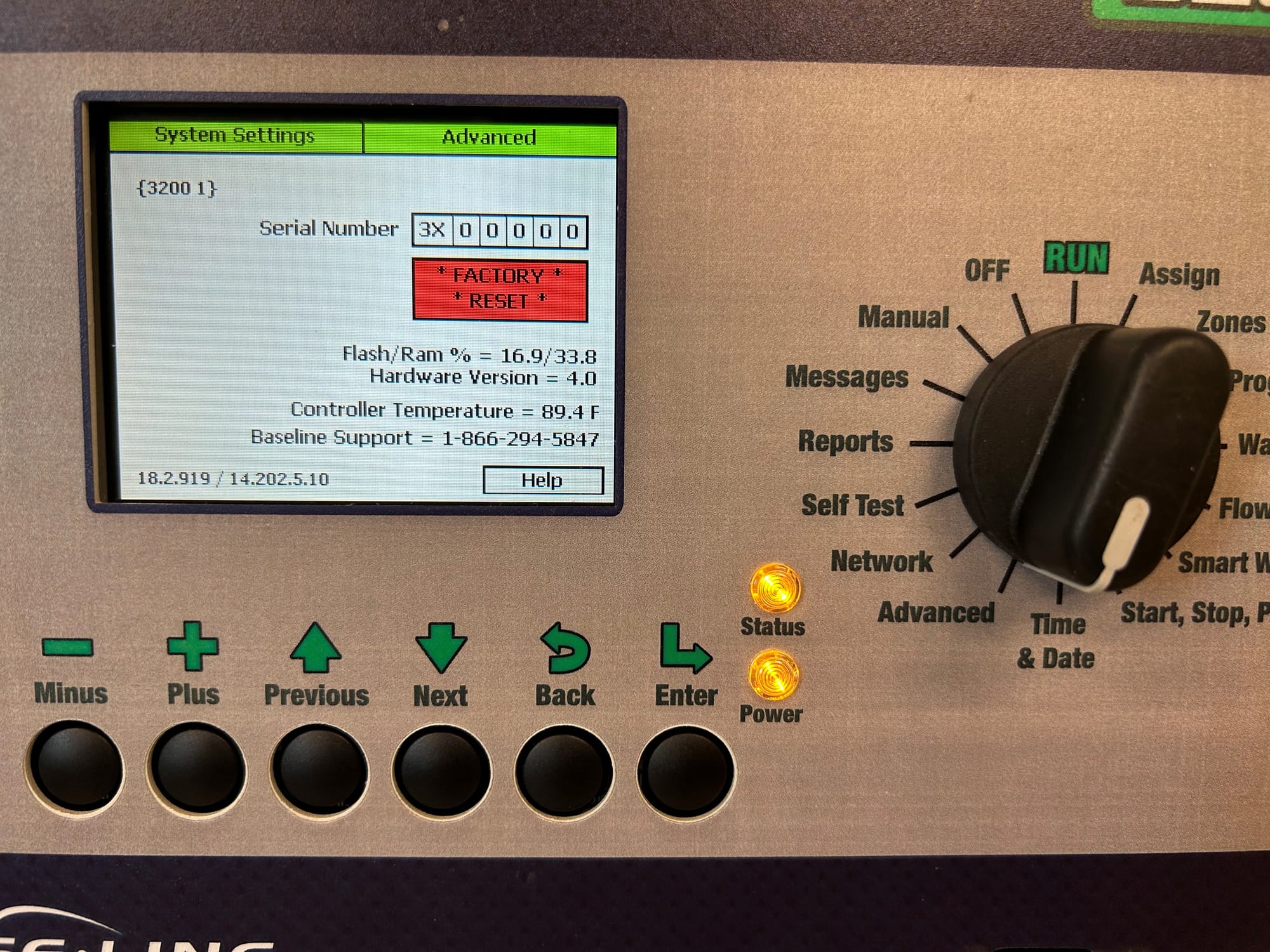
Controller Memory Low Message
NOTE: The newer 3200S display should not have this issue based on how its manufactured.
Controller memory: These consist of things like logs, back ups, and other various files of this nature. These things are not directly connected to the programs. It is possible that this memory gets full and does not empty/erase itself like it should.
The number of programs and how they are configured are likely not the cause of the issue. It is more likely the “controller memory”.
First we want to find out if an actual program is the cause. Is there a program that is too large and complex? It will have never worked if so. We can ask - “Has the current programming worked fine in the past?” - If so, we know the controller memory is the issue.
- How to resolve if the issue is a large and complex program: As the message says, simplify or split the program.
- How to resolve if the issue is controller memory: Ensure a back up of the program is made somewhere safe to restore from after performing a factory reset.
Baseline controller factory reset
Performing a factory reset should NOT be performed unless a knowledge base article or T2/T3 specifically says to do so.
- Ensure a program back up file is created to restore from.
- Navigate to the advanced menu
- Navigate to the empty box under the serial number field. It should be highlighted red.
- Press the minus (-) button until it says “Factory reset” then press enter. The device will restart on its own and reconnect to BaseManager if the network settings and connection were fine before hand.
- Restore the programming back up if preferred.
Note: The Flash/RAM % is displayed in this system settings page as well. These readings could help indicate the possible issue.