
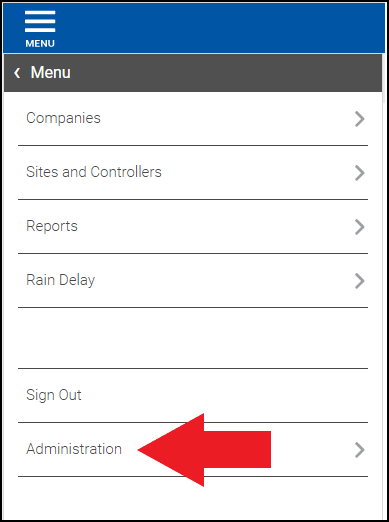
1. From the home page in BaseManager, select Administration. The Administration page displays.
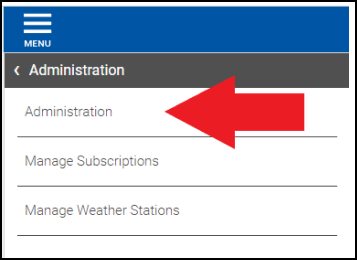
2. From the Administration page, select Administration.
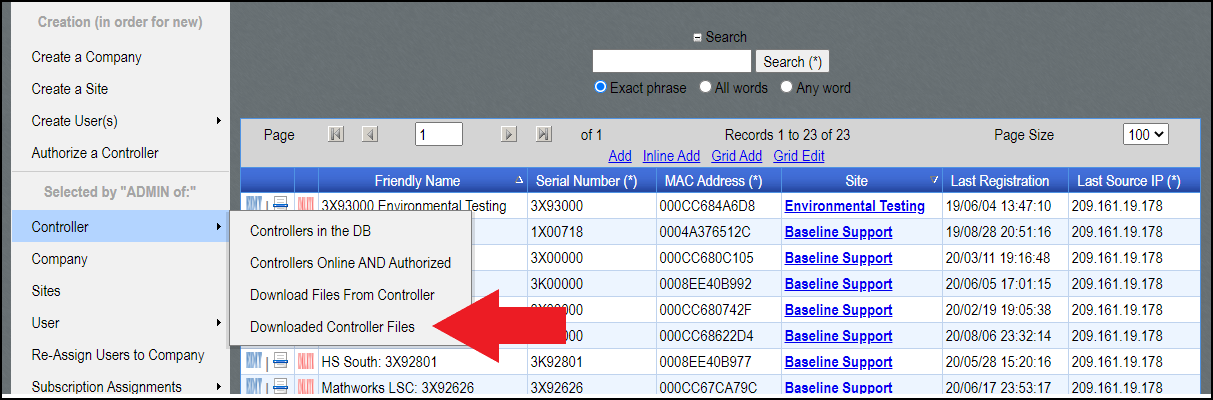
3. Use the dropdown tab to select the desired company in the Currently ADMIN of: field.

4. After selecting the company, hover your cursor over Controller, then select Downloaded Controller Files.
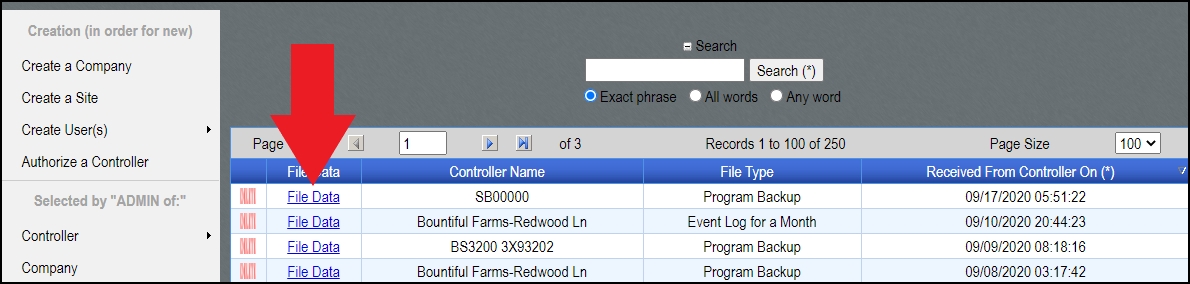
5. Select File Data to download the backup.
6. Navigate to your Downloads folder. Once in your downloads folder, rename the backup.zip folder according to the downloaded backup’s structure.
- Version 12.xx controller backups will need the folder to be renamed to Backup2__20190128
- Version 16.xx and 17.xx controller backups will be renamed to Backup3__20190320093734.
- Verizon 19.xx controller backups need to be named to backup1.json.gz
All backups will remain as zipped folders throughout this process.
Note
Backups from controllers on version 12.xx and backups from controllers on version 16.xx and 17.xx will look differently. This means that if someone needs to restore a V12.xx back up to a controller with V16.xx or newer, that will require putting the V12 back up on a device with v12, updating that device to newer firmware, then making a new back up with the updated formatting for compatibility.
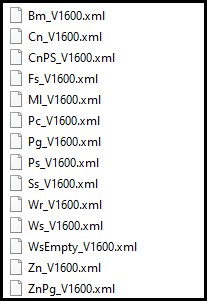
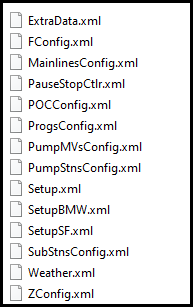
7. After renaming the backup.zip folder accordingly, create a folder and name it as a controller serial number, then move the Backup2 or Backup3 folder into that new folder and zip the new folder.
- ex. 3X00000
Notes
It is important to note that the BaseStation 3200 allows the user to change the X character in its serial number to a P and vice versa but if the 3200 has a serial number that starts with 3K, it cannot be changed. The controller serial number must match the name of the folder to allow programming to be restored.
If the customer receives a controller backup folder that you’ve named 3X00000 but the controller serial number starts with 3K, they must rename the folder to match that 3K serial number.
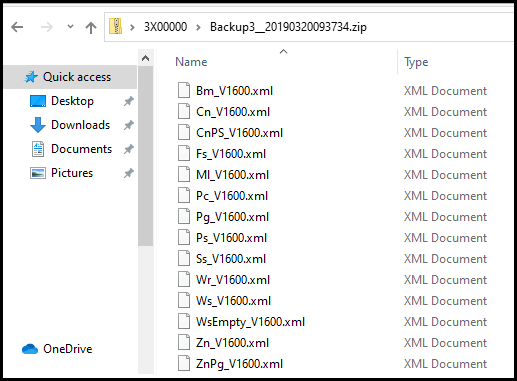
Here is what a prepared version 16.xx and 17.xx backup should look like before you zip it to E-mail to a customer, or put it onto a USB:
At the time of writing this document, the current 3200 firmware version is 17.13. The process may differ upon new releases of 3200 firmware and AppManager.