Access the Air Vantage Portal
- Use this link Sierra Wireless and enter your credential.
Need help?
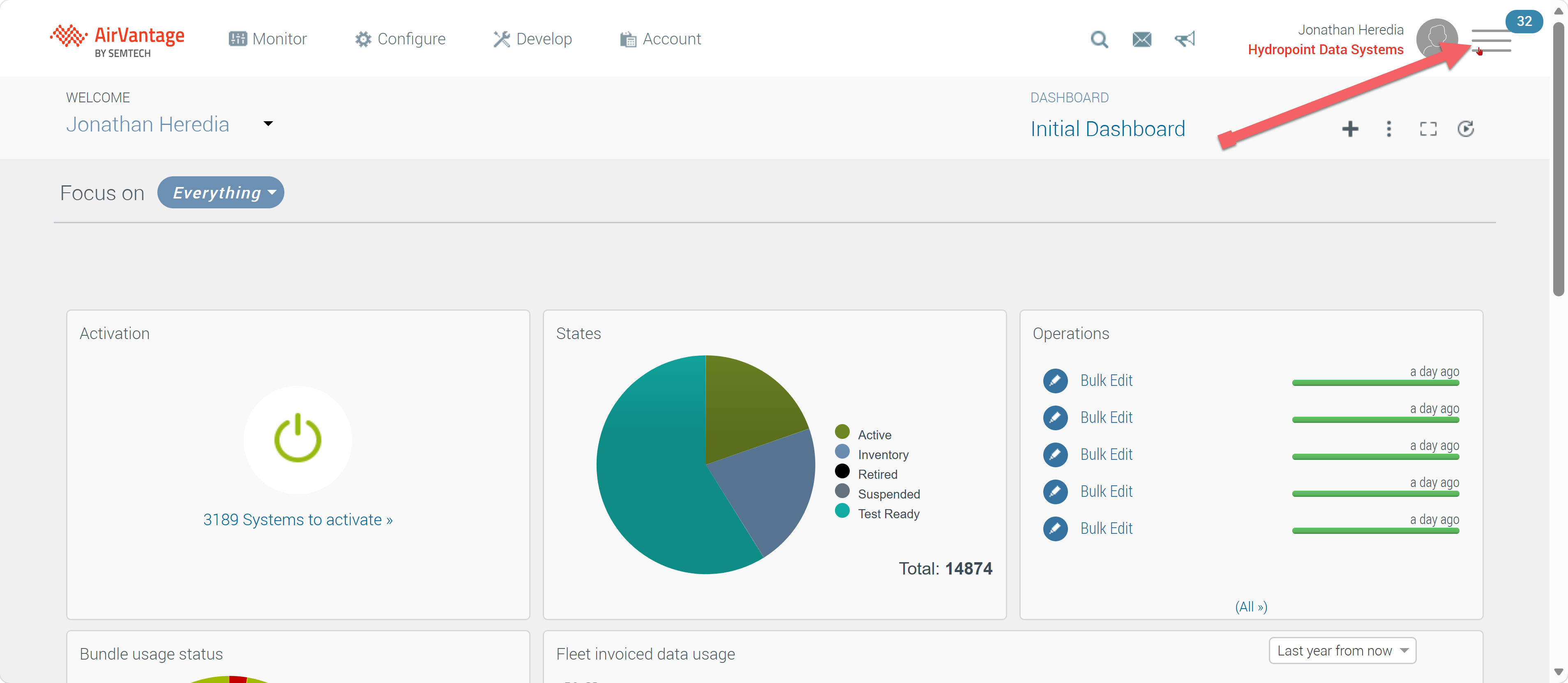
- Once you access the portal, click on the 3-line icon on the upper right-hand side of your user profile.
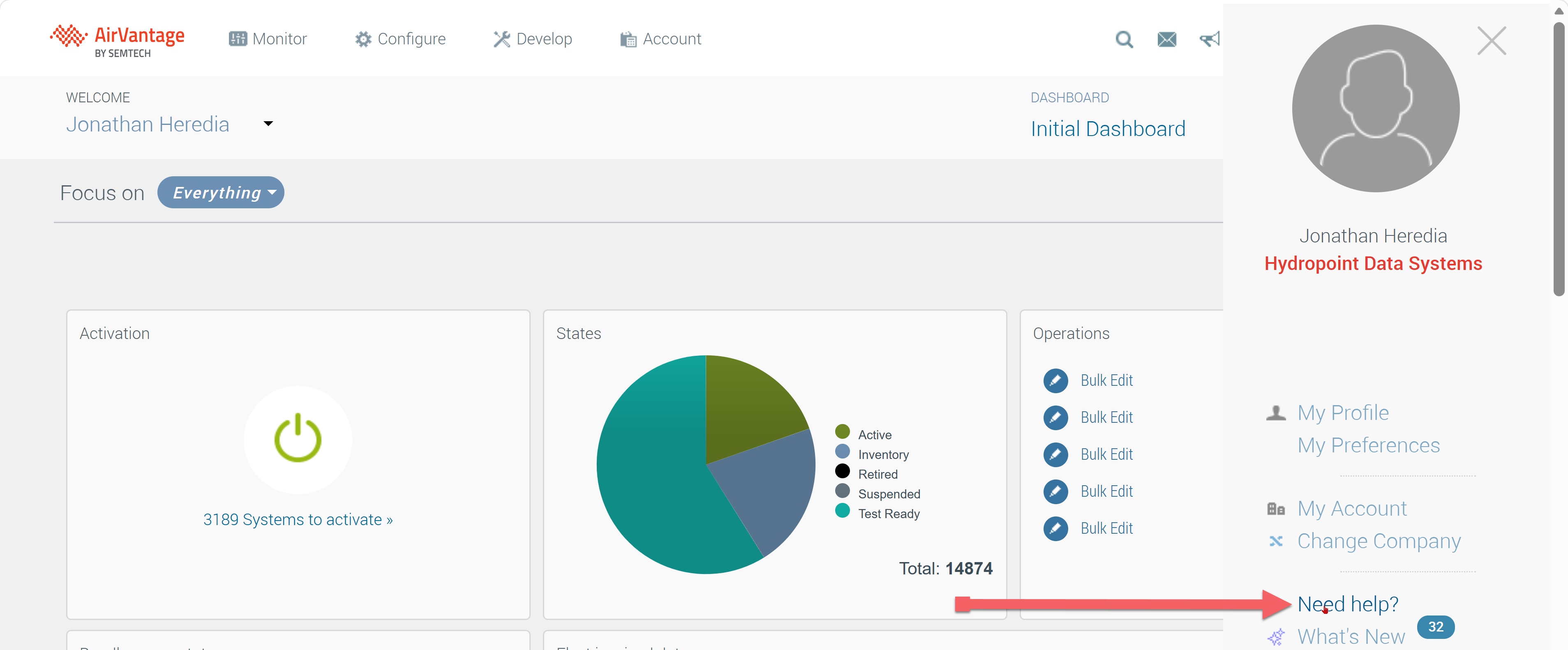
- Once you click on the 3-line icon a drop down will be available, click on the Need Help? option.
Redirected.
- You will be redirected to a new page/tab.
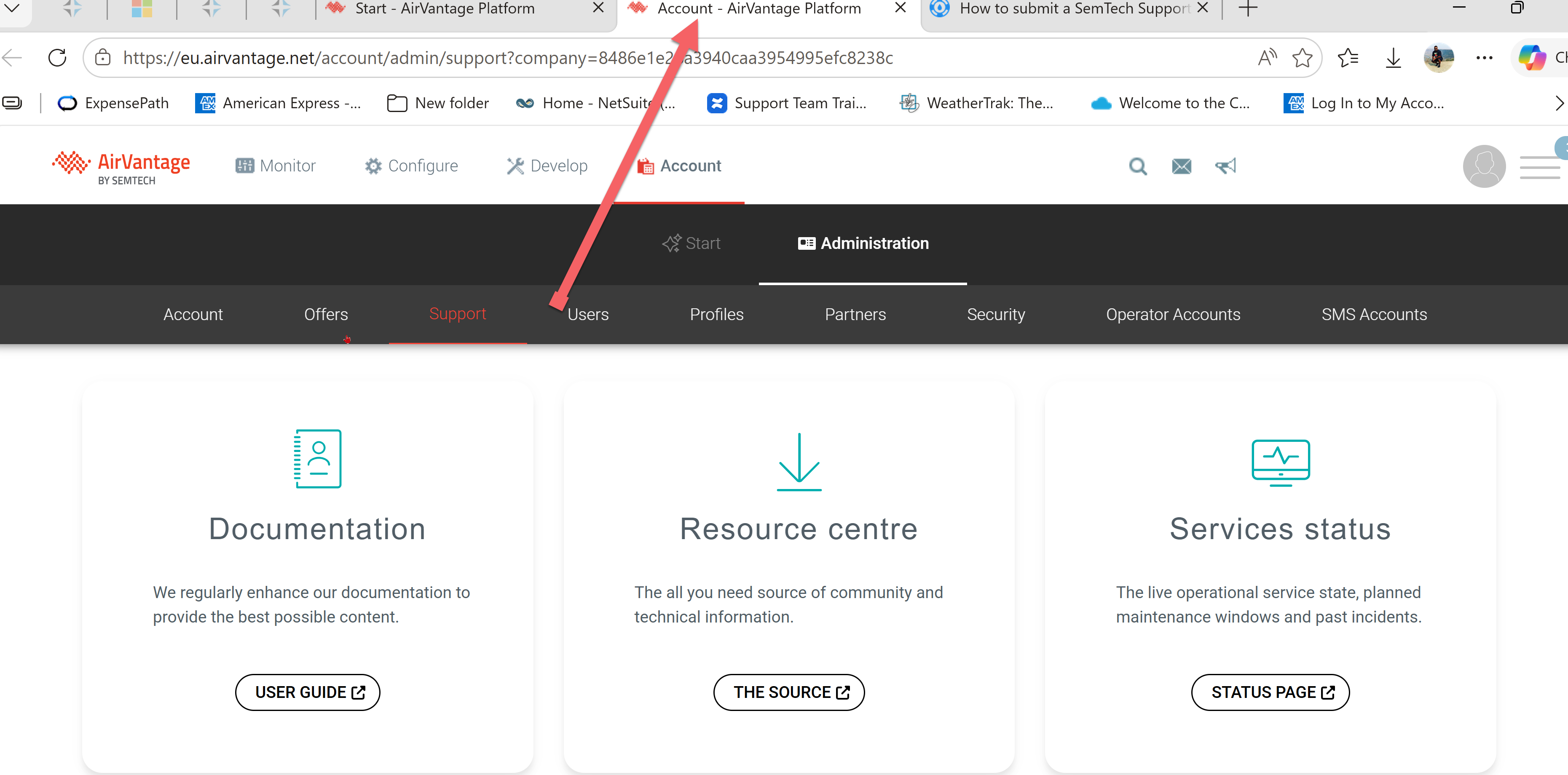
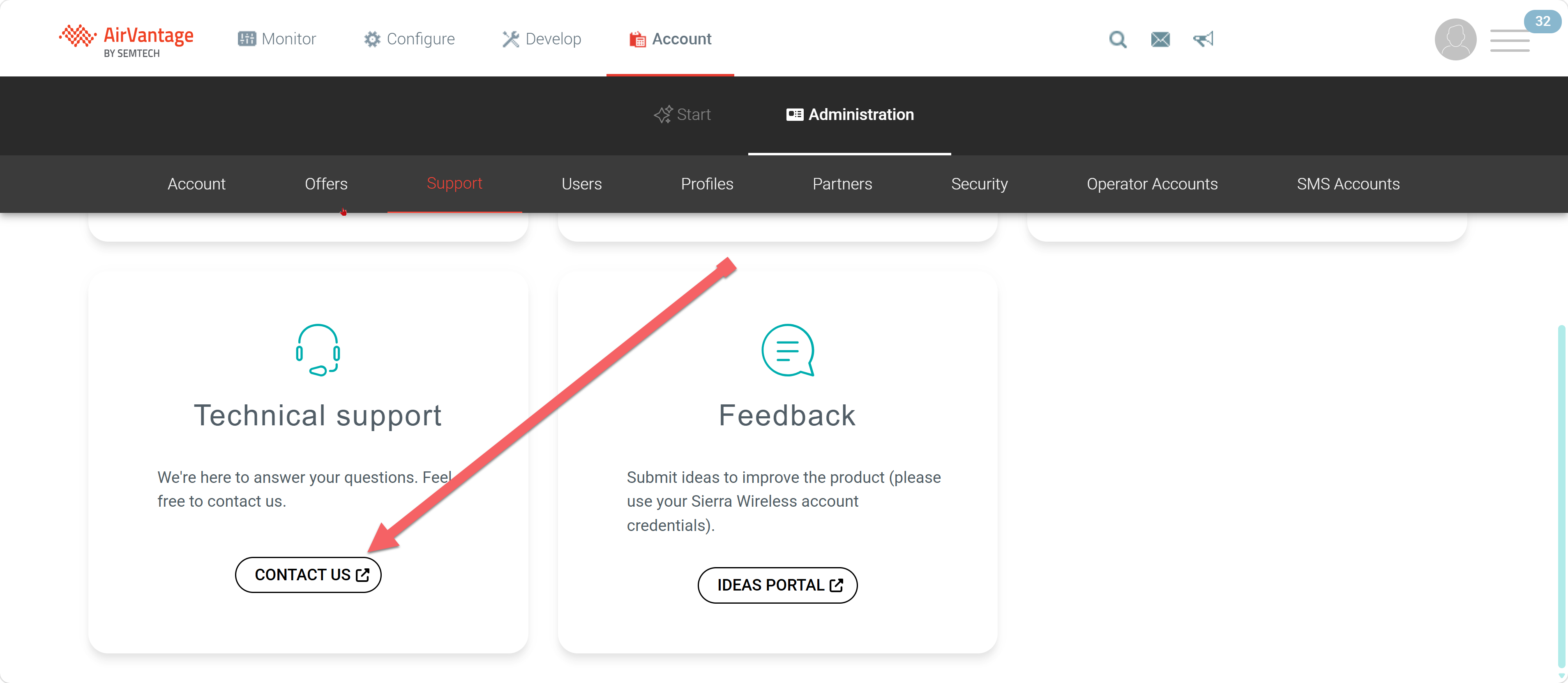
- Scroll down and locate the option for Technical support, click on the CONTACT US option.
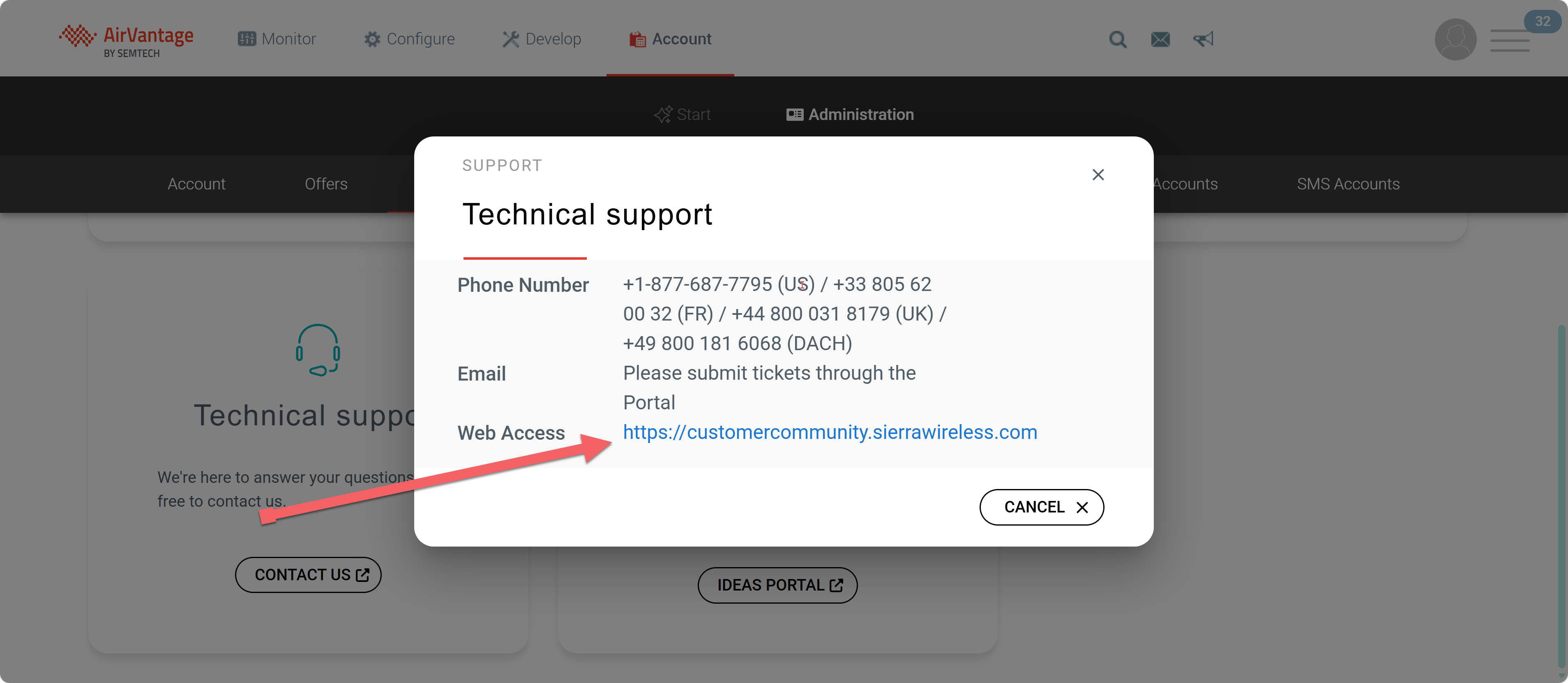
- A popup window will be displayed, click on the link.
- You will be redirected to a new tab/page.
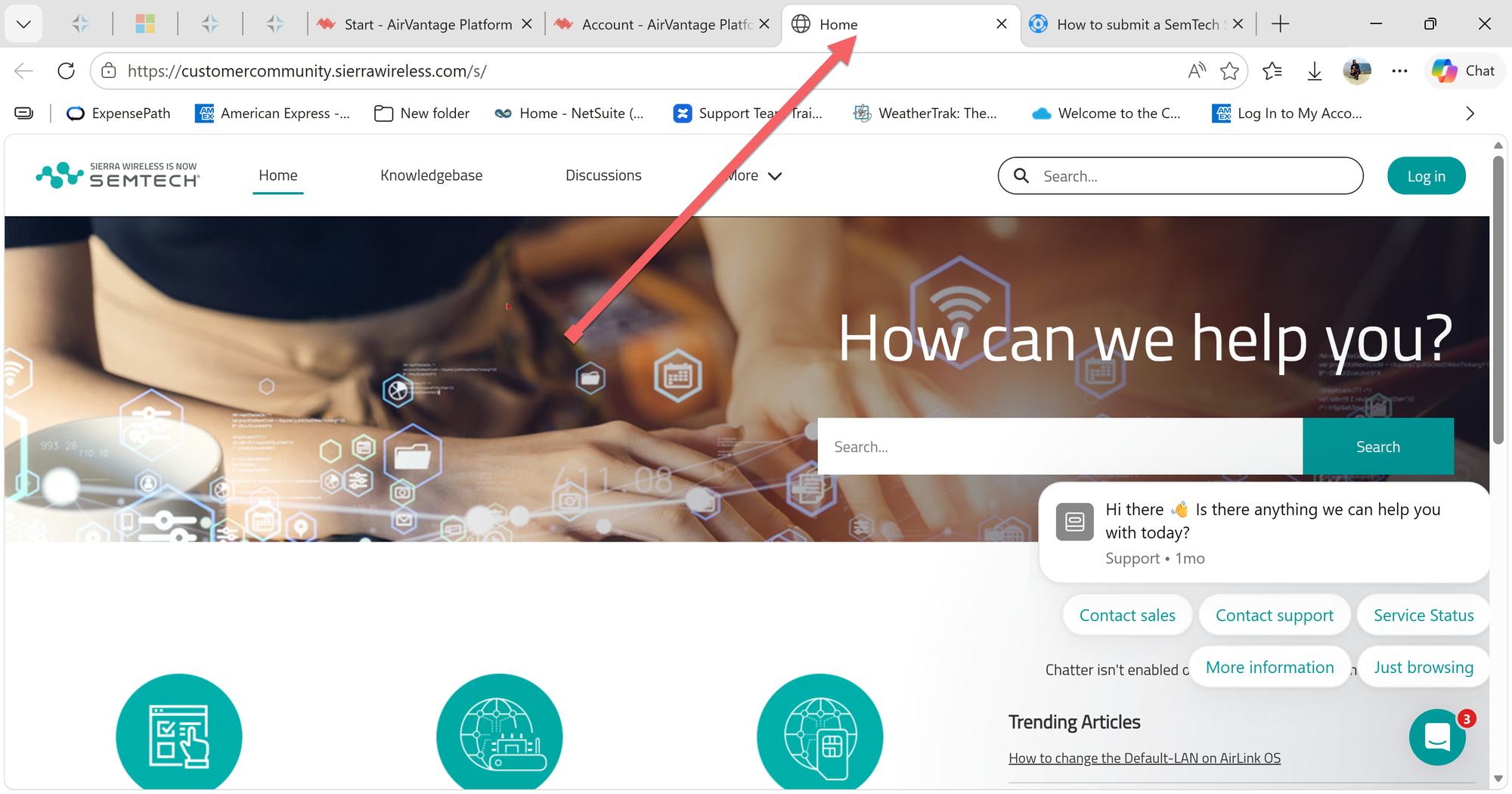
Register to Customer Community Portal.
Note:
You will only have to register once to create an account to be able to submit support tickets. Go through registration process. If you cannot create an account, contact your SemTech system Admin (Chris Mendiola)
- To register click on the Log in tab.
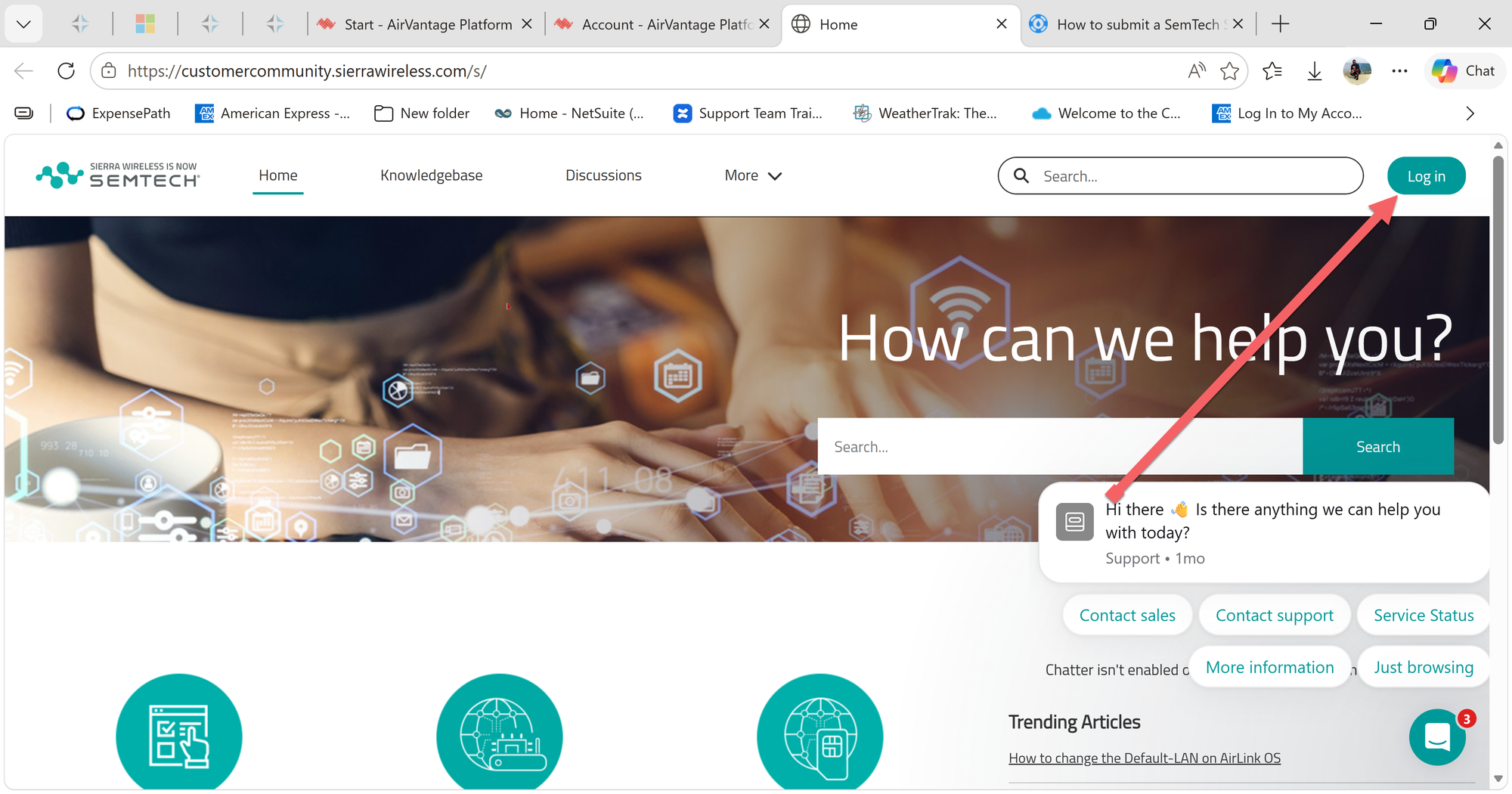
- Click on the Need to Register? link and follow the registration process.
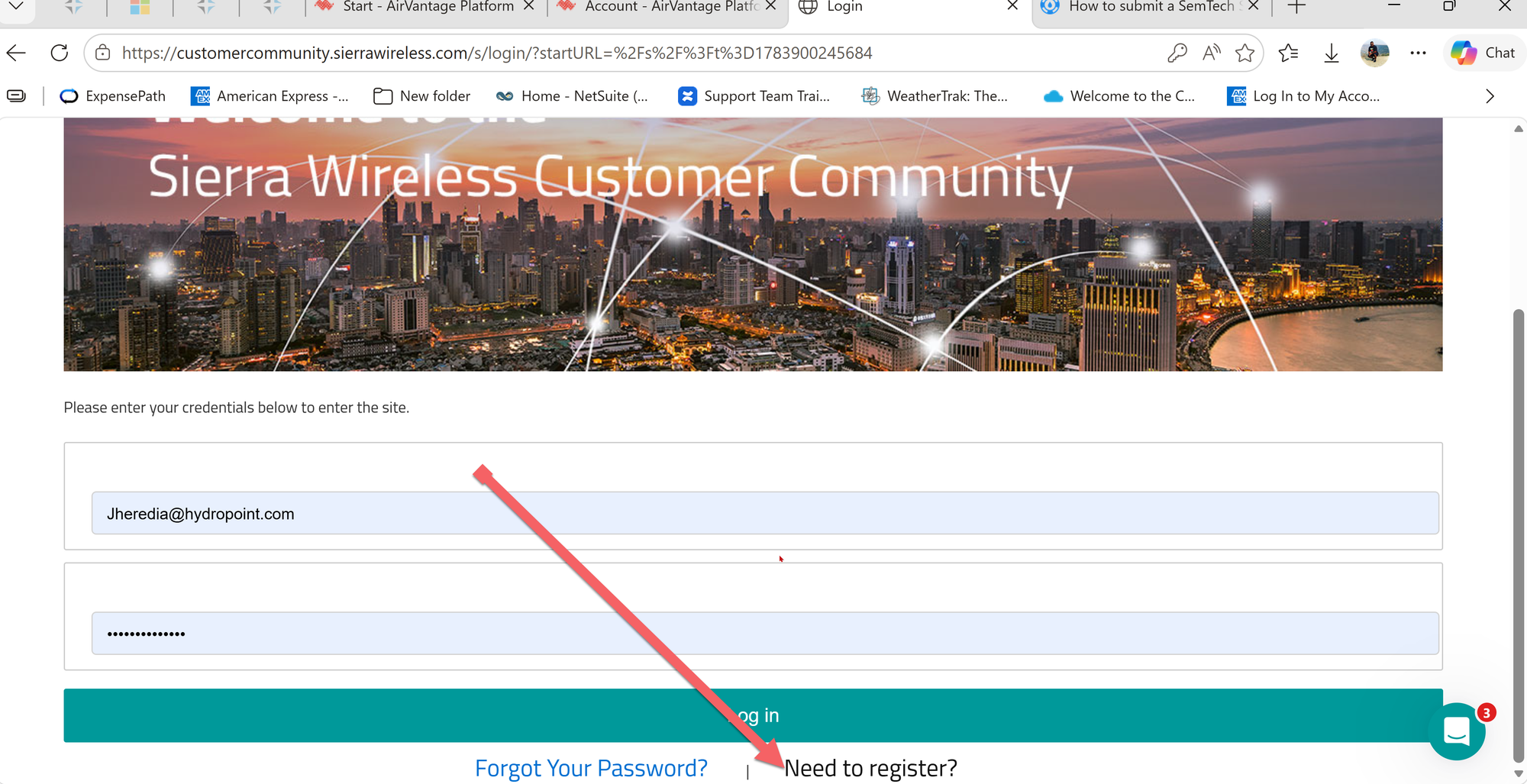
Note:
Once you successfully register and create a Community Portal account, you can always rest you password in this same page. Follow the rest password process if needed.
Log In to the Community Portal.
- Once you successfully log in to your account access the Cases Tab.
- You can choose to look an existing case by selecting the desired case from the case list.
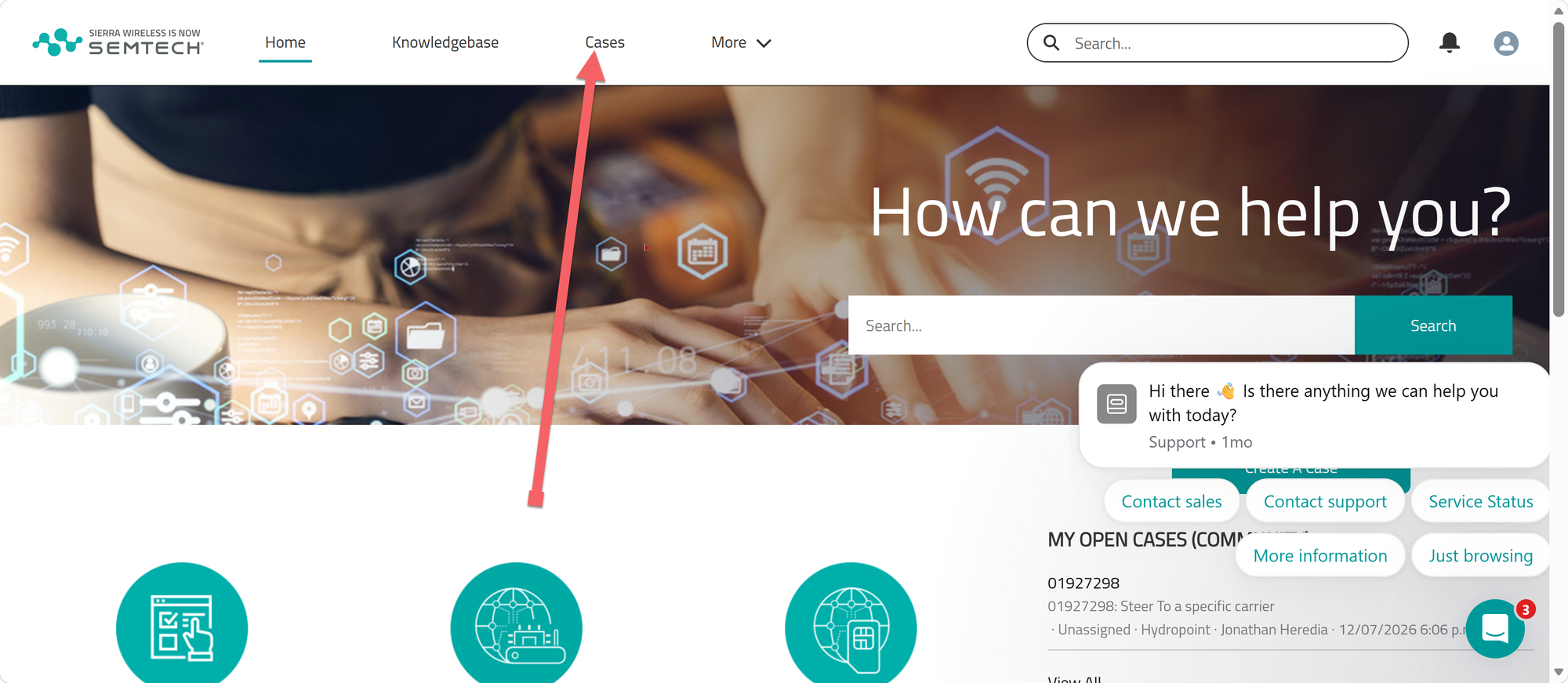
- To open a new case, click on New Case.
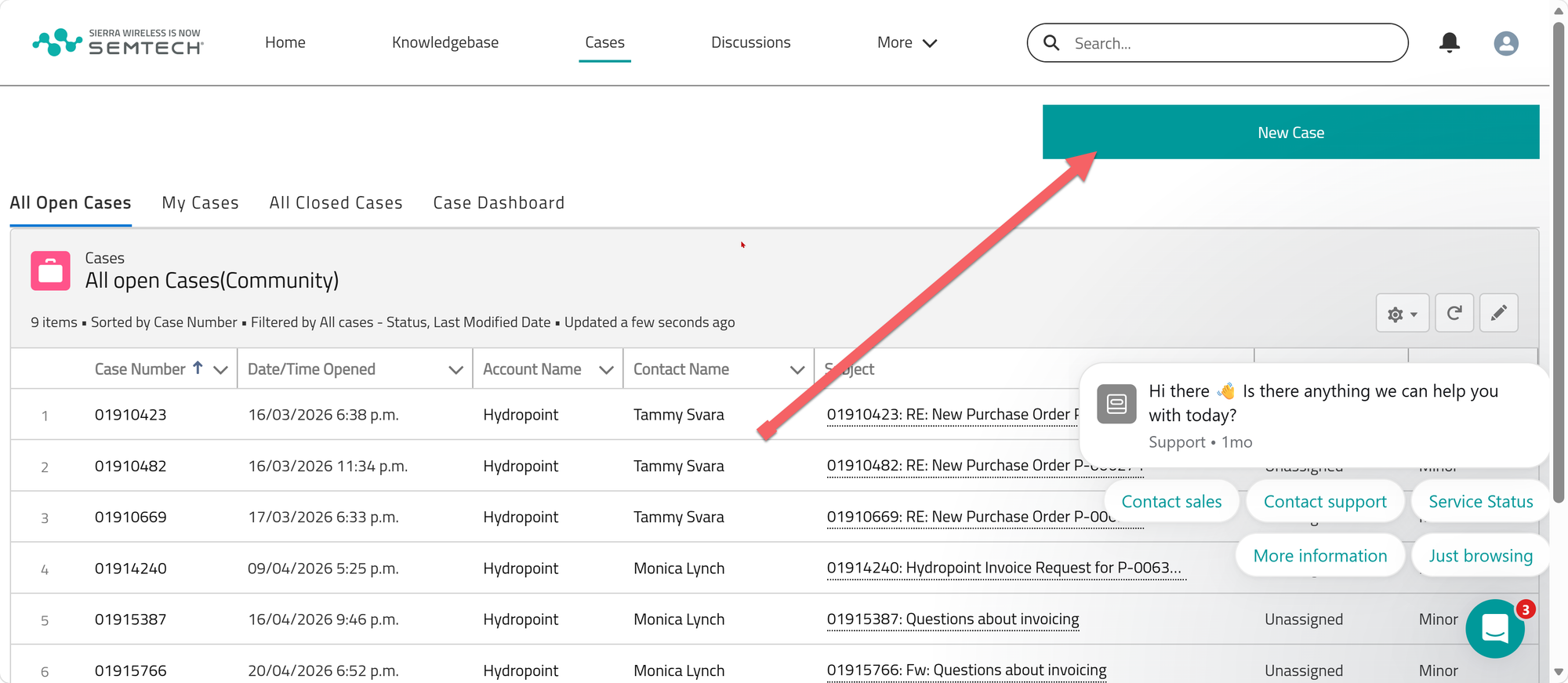
Create a Case
- Click on Support Case.
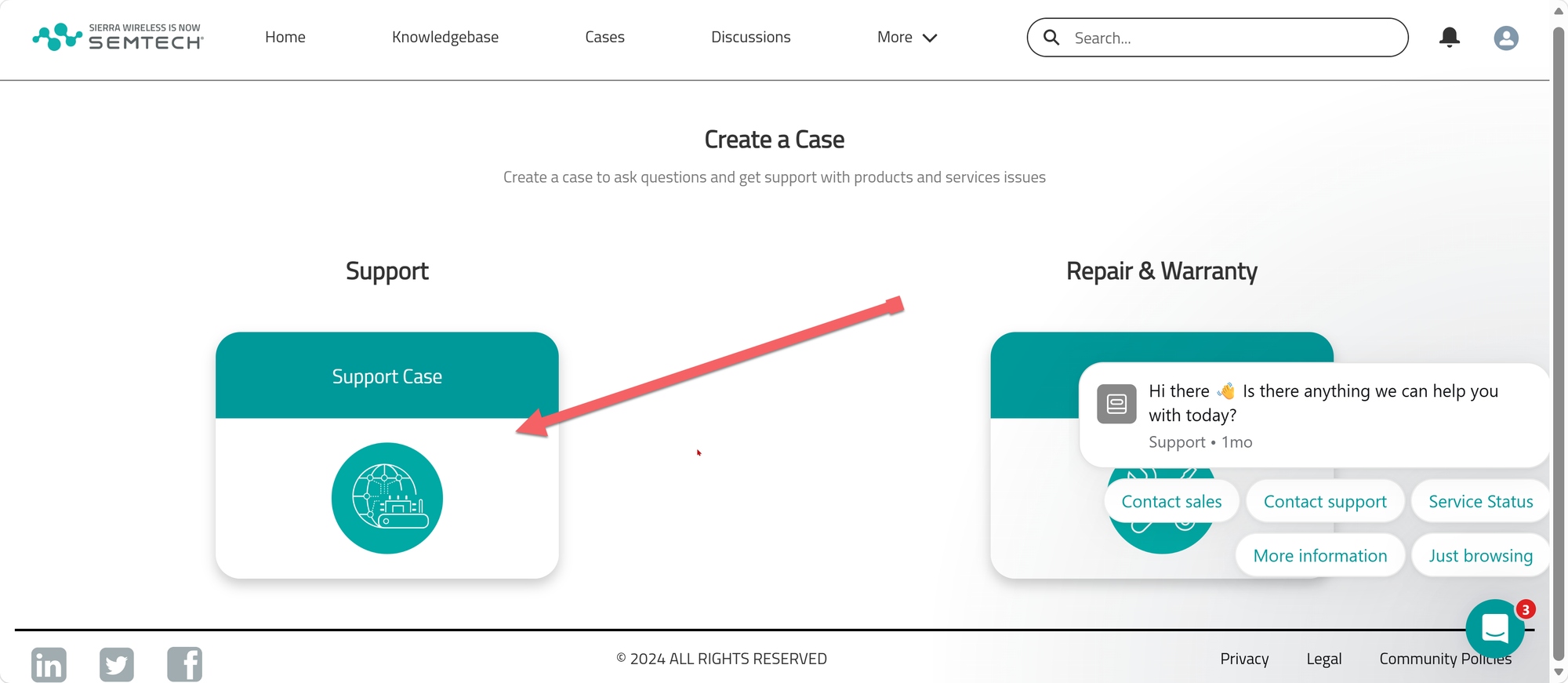
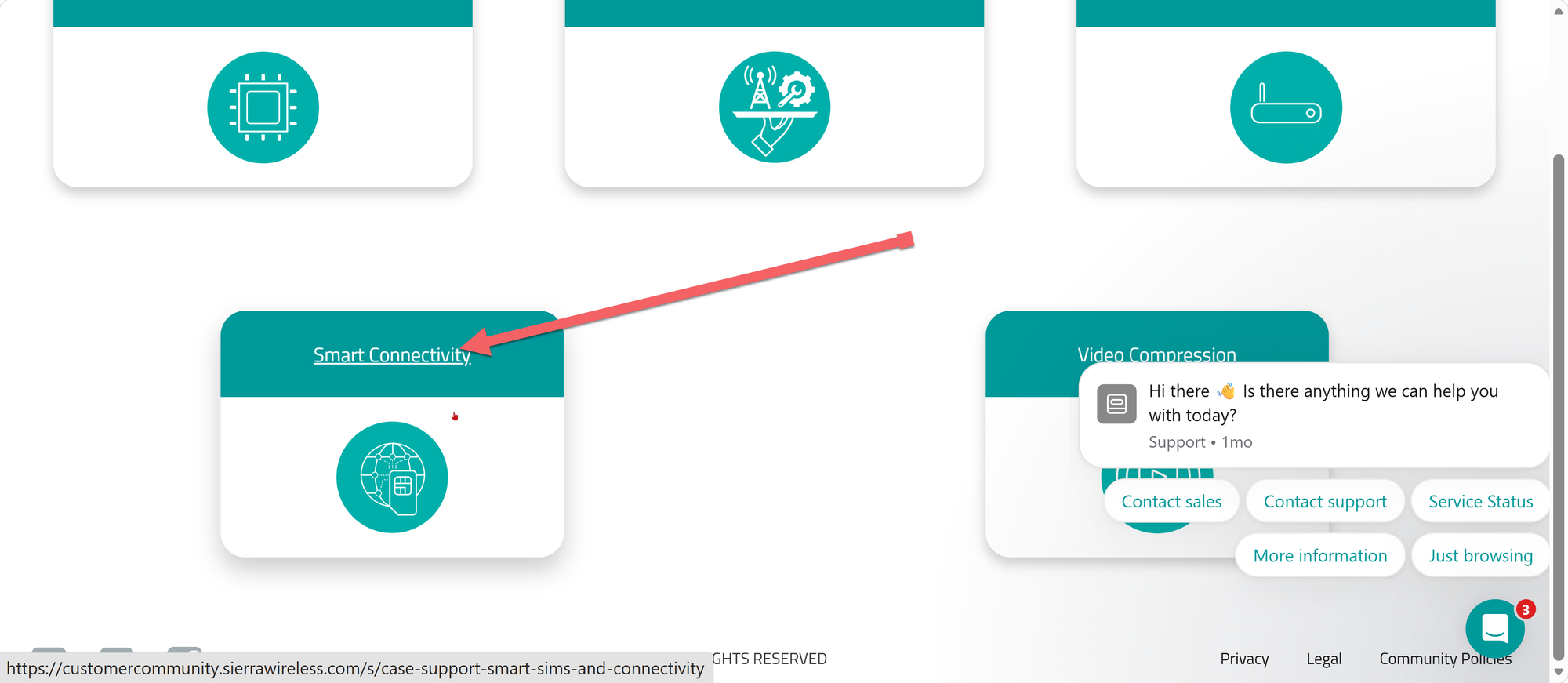
- Scroll down and click on Smart Connectivity.
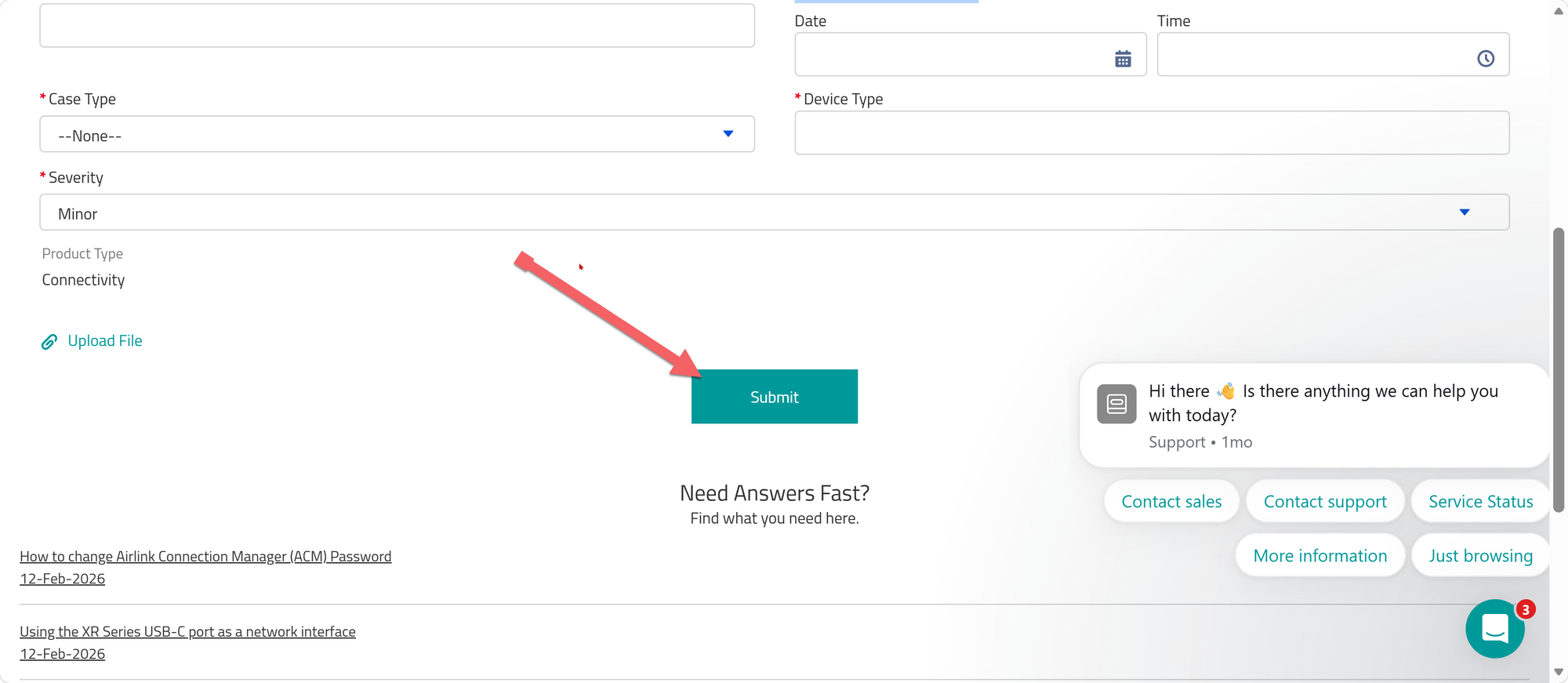
- Fill out all of the required fields
- Make sure that you give as much detail as possible, using simple plain language in the section labeled description.
- Set a date/time for First occurrence of incident.
- There is a section on the lower left if if files are needed to be attached, such as images of devices or signal scans.
- If you need assistance, please work with T2 Support elements.
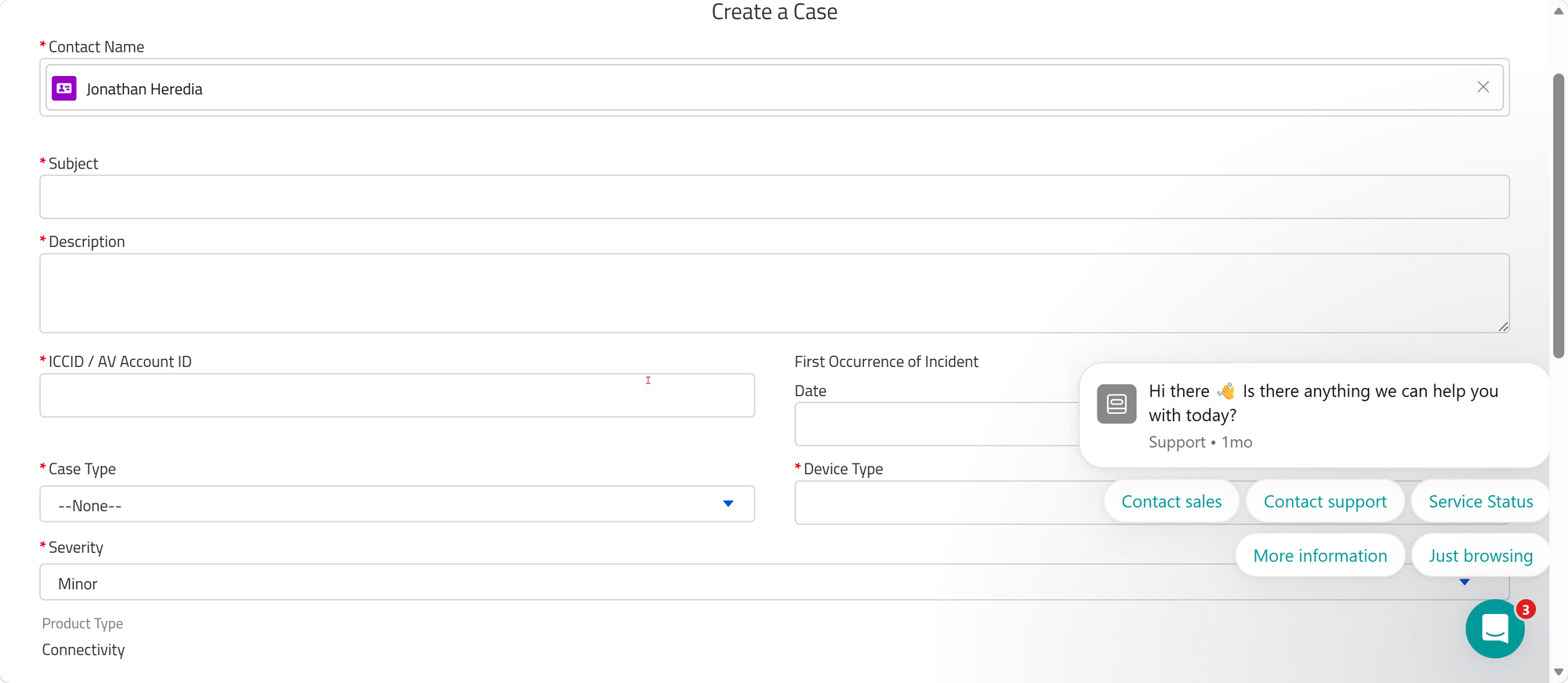
- Once all of the fields are properly filled out, click on Submit.
- A case number will be generated, and you will also receive a confirmation email with this information. Make sure that you add the case number for this ticket in salesforce, and Jira if applicable.
- You will be emailed every time the case gets updated.
- You will be responsible to confirm if the ticket can be closed or if further action is needed.