
Note
This alert is for the ET Pro3 and OptiFlow XR controllers, firmware versions 6.6 or 7.2+ or higher.
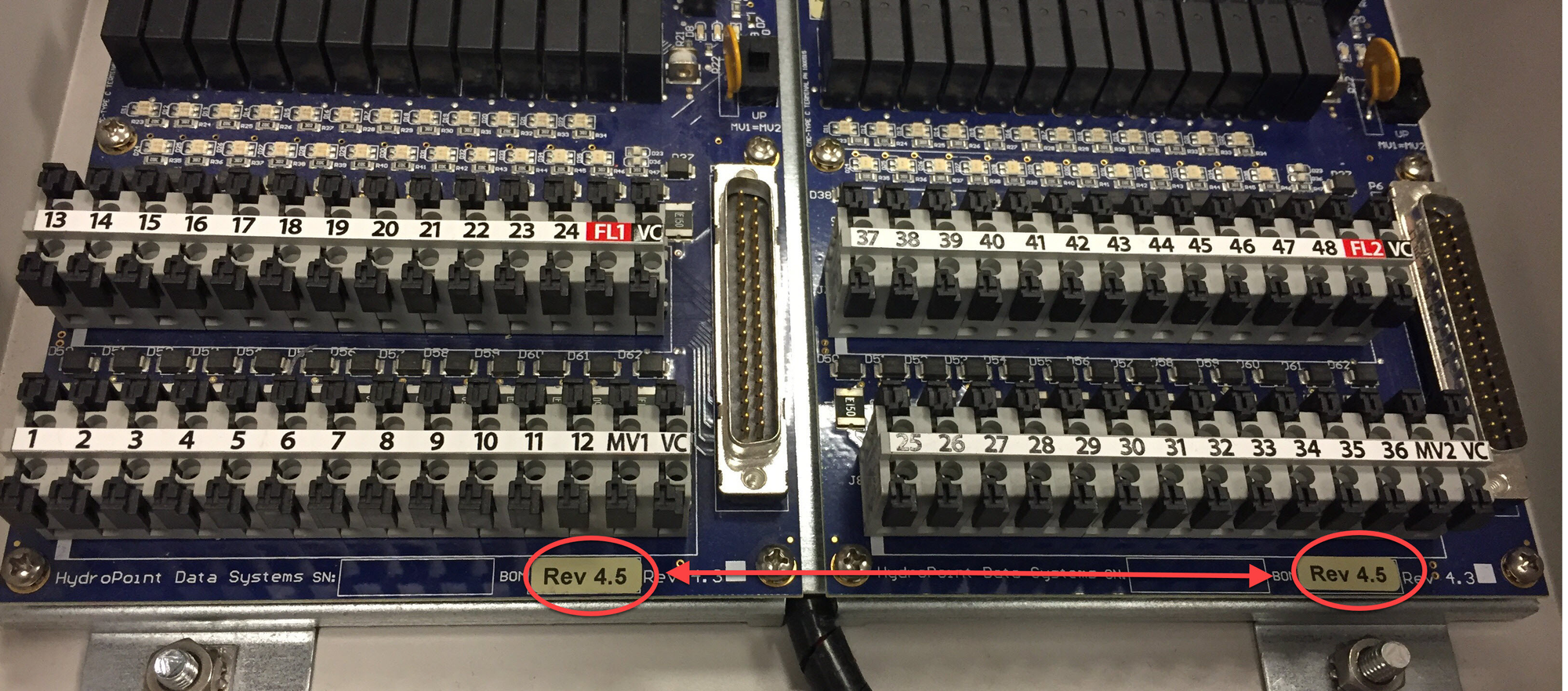
When a terminal board mismatch alert occurs, the modes/revisions of a terminal board are different.
Possible Cause:
This can happen if a new terminal board is being added to an existing board with different revision numbers. It can also happen when two Smart Water manager terminal boards are configured, but one is a high current model and the other is a low current model.
Possible Fixes:
The board that you are adding must have the same revision number as the existing one, as illustrated below. If the boards do not match, you will need to upgrade the entire terminal board so the boards match. To do this, call Customer Support at 800-362-8774.
There is no need to clear the alert. After the situation remedies, the alert will clear itself.