When a system over current alert occurs, it means that the current electrical draw for a group of stations has exceeded 1.5 amps, or 1500mA. The controller will automatically reduce the number of valves irrigating, dropping manual irrigation and less-depleted stations first.
Possible Causes
- Too many stations could be operating at the same time.
Possible Fixes
- Re-program the controller to reduce the number of stations operating at the same time.
Clearing a System Over-Current Alert from the Controller:
1. Press ALERTS.
2. Press à until the VIEW VALVE STATUS screen displays.
3. Press * to clear the alert.
Clearing a System Over-Current Alert from WeatherTRAK Central:
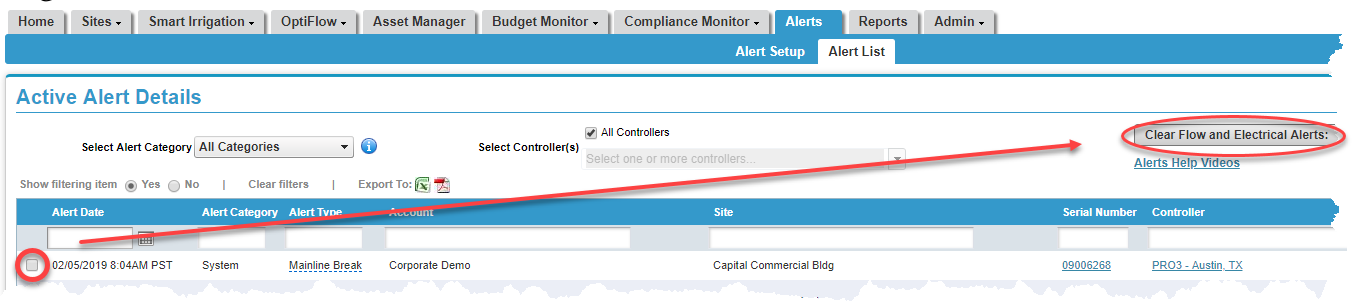
1. Hover over the Alerts tab and click on Alert List. A list of all active alerts will display.
2. Place a checkmark next to the alert you would like to clear.
3. Press the Clear Flow and Electrical Alerts button. A pop-up screen displays asking you to verify the change. Click Yes.