IMPORTANT!
If controller is Online and connected to BaseManager, DO NOT ask customer to go on site to reboot a controller. ALWAYS ask customer for permission before rebooting remotely.
Rebooting a Baseline controller can be done in 1 of 2 ways.
Method 1, using the BaseManager Administration page.
- Login to AppManager.
- Click BaseManager Icon.
- Click Menu Icon.
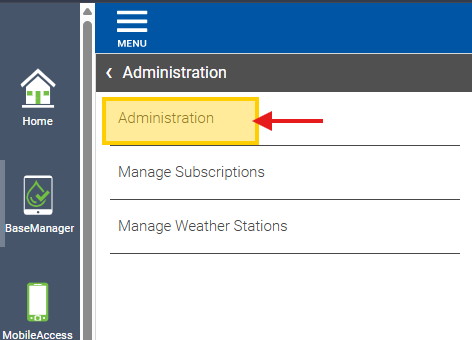
- Click Administration.
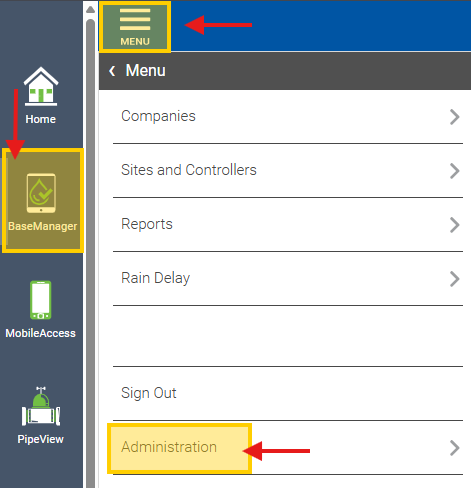
- Click Administration again
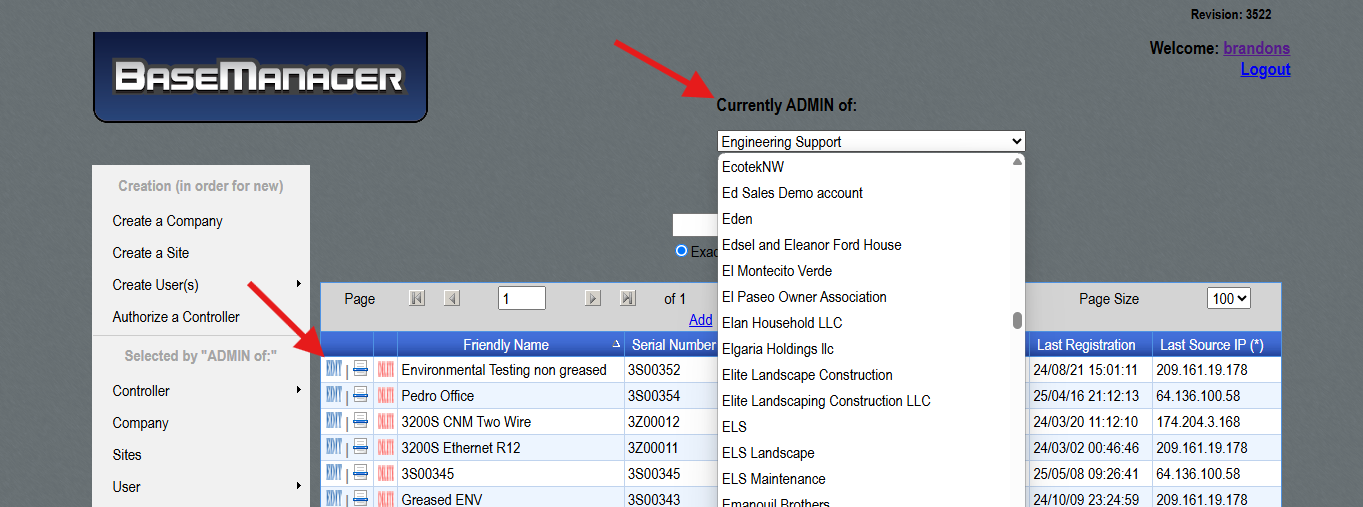
- Navigate to the desired Company under the “Currently ADMIN of:” field.
- Select the blue EDIT button for the desired controller.
- Navigate to bottom of page.
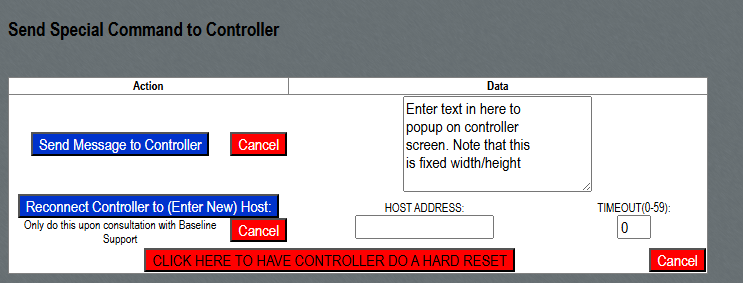
- Locate and press “Click here to have controller do a hard reset” button.
Method 2, use the web console.
- Login to AppManager.
- Click BaseManager Icon.
- Click Menu Icon.
- Click Companies.
- Click desired company in company list.
- Navigate to desired company controller and select it.
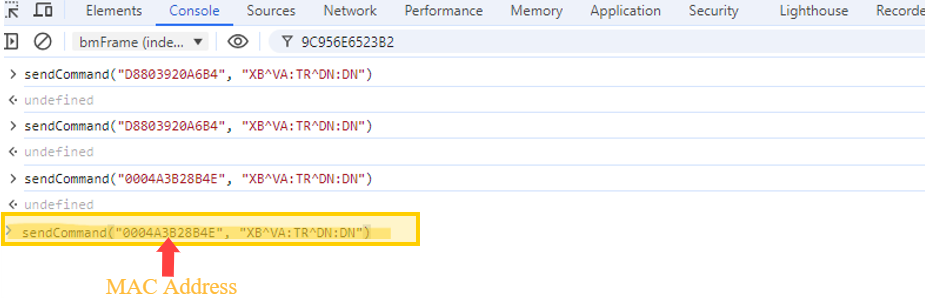
- Open browser developer tools
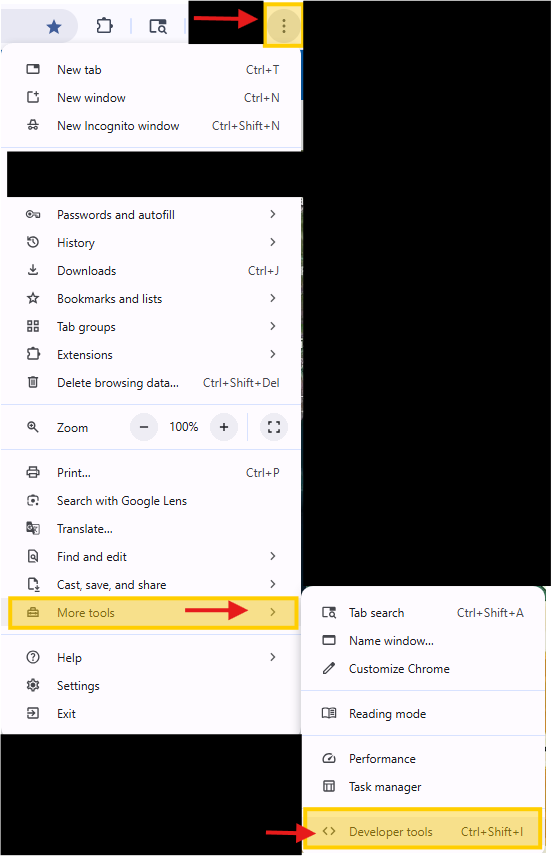
- With the browser development tools open, click Console.
- Slightly below where it says top, click top then click “bmFrame (Index.php)”
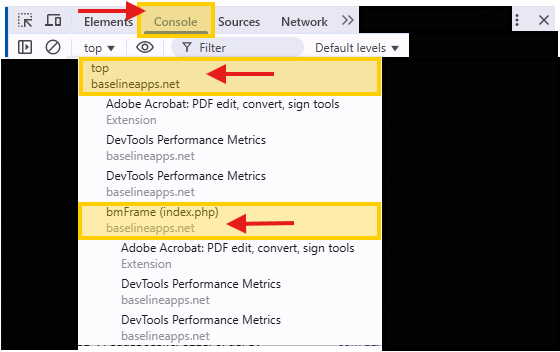
- Write the following command into the console and press Enter on your keyboard. sendCommand("ControllerMAC", "XB^VA:TR^DN:DN")